
r95nanda
Participant
March 20, 2017
Answered

How do you make a hole in a clipping mask?

  • March 20, 2017
  • 2 replies
  • 9220 views

I need to make a hole in a clipping mask. Here's an image of what needs to be done:
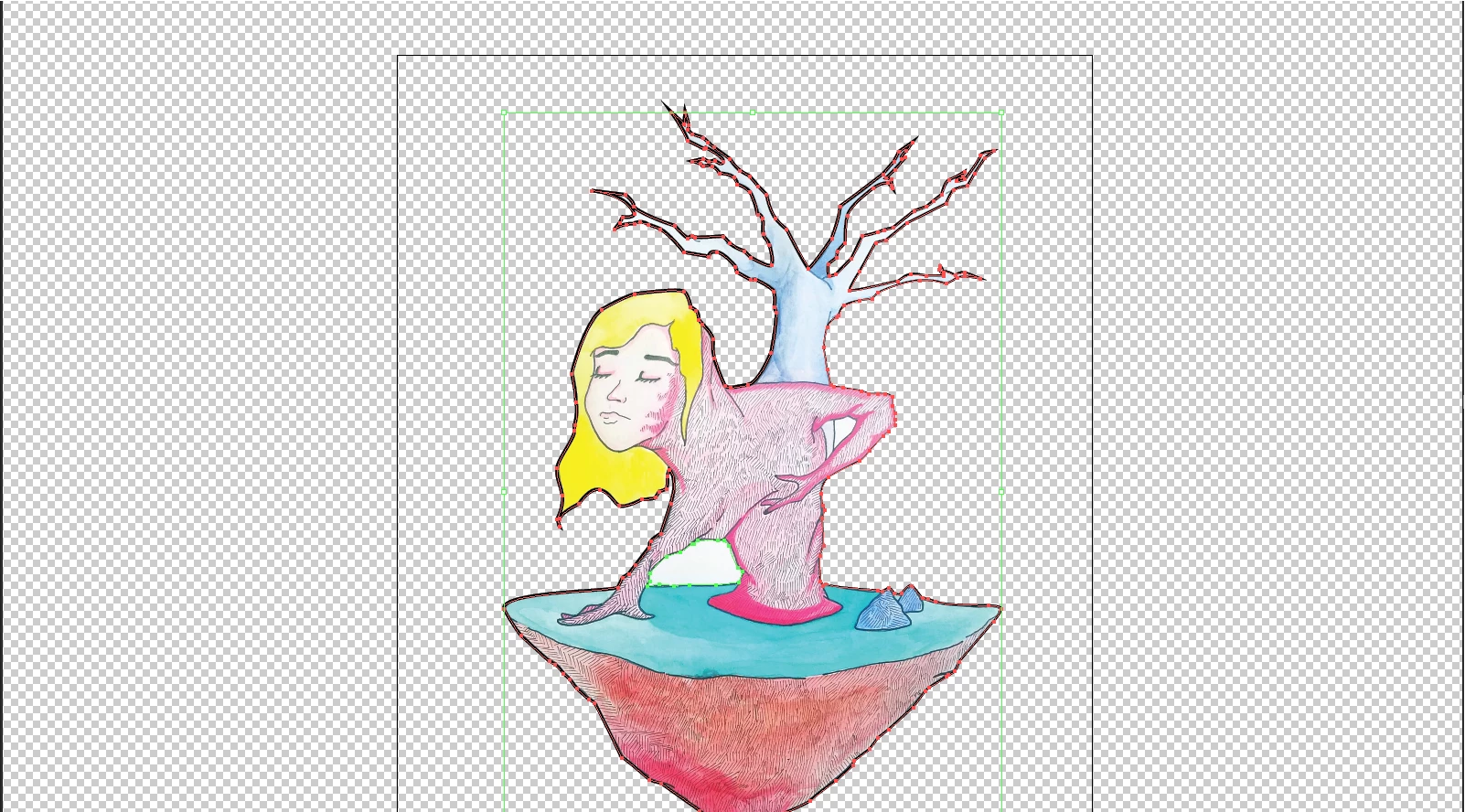
The image, outlined in red, has been created using a clipping mask, and the the white part between the ladys'(?) arm and the grass is what needs to be transparent.

Basically, the white parts are a part of the clipping mask, and I need to make them transparent. How do I do this?

Thanks!

This topic has been closed for replies.
Correct answer Monika Gause

Release the mask. Then create a compound path out of the outer path and the hole. Reapply this as a clipping mask.

2 replies

Kurt Gold
Community Expert
Community Expert
March 20, 2017

Use a compound path to create the clipping group (and don't forget to include the second white part next to the stem).

Monika Gause
Community Expert
Monika GauseCommunity ExpertCorrect answer
Community Expert
March 20, 2017

Release the mask. Then create a compound path out of the outer path and the hole. Reapply this as a clipping mask.

r95nanda
r95nandaAuthor
Participant
March 20, 2017

Thanks a ton, that did it! Here's the end result:

Do you happen to have any advice that may help an illustrator novice? Anything that would make the image look better or more engaging?

Thanks again for your help!

Clo Bo
Participant
December 21, 2023

Hey, I know how to use compound path but I don't know what the answer means but 'outer path and hole' so instead I just made a shape to fill the hole with the pencil tool and filled it with the same colour as the background...