Answered
How do you transform / scale anchor points evenly?
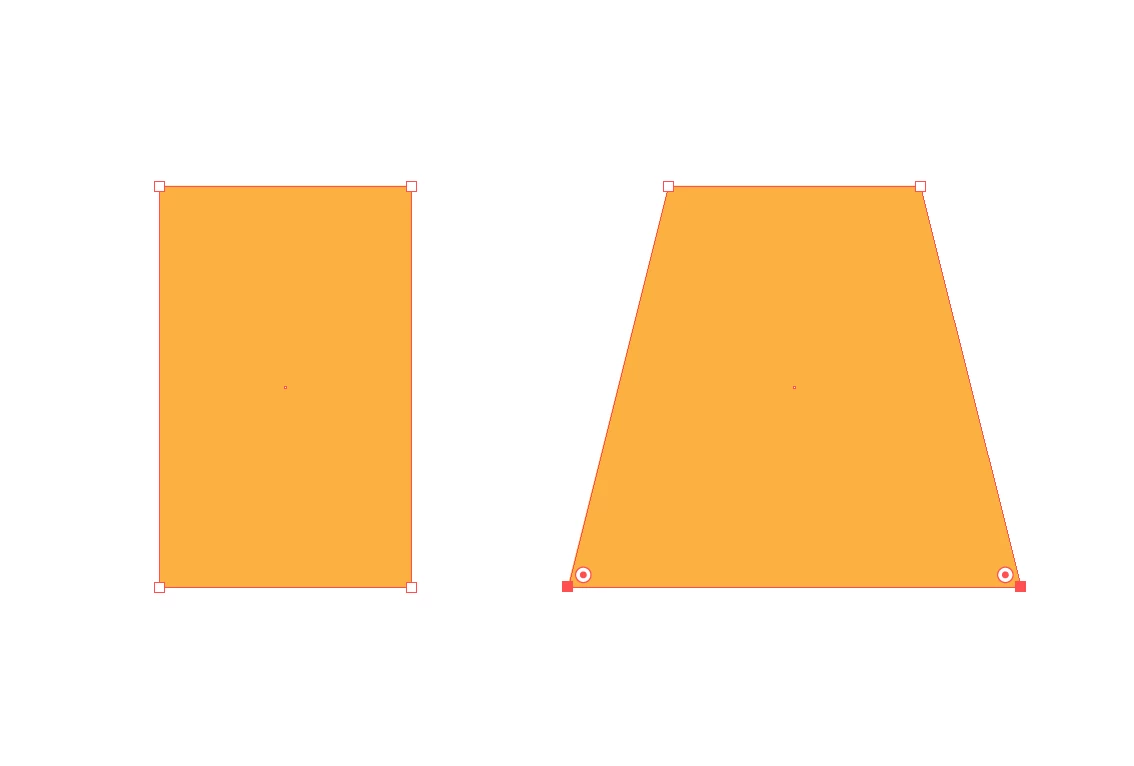
I am wondering if there is a simple way to scale selected anchor points in an object apart or together evenly as dragging anchor points individually, doesn't ensure symetry.
I've found that I can achieve my desired effect by selecting the two anchor points I want to transfrom with the Direct Selection Tool, then right-click > transform > scale, which then brings up a dialog box where I can adjust the "Uniform" % value.
This however seems too much of a complicated way to just move anchor points away from eachother evenly.
The example on the left is the start and the example on the right is where I want to move anchor points without eye-balling it or setting up guides.
 AdChoices