
Question
How edit 3D application on Illustrator
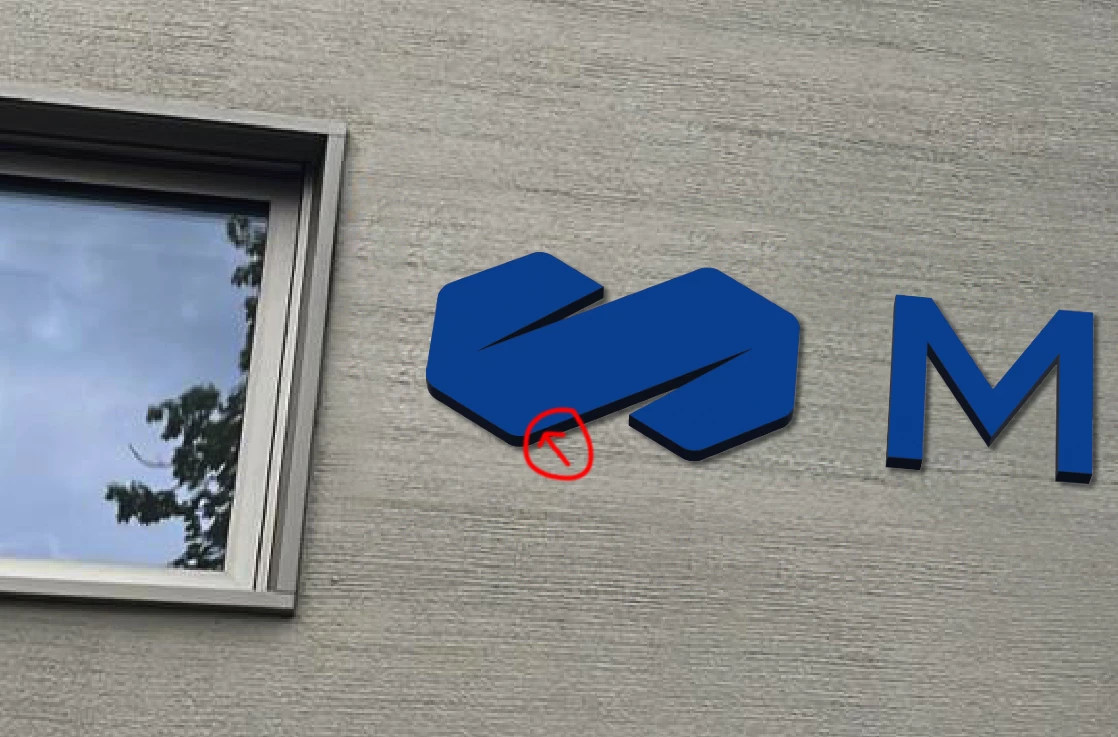
I work for a sign company and when I design a brand book and propose a design to the client for their business, I like to take a photo of the wall where the new sign is going (CHANNEL LETTER) and in that photo I like to include an example of as it would look on the sign. I am using illustrator 3D to superpose the logo on that photo (CHANNEL LETTER). But I have a situation. I don't have full control to edit a logo, if the logo is blue with yellow borders. I don't get the yellow border, usually it automatically applies a dark border, like black or dark grey, I can't find how to change the color... Any suggestions?
 AdChoices