
Known Participant
April 1, 2019
Question

How is a gradient interpolated in Illustrator?

  • April 1, 2019
  • 6 replies
  • 2144 views

I'm trying to use illustrator to create a displacement map for use in 3d that creates a perfect 'V' shape. To do this I'm creating a Gradient as a Stroke along a path like this:
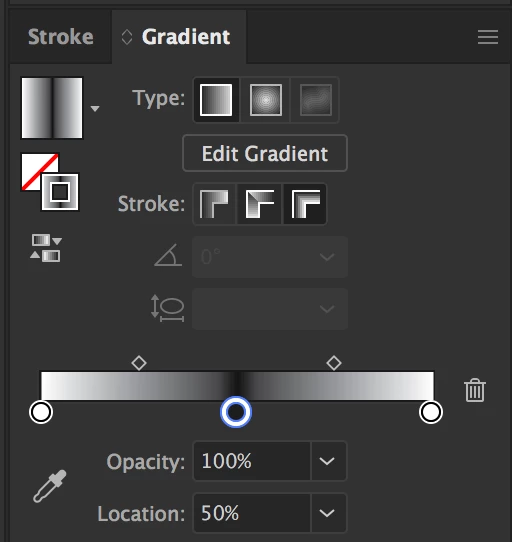
which creates this:
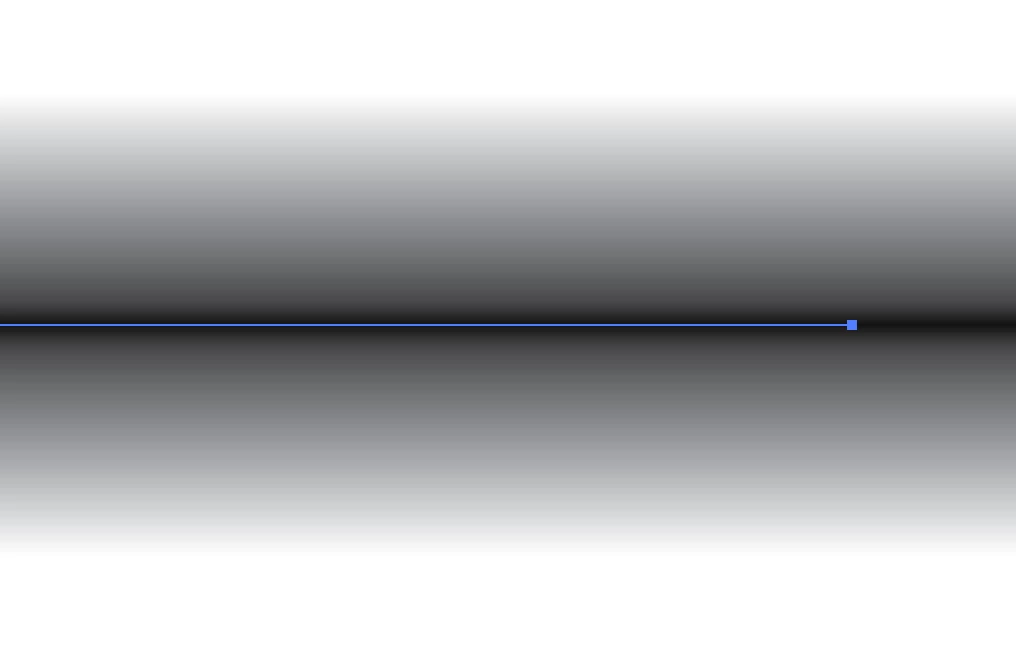
When exported to Photoshop and then brought into 3d as a displacement map it gets close but doesn't quite create a perfect V. The top and bottom seem to have some interpolation on them so you don't get perfectly flat faces.

We've been messing with Colour Space/ Bit Depth to see what that does but my guess is that Illustrator is adding a curve of some sort to its gradient to smooth them out. There don't seem to be any settings/ options anywhere to change this though.

Does anyone know a) if there is a curve being applied behind the scenes (i.e. it's not actually a linear gradient) and b) if the answer to A is yes, is there a way to remove it?

Thanks,

Chris

This topic has been closed for replies.

6 replies

Participant
December 1, 2019

Hi Chris, did you ever manage to get to the bottom of this? I am actually looking for a way to create perfectly rounded extrusions in 3d by using the heightmap from illustrator. Not sure how to achieve this, since I'm mostly getting an angular result with a gradient along path.

Ton Frederiks
Community Expert
Community Expert
April 1, 2019

It won't solve your question, but here are some of my observations.

Years ago I tried to create a file with exactly 256 shades of gray in Photoshop.

I failed using the gradient tool, even in a 256 pixel wide document it always came out with pixels added and others missing.

The same happens in Illustrator, I cannot find a way to create a blend or gradient with exactly 256 steps.

Looking at the results in Photoshops Histogram panel always shows toothcomb like spikes.

This is how your Vshape ramp (511 pixels wide) should look like to get a sharp corner when displaced:

But this is what I get from Illustrator:

Unfortunately I do not know how to solve your problem, but maybe someone else has a good idea.

Legend
April 1, 2019

Ok, so you are using a process which takes the gradient colour value, and turns it into a distance/displacement, so you can instantly see if the result isn't linear. I think I'm with you.

How are the colours at opposite ends of the gradient specified? Are you in CMYK or RGB mode? What is the deliverable between Illustrator and After Effects, then from After Effects to Maya? I'm wondering whether colour management conversion is happening.

Are the Vs symmetrical left-to-write, albeit not straight?

Legend
April 1, 2019

Sorry, still no idea what you mean by V shaped. Is this a mathematical abstraction of the colours rather than a shape on the screen?

Legend
April 1, 2019

Sorry, I still have no idea what is the visual effect that you are seeing which is leading to the question. If it's related to the "perfect V shape", what is that?

Legend
April 1, 2019

What exactly are you meaning by visible “interpolation”?

do you mean you see visible steps in colour, or something else?

Known Participant
April 1, 2019

Thanks for responding. So in other apps you have options for how a 'linear' gradient is interpolated. For example in Autodesk Maya it can be any of the below:

Changing these settings will change the shape of the gradient. It's just changing the curve (underlying maths) for how the gradient moves from e.g. black to white. From the results you get in Illustrator it doesn't seem that it's a 'pure' linear grad but it's hard to tell visually.

We're trying to trouble shoot something and it feels like this is our issue at the moment but there doesn't seem to be any documentation on it.

Known Participant
April 1, 2019

A bit more info:

If, for example, we use a Maya Ramp (gradient) set to Linear Interpolation as a Displacement map it results in a perfect V shaped displacement but if we import an image of the 'same' gradient created in Illustrator it doesn't result in a perfect V. It seems there's some sort of other interpolation going on.