graphics_4075
Inspiring
August 26, 2026
Question

How long has the Firefly workspace been in Illustrator?

  • August 26, 2026
  • 4 replies
  • 27 views


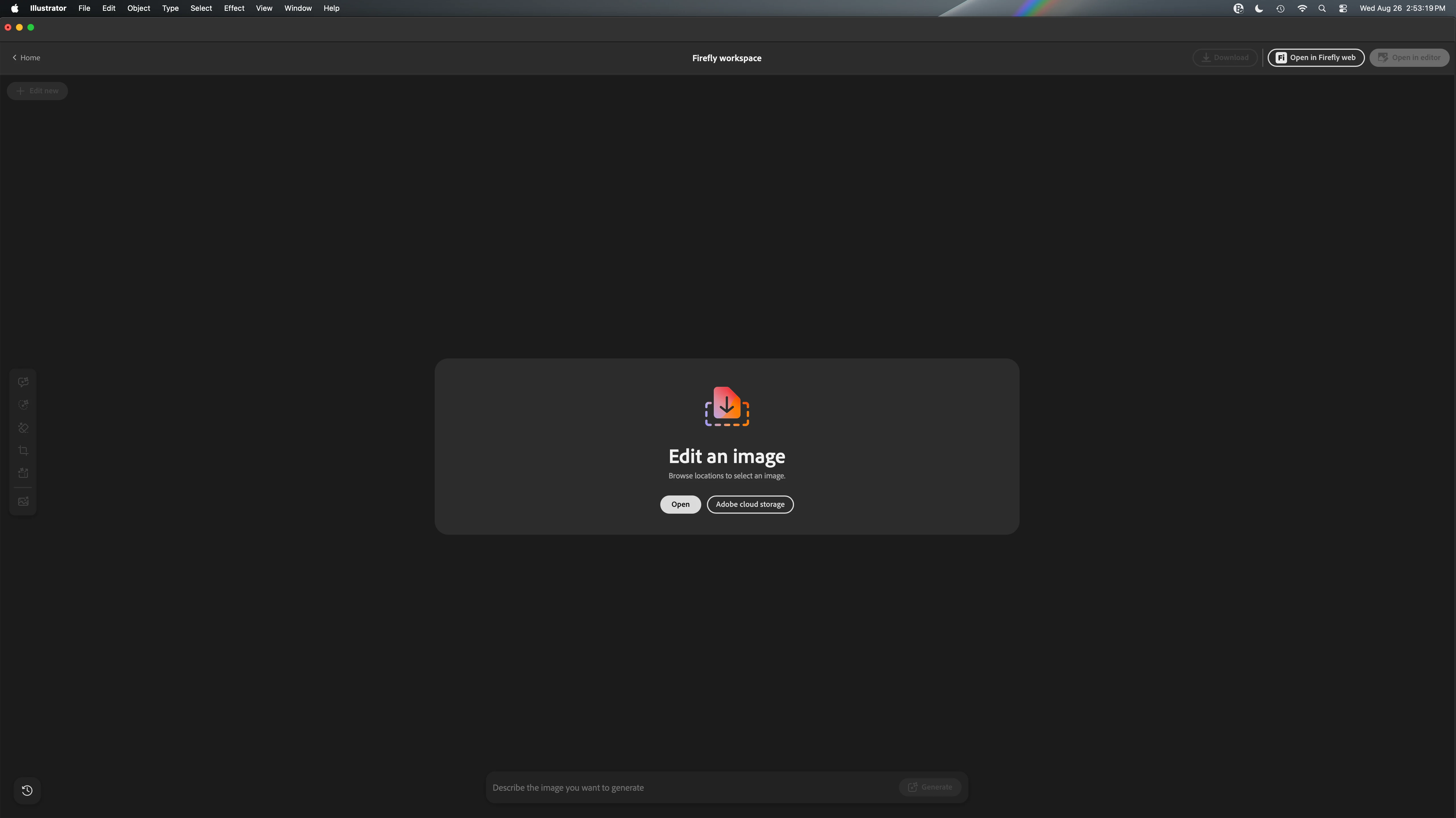
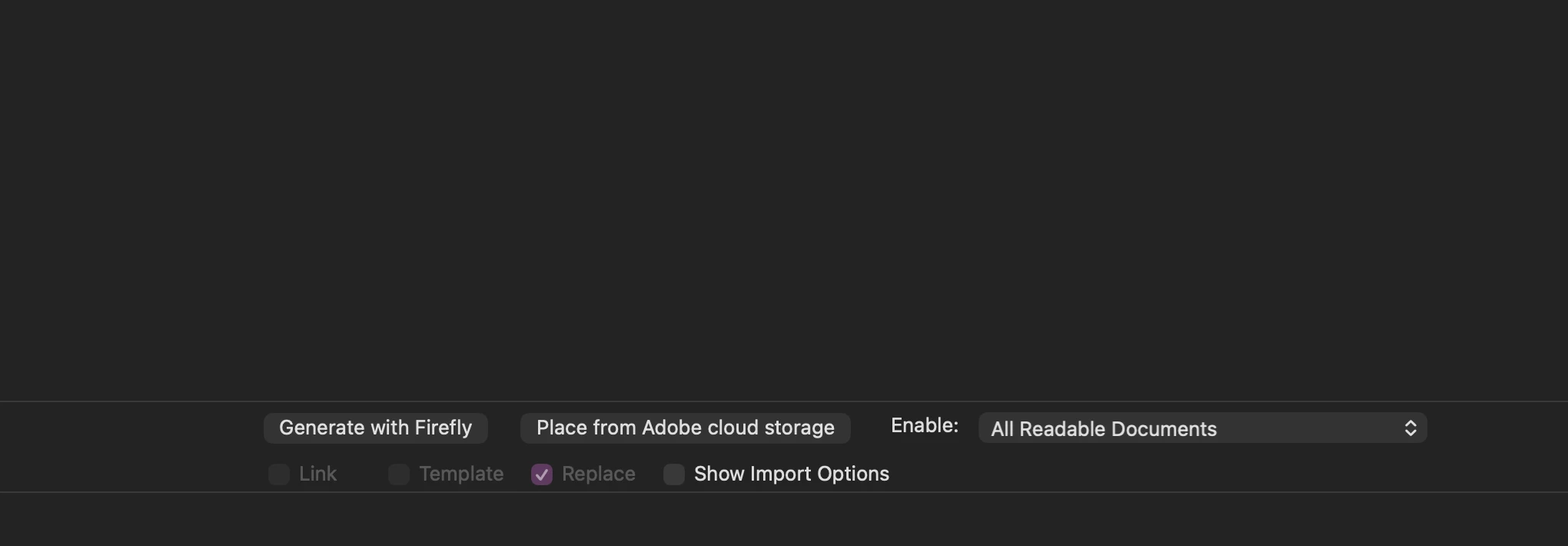
Found this on accident. At least on Mac OS and Illustrator 30.7, when in the file menu to place files, there is a button to “Generate with Firefly.” Clicking it takes basically takes over your Illustrator and sends you to a dedicated Firefly workspace. There is the option to open it in Firefly Web and the option to “Open in Editor”; this button seemingly does nothing but close the window and bring you back to Illustrator with your original file ready to be placed. 


Genuinely just curious, how long has this been in Illustrator? Has anyone else ever noticed it? I can’t seem to find any other way to access this menu (for once that’s a good thing) and given there are so many other ways to generate inside Illustrator already, do we really need an entire dedicated workspace with a convoluted way to access it?


It didn’t even start to load and instead just gave me a grey screen for 3+ minutes on my first click, I had to restart Illustrator for it to work. I would hope having a fully dedicated workspace to generate and edit with Firefly inside of Illustrator wouldn’t affect its performance at all…. since there is already a dedicated Firefly web-app and you can send files between the two apps easily. 


I am only posting due to the lack of documentation about this specific feature. I can’t find anything specifically referencing a Firefly editing workspace inside of Illustrator, only the firefly abilities in Illustrator like text-to-vector. This AI stuff makes me more dramatic, but why does this even exist? 

This is not something I will ever use and am personally adamant about keeping Illustrator true to it’s original purpose rather than stuff it full of AI features. If this is a look at what’s to come in making “everything available under one app,” consider me out when that finally happens, once and for all. 

    4 replies

    Inspiring
    September 3, 2026

    I just ran across this and had the same question as graphics_4075. Though I ran across it on the home screen (no file was open) and clicked out of curiosity. Like _4075 said, it opened right in Illustrator. I’ll probably still use the web version so I can keep working in Illustrator while ‘Skynet’ creates the impossible version requested by clients as my creative soul is sucked from my graphite and drawing paper corpse. 

    creative explorer
    Community Expert
    Community Expert
    August 26, 2026

    @graphics_4075 I think I noticed it in 2025, but, I might be getting it mixed up with Illustrator Beta and the rgular version of Illustrator or maybe, I am thinking its Photoshop. I use the big three interchangeably all the time, and I know I saw it in Photoshop and Illustrator. Just don’t know the exact timeline! 

    m
    Harshika Verma
    Community Manager
    Community Manager
    August 27, 2026

    Hi graphics_4075,


    Thank you for reaching out and expressing your thoughts. Ideally, the "Open in the Firefly" page should direct you to the website where you can modify your images. If this isn't working on your end, please let us know.

    Here is the information about this:
    https://adobe.ly/45MMeZ1

    Explore Firefly directly from the homescreen — generate vectors, create or edit images, and brainstorm ideas with Firefly Boards. Use the dedicated tabs to access Generate vectors, Prompt to edit, and Ideate with Boards (unavailable in mainland China).


    Meanwhile, we will pass on your feedback to the product team.


    Thanks,

    Harshika

    graphics_4075
    Inspiring
    August 27, 2026

    This page is not a dedicated tab like referenced in the help, it is an entirely standalone interface within Illustrator that essentially takes over and gives you a “back” button to return to Illustrator. It’s basically the Firefly web version but only for editing images, it seems? This is not like the pop-ups if you try to normally generate vectors, this is within the Illustrator window and you are not able to do anything else other than use Firefly or go back.


    As for the Open in Firefly button, my wording could have been better: this button works. It is the “open in editor” button that seemingly doesn’t. When clicked, it simply closes the Firefly workspace and then will carry on with whatever action originally intended (place file, open file)

    Cheers