
Participant
September 4, 2024
Answered

How this logo was made

  • September 4, 2024
  • 1 reply
  • 251 views

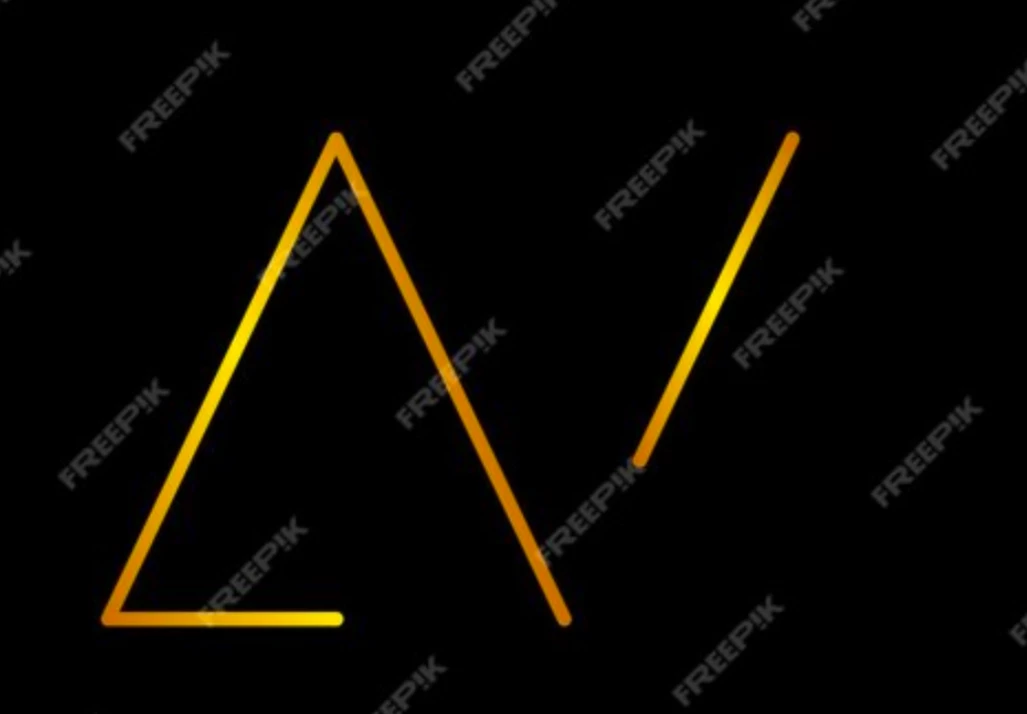
I found this logo on freepik just for practice I want to know how this logo was made. How multiple gradients was used on a path.


1: The left path of "A" (/) used radial gradient

2: The path on bottom of A (_) used linear gradient


What I think that these are two different layers


Do anyone have suggestion or workaround with single layer. How to add multiple gradient on single path or object?
 

This topic has been closed for replies.
Correct answer Ares Hovhannesyan

If you want multiple gradient on one object use Point Gradient.

https://helpx.adobe.com/illustrator/using/gradients.html#:~:text=Create%20freeform%20gradient%20in%20points%20mode

1 reply

Doug A Roberts
Community Expert
Community Expert
September 4, 2024

I don't see why it has to be multiple gradients. Here's a single linear gradient:


Participant
September 4, 2024

Ok, I am dumb.


Ares Hovhannesyan
Community Expert
Ares HovhannesyanCommunity ExpertCorrect answer
Community Expert
September 4, 2024