
TwistyBitz
Participant
July 7, 2023
Question

How to

  • July 7, 2023
  • 2 replies
  • 299 views

I recently bought a new iMac with the M1 chip. It was a tough migration but it seems to be fine now.
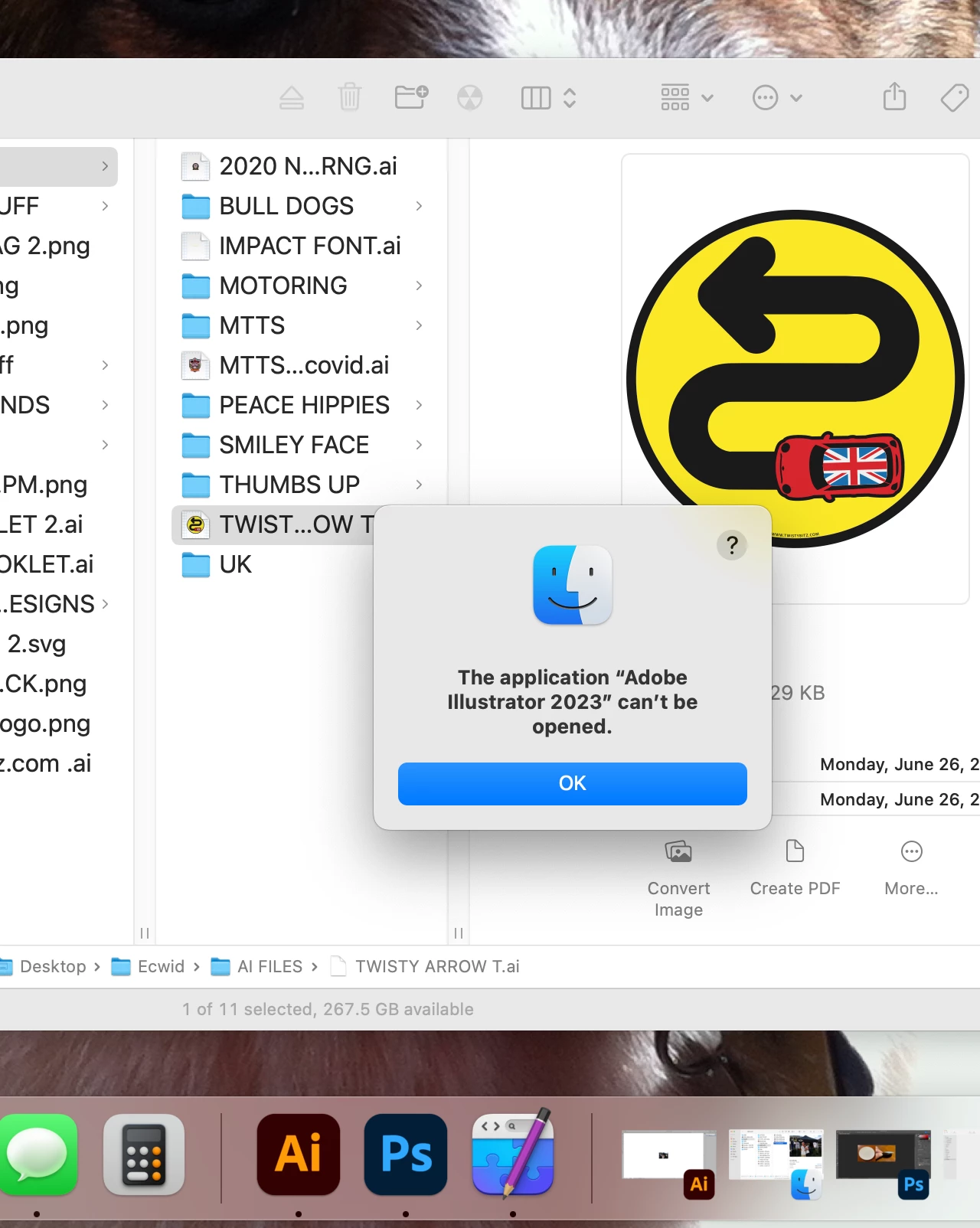
Today I dubble clicked on a AI file to open it and go this message? If you notice at the bottom of the screenshot the program is open and if I just drag and drop a filenit will open?
This topic has been closed for replies.

2 replies

Anubhav M
Community Manager
Community Manager
July 7, 2023

Hello @TwistyBitz,


Thanks for reaching out. I hope the suggestions shared by Monika to remove and reinstall Illustrator helped resolve the problem. If not, kindly try running Illustrator under a different administrator account (macOS) and check if it helps.


Looking forward to hearing from you.


Thanks,

Anubhav

TwistyBitz
Participant
July 8, 2023

Not sure but it seems she didn't read my post as I noted I can drag and drop a file and they open fine.. When I did the migration to my new iMac I had to re-install AI as well as PS from Adobe's site. They seem to be working fine but I just can't double click a file to open?????

Monika Gause
Community Expert
Community Expert
July 8, 2023

In that case you might want to check the file extension associations in Mac OS. Does Illustrator have full disk access?

Monika Gause
Community Expert
Community Expert
July 7, 2023

Can you drag the file over the Illustrator application icon to open it?


Exactly how did you migrate? Usually you should install everything new. Moving it over probably won't work.