Participating Frequently
November 3, 2023
Answered

How to achieve this colour in illustrator?

  • November 3, 2023
  • 1 reply
  • 1319 views

Hi all!

I created this file with the specific colour in Canva. Anyone knows how to achieve the same colour in illustrator? I copied the colour code but it doesnt look the same. 

Thanks!

This topic has been closed for replies.
Correct answer Michael Ambroise

I believe Canva uses RGB and the code is #00F7FF.


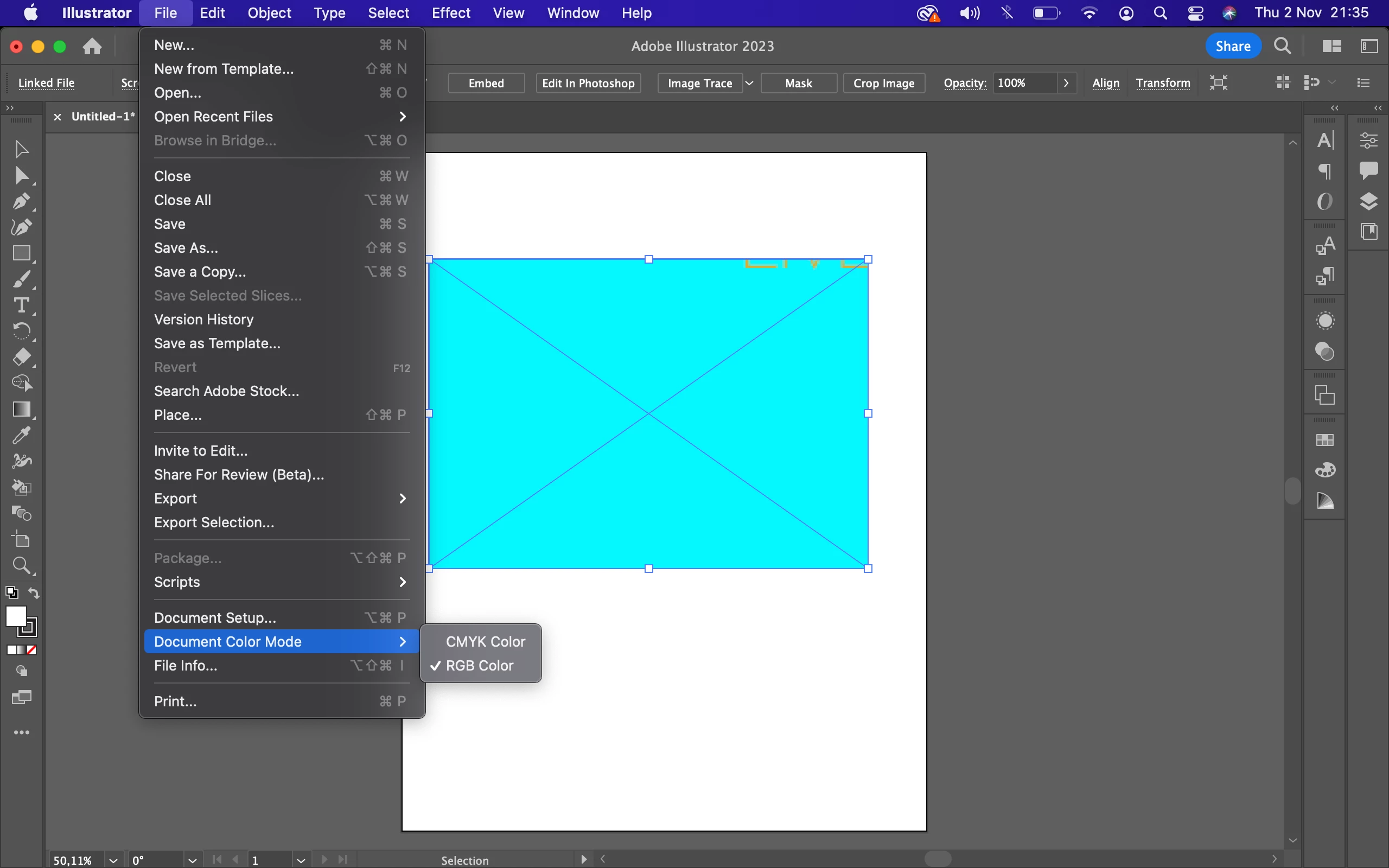
I'm talking about illustrator. Try changing the document color mode to RGB to see what it does.
1 reply

Michael Ambroise
Community Expert
Community Expert
November 3, 2023

Can you share a screenshot with us to better understand the situation? 

_______Senior graphic designer | United Nations Population Fund
FabianooAuthor
Participating Frequently
November 3, 2023

Hi Michael,

I've already attached the screenshot. Please take a look!

Thanks!

Michael Ambroise
Community Expert
Community Expert
November 3, 2023

Okay. Have you verified that the "document color mode" is RGB?

_______Senior graphic designer | United Nations Population Fund