Participant
January 21, 2023
Answered

How to achieve this text effect?

  • January 21, 2023
  • 2 replies
  • 457 views

I'm wanting to do something similar to this, with two lines of text that warp in a curved fashion. i've been trying with "arc upper" and "arc lower" with little success. Thank you! 

This topic has been closed for replies.
Correct answer Monika Gause

You need to create you own custom envelopes for this.
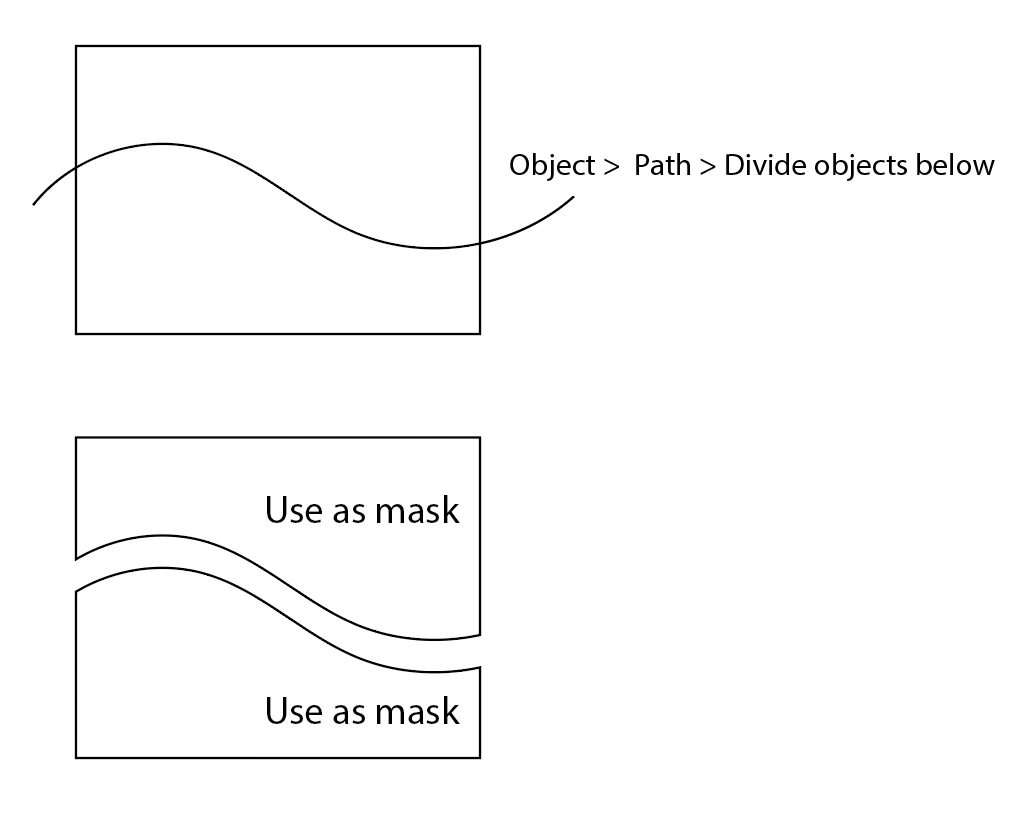
 

Please see this video on how to optimize envelopes:

https://www.youtube.com/watch?v=AXMHWDRcv_g 

2 replies

Mike_Gondek10189183
Community Expert
Community Expert
January 22, 2023

I almost never acceptable results warping text with a top object as the distortion makes type look unsymmetrical/sickly distorted. Object >> envelope Distort >> Reset with mesh helps significantly with this, but you need to tweak as I will show in next step.


Below is after tweaking the warp mesh by hollow selecting points and nudging to get the verticals to align. I drew 2 red lines where I did not finish to show how to improve this.


You also might opt to try for a similar but easier effect with fish warp or similar and then apply on the bottom shape with the negative value  


Monika Gause
Community Expert
Monika GauseCommunity ExpertCorrect answer
Community Expert
January 21, 2023

You need to create you own custom envelopes for this.


Please see this video on how to optimize envelopes:

https://www.youtube.com/watch?v=AXMHWDRcv_g 

Participant
January 21, 2023

Thank you!
