
Question
How to adjust the gradient so that it follows the correct path?
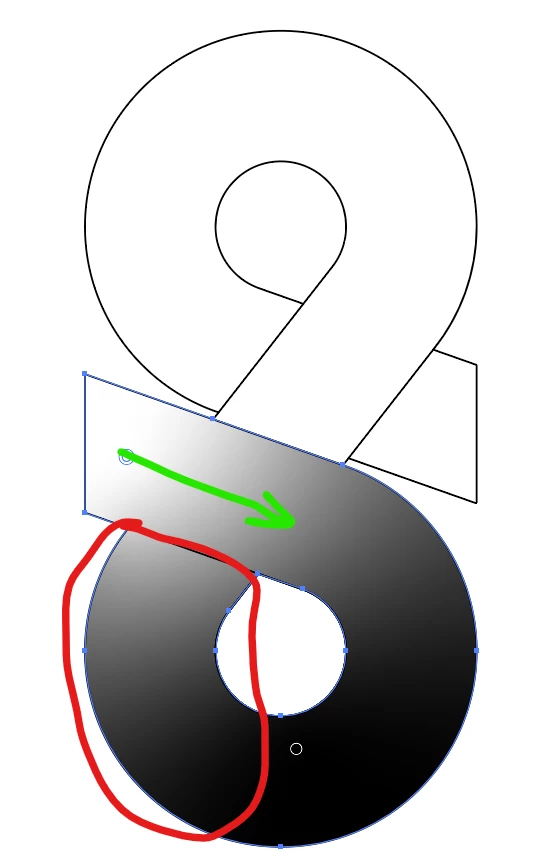 The white colour in the gradient overflows into the bottom area marked in red in spite of having a line over there to block it. I want the white colour to follow the green path as it feels like it should by default.
I have attached the file for reference.
 AdChoices