
Participant
May 12, 2020
Answered

How to align objects when using mirror tool?
  • May 12, 2020
  • 4 replies
  • 1515 views


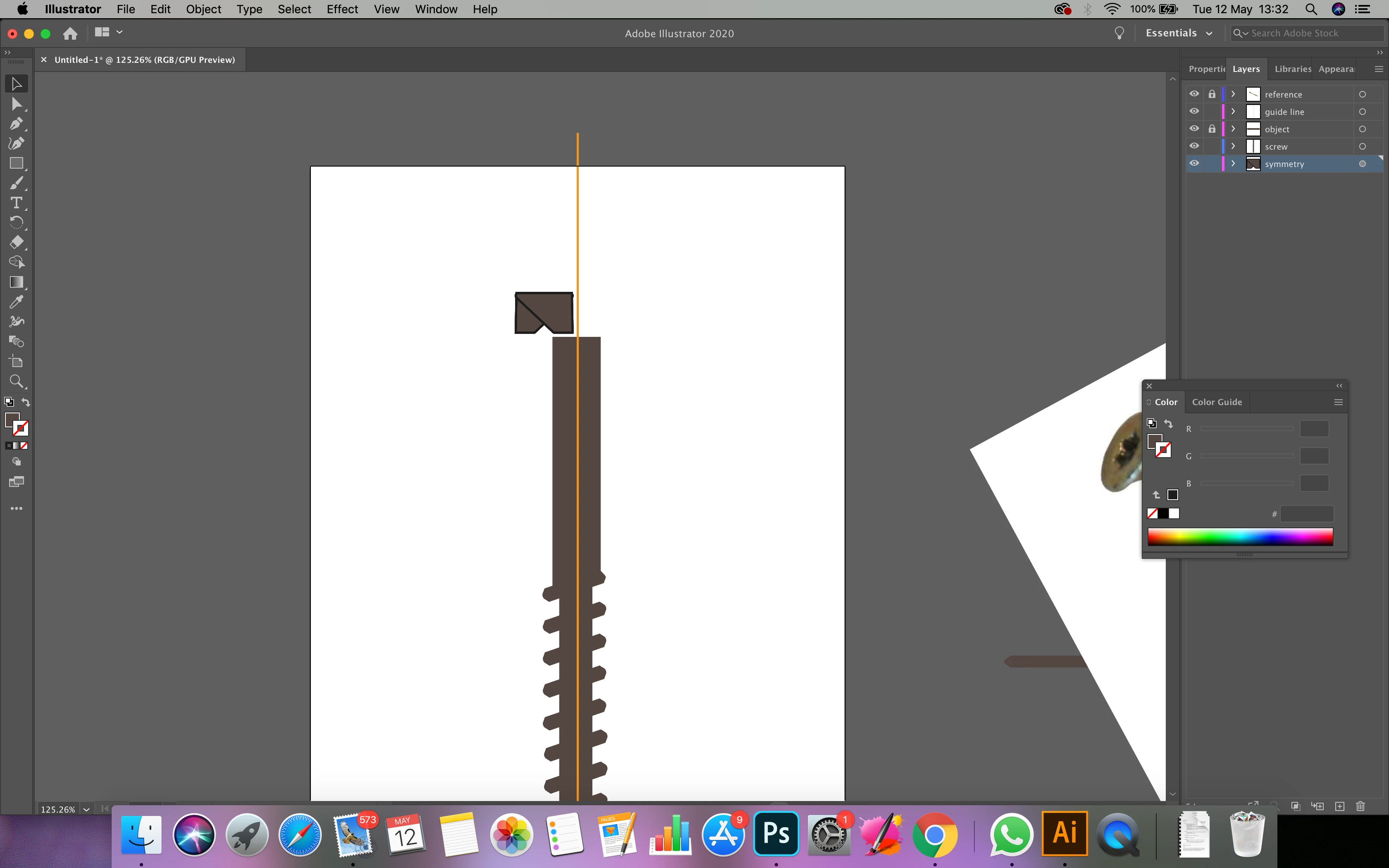
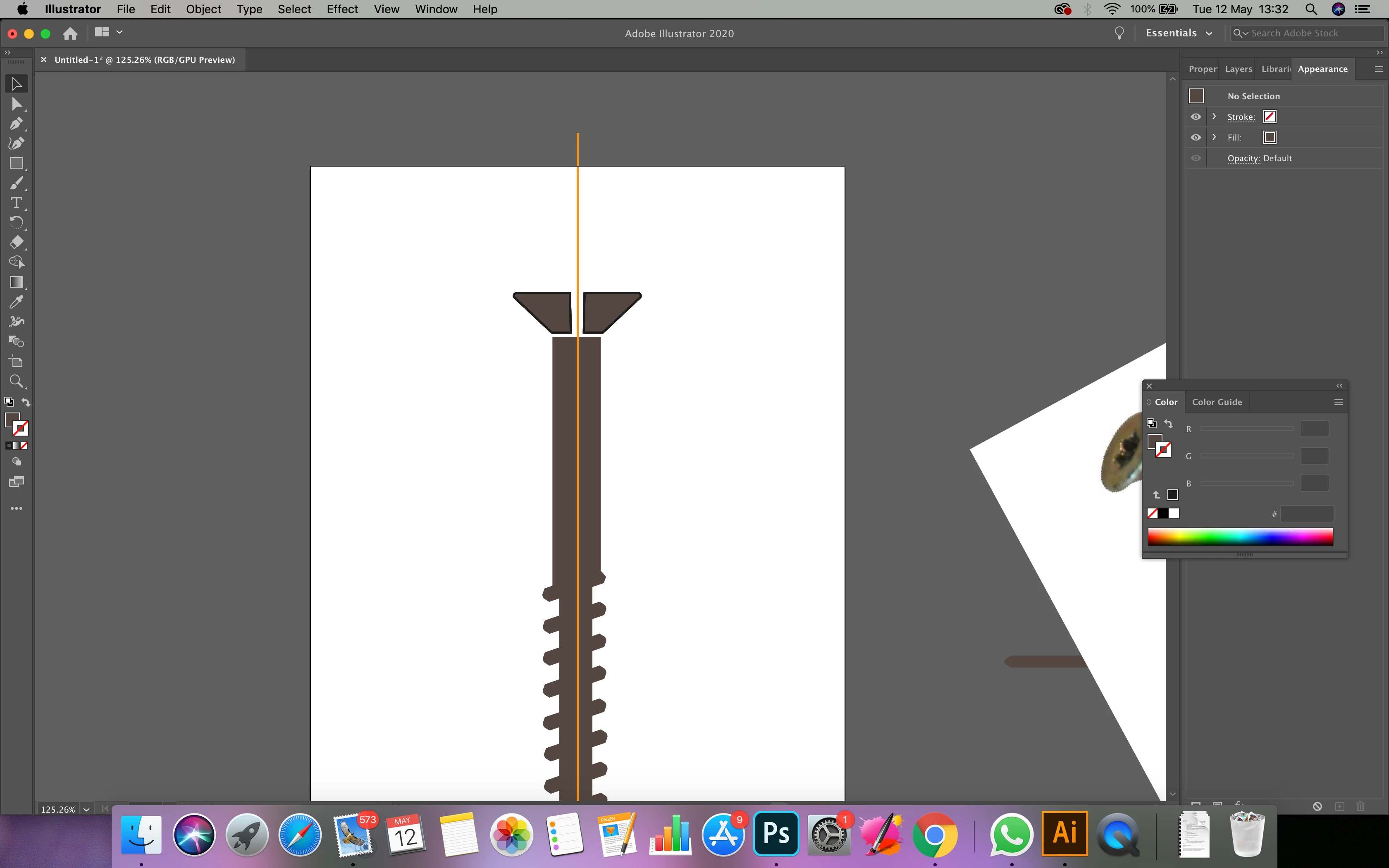
Hi, I'm simply trying to get my object (see one half of scree head above) to create a mirror of itself reflected in the x axis of the artboard. BUT ITS NOT. It keeps creating a mirror overlapping itself. I've been following some excellent tutorials on using the 'transform effect' but nowhere does it mention this problem. Many thanks,


Anna
This topic has been closed for replies.
Correct answer federico platon

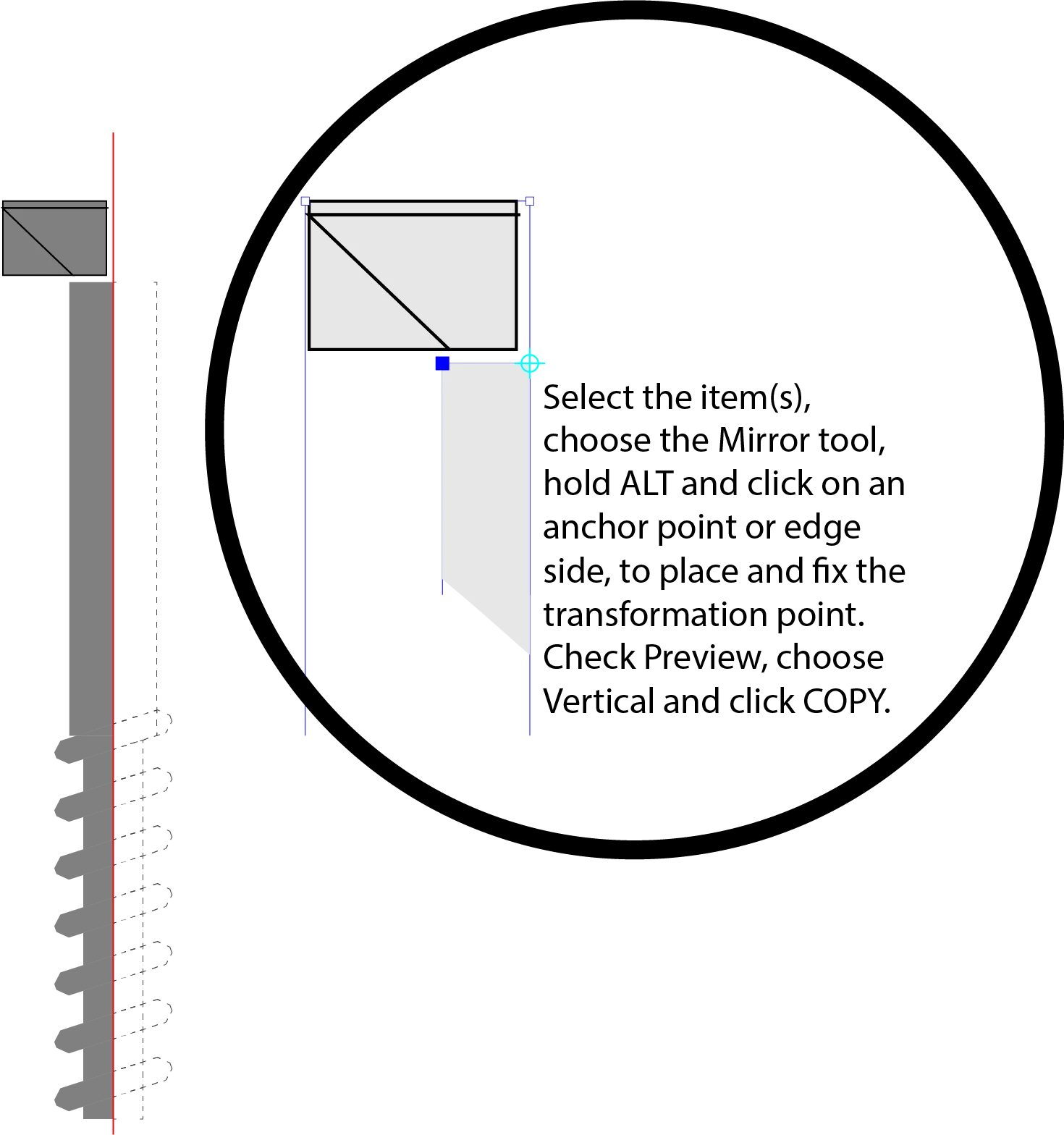
You have a half profile or part of the item.

Select it. Choose the Mirror Tool (O)

Now, place the the pointer on a side or anchor point where the mirrored piece will have to be, meeting or touching the other half.

Hold the ALT key, and click.

A Mirror window appears, check if it will be Horizontal or Vertically flipped, or following an angle.

Check the Preview box to see the otcome.

Now press Copy

The mirrored piece will appear hinged on the transformation point yiu clicked while holding the ALT key.


4 replies

federico platonCorrect answer
Legend
May 12, 2020

You have a half profile or part of the item.

Select it. Choose the Mirror Tool (O)

Now, place the the pointer on a side or anchor point where the mirrored piece will have to be, meeting or touching the other half.

Hold the ALT key, and click.

A Mirror window appears, check if it will be Horizontal or Vertically flipped, or following an angle.

Check the Preview box to see the otcome.

Now press Copy

The mirrored piece will appear hinged on the transformation point yiu clicked while holding the ALT key.


Kurt Gold
Community Expert
Community Expert
May 12, 2020

Well, I rather meant a sample file with a live transform effect (unexpanded) that may show the issue (as per your first screenshot).

Participant
May 12, 2020
Kurt Gold
Community Expert
Community Expert
May 12, 2020

Can you share your .ai file that contains the defective screw head?