
How to apply a multiply layer ONLY to non-transparent areas?
I'm having a real bugger here and I've tried all the options: clip, invert mask, isolate blending, knockout group, and opacity & mask define knockout shape. Nothing is working, unfortunately.
I have a rectangle with a gradient + some art. I want the gradient to blend (via multiply) into the art. Essentially, the purple shades at the bottom should get darker, while the top part of the art remains the original color.
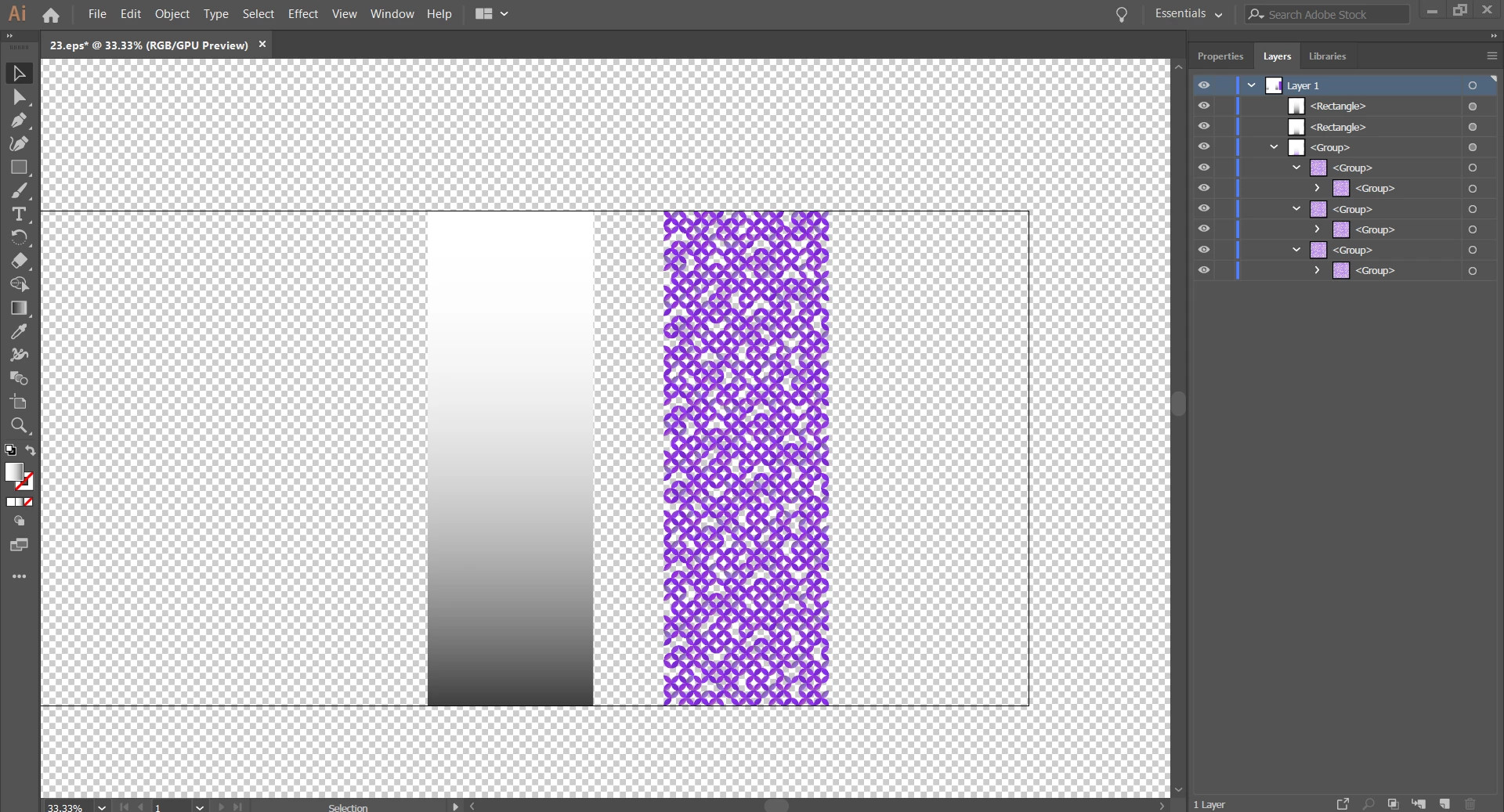
Now, I've already set the gradient layer to multiply: white should do nothing to the art and black should darken the art. It ALMOST works! Except the gradient is coloring the non-transparent areas, too!
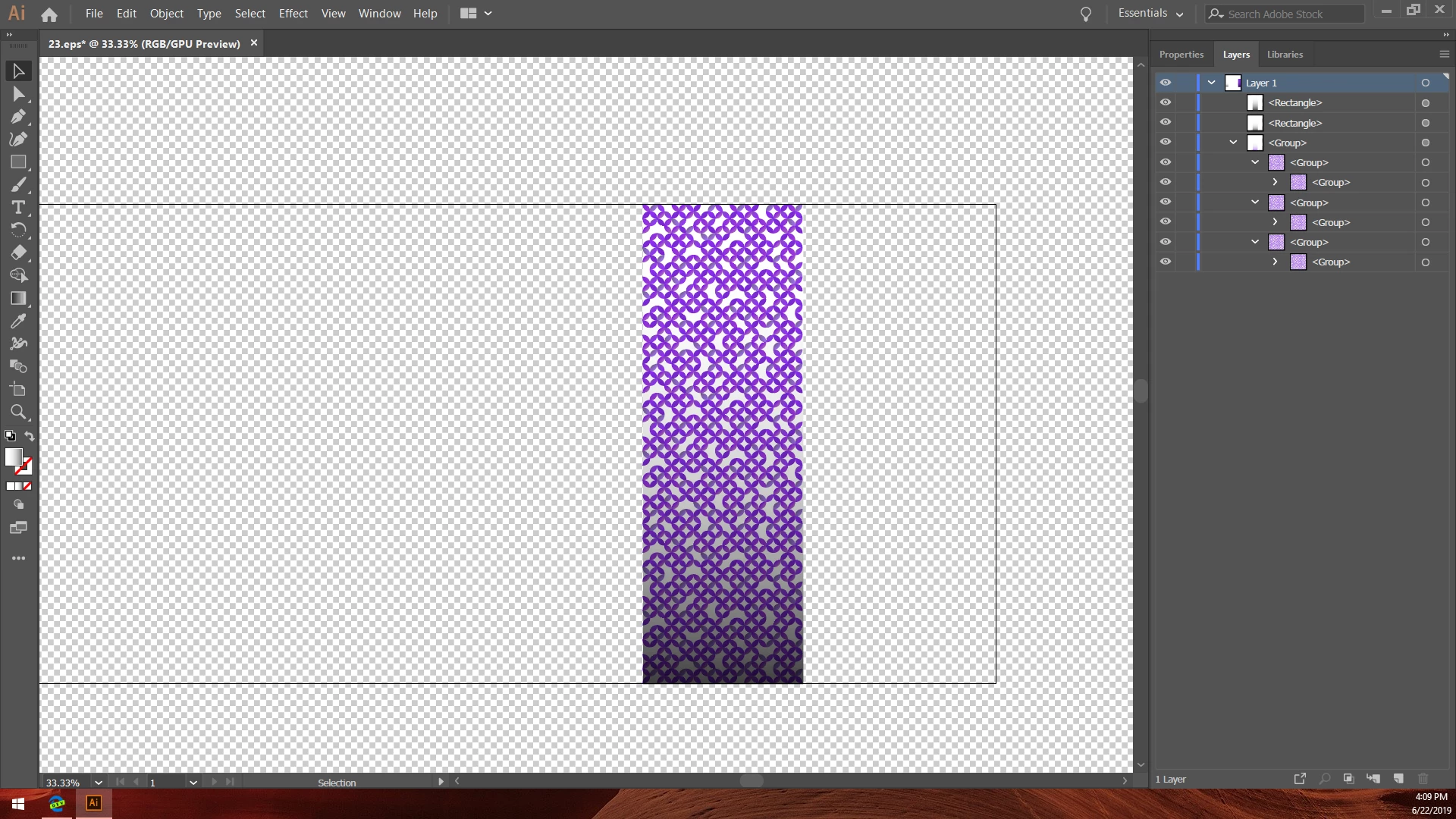
The art no longer has a transparent background. Notice:

I watched some video tutorials and guides: use a mask. So I selected both the gradient rectangle + art, then pressed SHIFT + CTRL + F10 to open the transparency menu. But, when I create the mask, somehow it starts making even the art transparent.
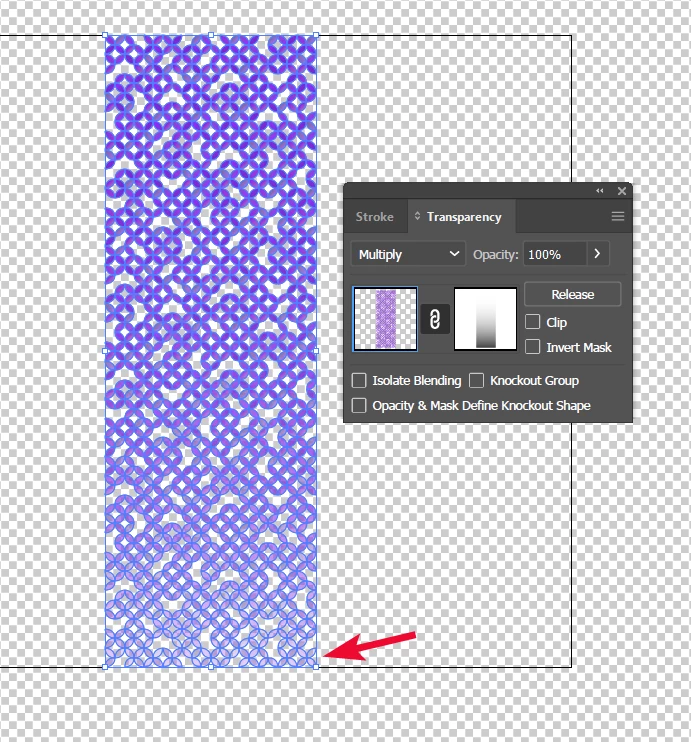
Which is...not right. I just want the gradient to change the color of the art, not make the art transparent. What boneheaded mistake am I making?
 AdChoices