Participant
November 8, 2021
Answered

How to Arc and stretch type

  • November 8, 2021
  • 4 replies
  • 1176 views

Hi all 🙂

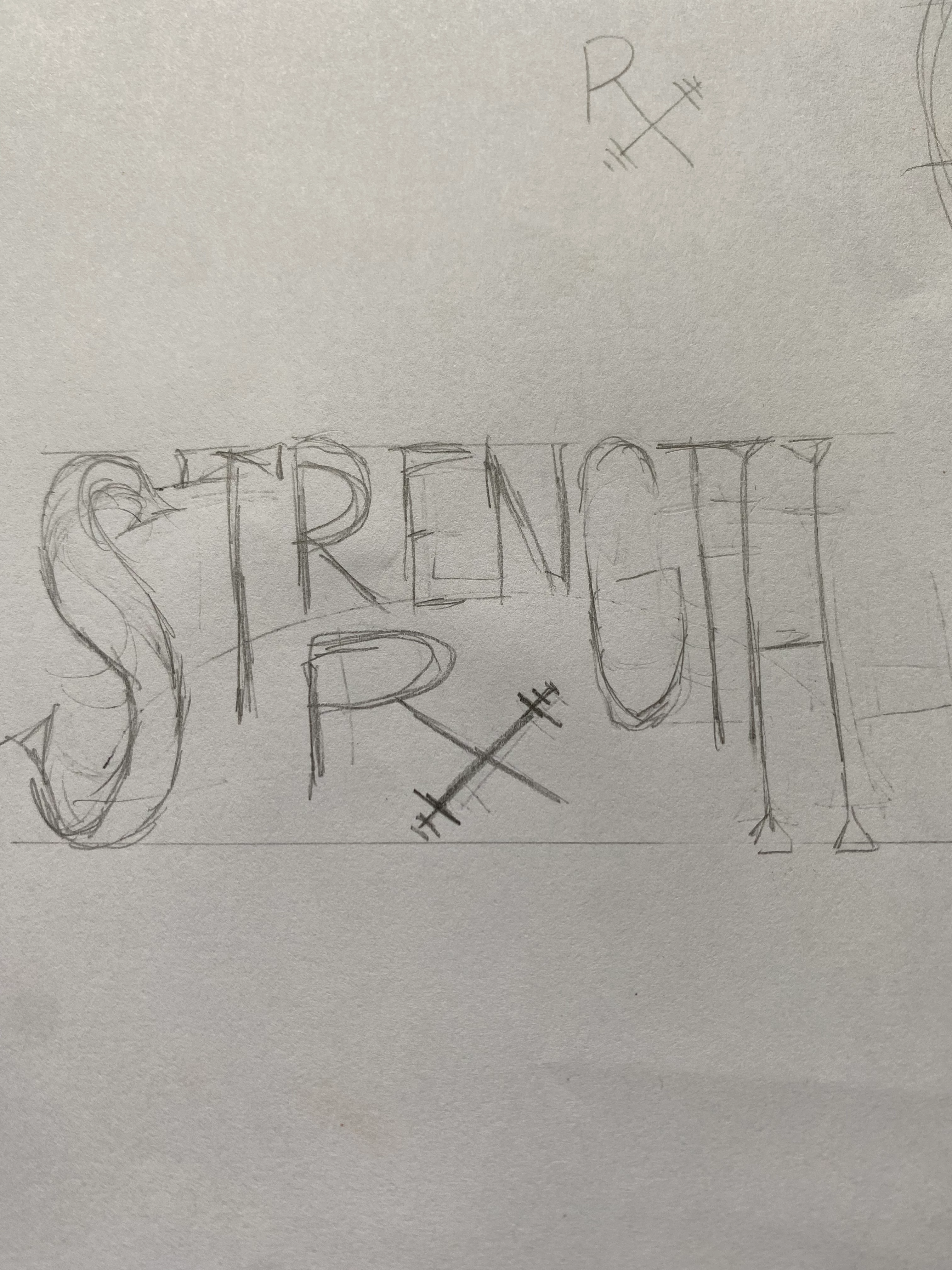
I am trying to achieve this arc (refer to very rough sketch) but have the text stretch and fill the available space. I attempted to have the text fill a shape but it came out all warped. Anybody know how I can do this?

This topic has been closed for replies.
Correct answer Mike_Gondek10189183

The issue of dsitortion has to do with how the shapes end result looks same, but looking at handles you can see is different.
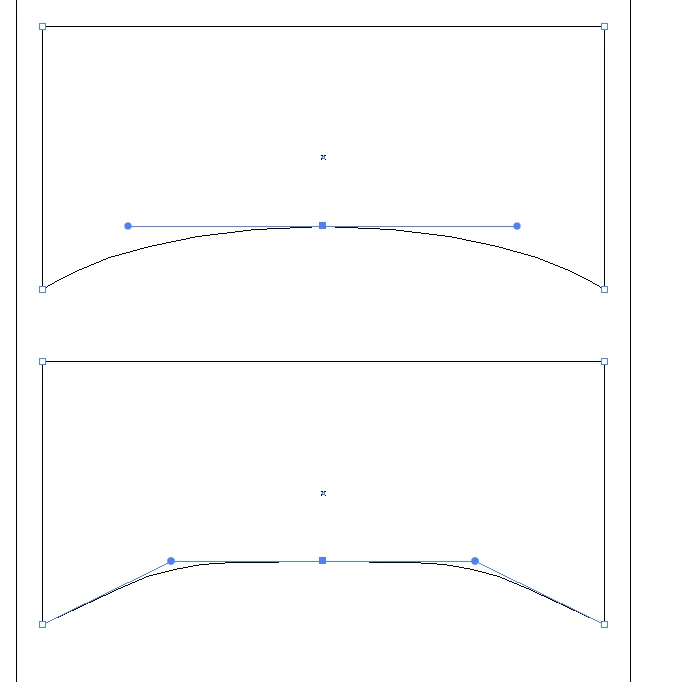
 

You can see the difference here
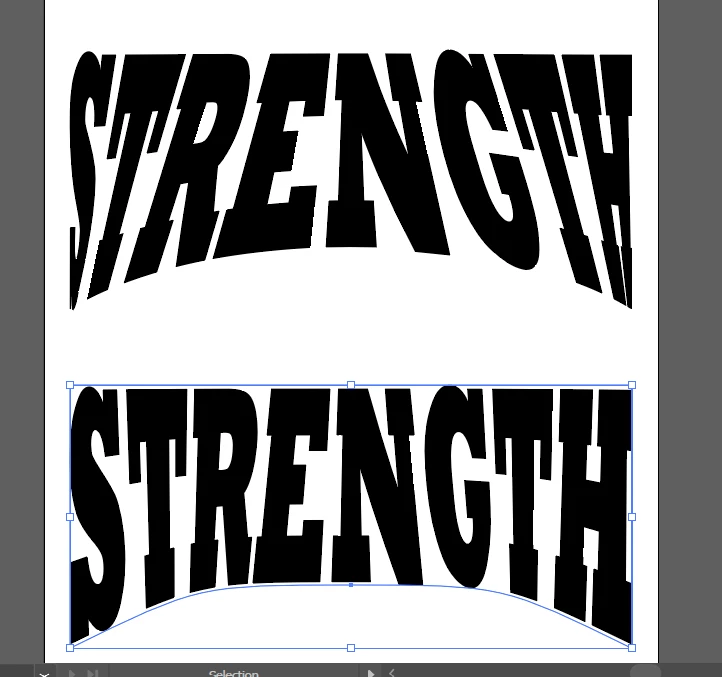
You can add an extra point to top middle and pull handles to improve distortion.  Going back & forth you may get a decent result, but the add anchor points technique seems to help best. Anyone else have suggestions about distortion, please add to this as curious how others deal with this struggle.

A long time ago we had a Torries wheel that did this photographically where the art was exposed while the Torries wheel changed direction. While that wasted lots of film and chemicals and a large darkroom, but it seems to give a more uniform result.



4 replies

Jacob Bugge
Community Expert
Community Expert
November 9, 2021

Mike, Dominick,


"Anyone else have suggestions about distortion, please add to this as curious how others deal with this struggle."


Here are a the three links I could find about a different kind of approach, leading to appearances realizing the impossible concept of undistortedly distorted text known from the olden days, where your approach here leads to another kind of undistortedly distorted text, Mike,


https://community.adobe.com/t5/illustrator-discussions/how-can-i-keep-top-third-of-text-untouched-while-curving-bottom-half/td-p/12186490

https://community.adobe.com/t5/illustrator-discussions/warping-outline-text-around-object/td-p/10406400

https://community.adobe.com/t5/illustrator-discussions/distorting-text-in-diamond-shape/m-p/9346000


As mentioned in the first link below, there was a wealth of older exquisite threads about exactly that, often specifically requated by the OPs, all unfortunately lost.


The second link shows a case similar to the present one.


And the third link mentions the inevitable tapering and thickening/thinning of all non vertical letter parts such as arms, legs, bars, and serifs, occuring with envelope distortion.


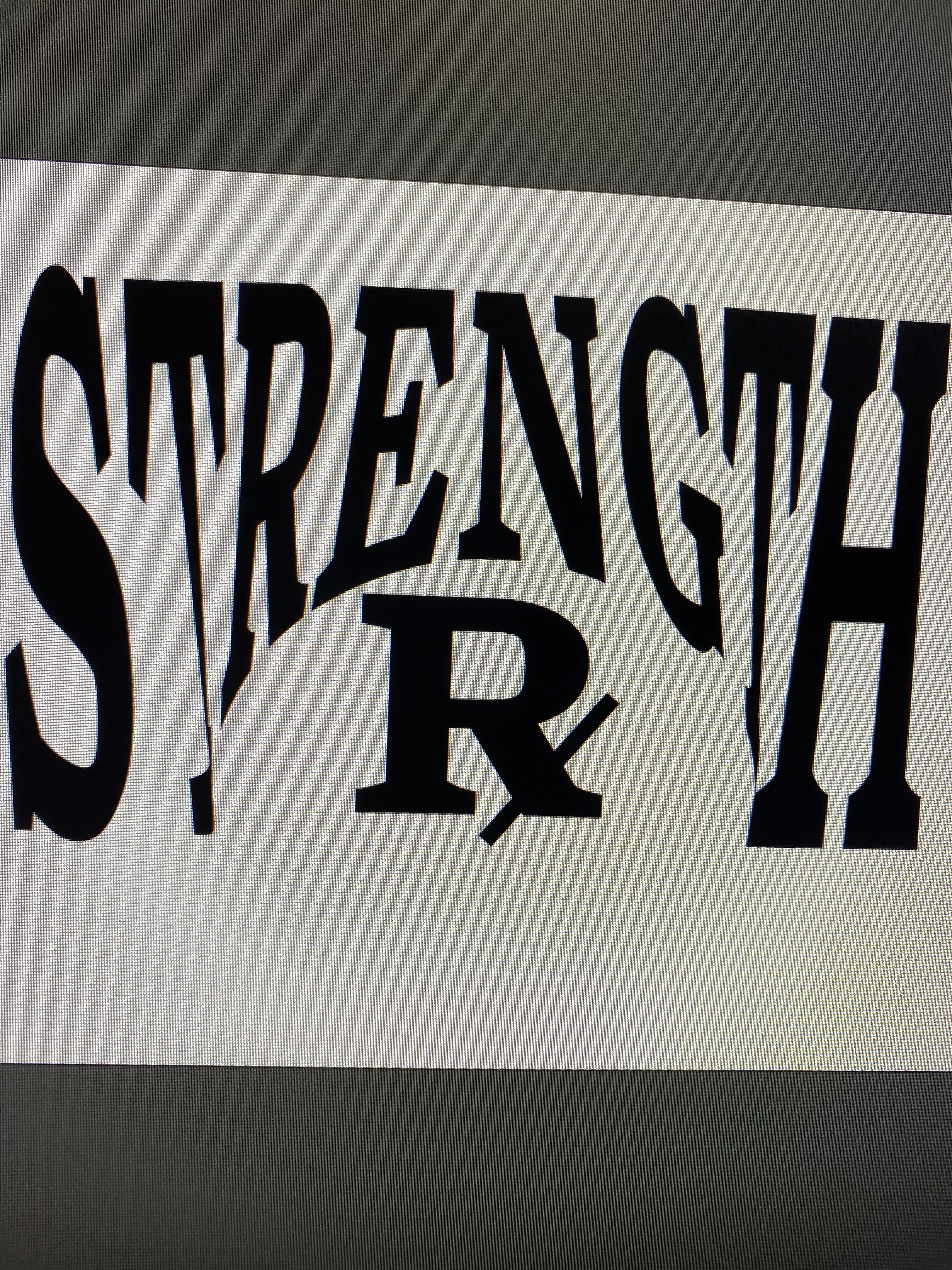
Apart from that, Dominick, your distortedly distorted attempt is intriguing, and could be further pursued, including the Rx in a spatial appearance.


Mike_Gondek10189183
Community Expert
Mike_Gondek10189183Community ExpertCorrect answer
Community Expert
November 8, 2021

The issue of dsitortion has to do with how the shapes end result looks same, but looking at handles you can see is different.


You can see the difference here

You can add an extra point to top middle and pull handles to improve distortion.  Going back & forth you may get a decent result, but the add anchor points technique seems to help best. Anyone else have suggestions about distortion, please add to this as curious how others deal with this struggle.

A long time ago we had a Torries wheel that did this photographically where the art was exposed while the Torries wheel changed direction. While that wasted lots of film and chemicals and a large darkroom, but it seems to give a more uniform result.


Community Expert
November 9, 2021

In order to get the most natural looking result of that arched text concept it usually requires manual editing and re-building of the letters. That's what it takes to make the thickness of all letter strokes look harmonious with the non-distorted portions of the letters.

Mike_Gondek10189183
Community Expert
Community Expert
November 8, 2021

I personally do not like the distortion seen mostly on first and last letter. So now we get into a complex issue with illustrator. Make a red shape as shown and  use Object >> add anchor point serveral times on the red shape.


Then Object >> envelope Distort >> Make with top object.

The red disapperas, I just use any color but black to confirm what is on top.


Mike_Gondek10189183
Community Expert
Community Expert
November 8, 2021

Effect >> Warp >> Arc Lower