
Participant
November 1, 2018
Question

how to arrange random objects in a page without overlapping

  • November 1, 2018
  • 3 replies
  • 2275 views

i use illustrator to design objects (mostly caligraphic letters) and make a CNC file for cut these objects on different materials. what is really important is to arrange these objects on an illustrator page "with maximum use of page space", the problems is that i must cost a lot of time to arrange these objects and at last it wont be using the maximum space. if you look at this picture you will understand what am i talking about. is there a way, pluging, app, etc. to automatically do this function ?!
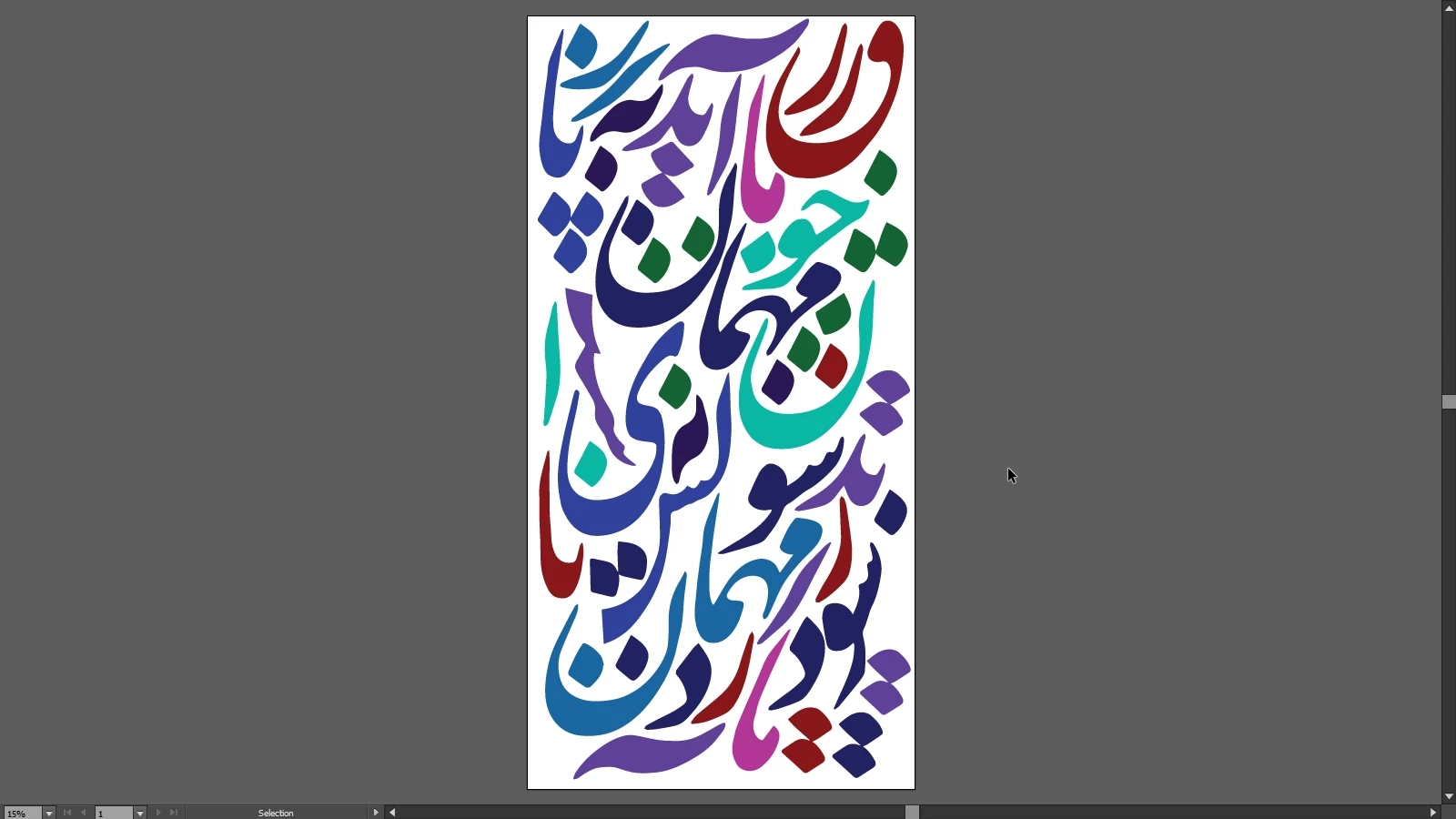
This topic has been closed for replies.

3 replies

CarlosCanto
Community Expert
Community Expert
November 1, 2018

while we wait for the Physics Pack to be implemented it might be worth checking out this if you do a LOT of nesting

https://www.nestfab.com/

Ray Yorkshire
Participating Frequently
November 1, 2018

https://svgnest.com/

is a free online nesting tool

What exactly is "nesting"?

If you have some parts to cut out of a piece of metal/plastic/wood etc, you'd want to arrange the parts to use as little material as possible. This is a common problem if you use a laser cutter, plasma cutter, or CNC machine.

In computer terms this is called the irregular bin-packing problem

How much does it cost?

It's free and open source. The code and implementation details are on Github

Myra Ferguson
Community Expert
Community Expert
November 1, 2018

Ray, that is insanely cool! Thanks for sharing!

I was going to mention the #PhysicsPak from the Adobe MAX 2017 Sneaks #PhysicsPak: Adobe MAX 2017 (Sneak Peeks) | Adobe Creative Cloud - YouTube , which unfortunately hasn't been added to Illustrator (yet...I'm still hopeful!). If you're interested in that, let Adobe know through Uservoice Adobe Illustrator Feedback .

KShinabery212
Community Expert
Community Expert
November 1, 2018

Curious if you have ever thought of doing a pencil sketch first and deciding the best way to place your objects before jumping into Illustrator?

I mean I sketch quite often with pencil and then ink..... then I bring it into Illustrator.  Sometimes I might make some changes in the digital stage.  But at least I have a kind of a game plan so to speak before getting bogged down into the Graphic side.

Something to consider.

Let's connect on LinkedIn. https://www.linkedin.com/in/kshinabery/