Participant
September 11, 2021
Question

How to avoid duplicates with the Shape Builder tool?

  • September 11, 2021
  • 1 reply
  • 1005 views

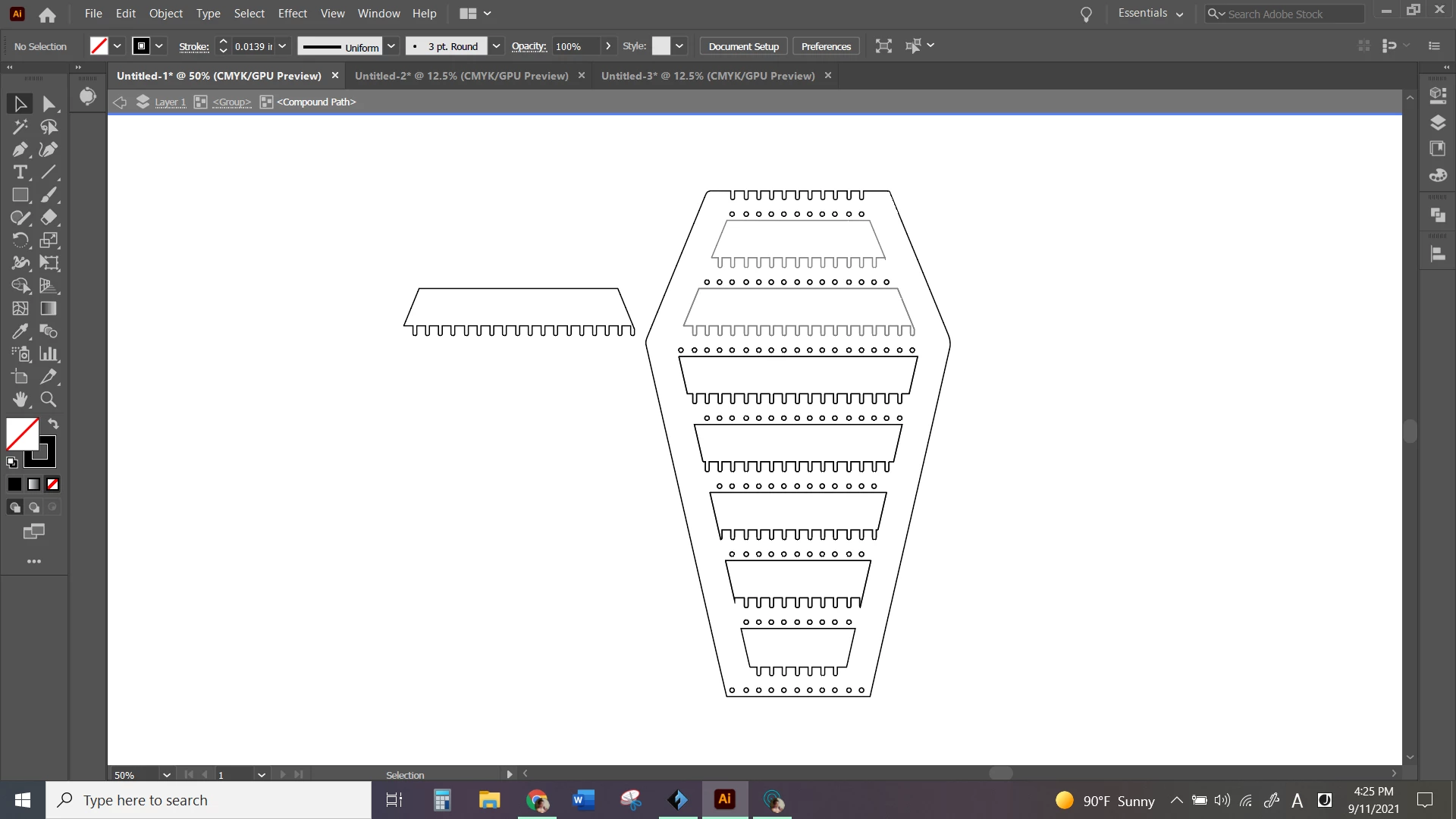
After using the Shape Builder, I get duplicates of the object and don't know how to avoid that or quickly get rid of them all. Has anyone else experienced this?

From the picture, you can see that there are some thicker and thinner lines. The thin lines are the ones that I've removed the duplicate from already.
This topic has been closed for replies.

1 reply

Monika Gause
Community Expert
Community Expert
September 11, 2021

Can you please show this before applying the shapebuilder tool?

Participant
September 11, 2021

Monika Gause
Community Expert
Community Expert
September 11, 2021

Most probaly Illustrator creates an "outside" shape and some "inside" shapes. Those "holes" would need to be deleted with the shapebuilder tool https://helpx.adobe.com/illustrator/using/creating-shapes-shape-builder-tool.html