
jarenw65440966
Participant
December 14, 2016
Question

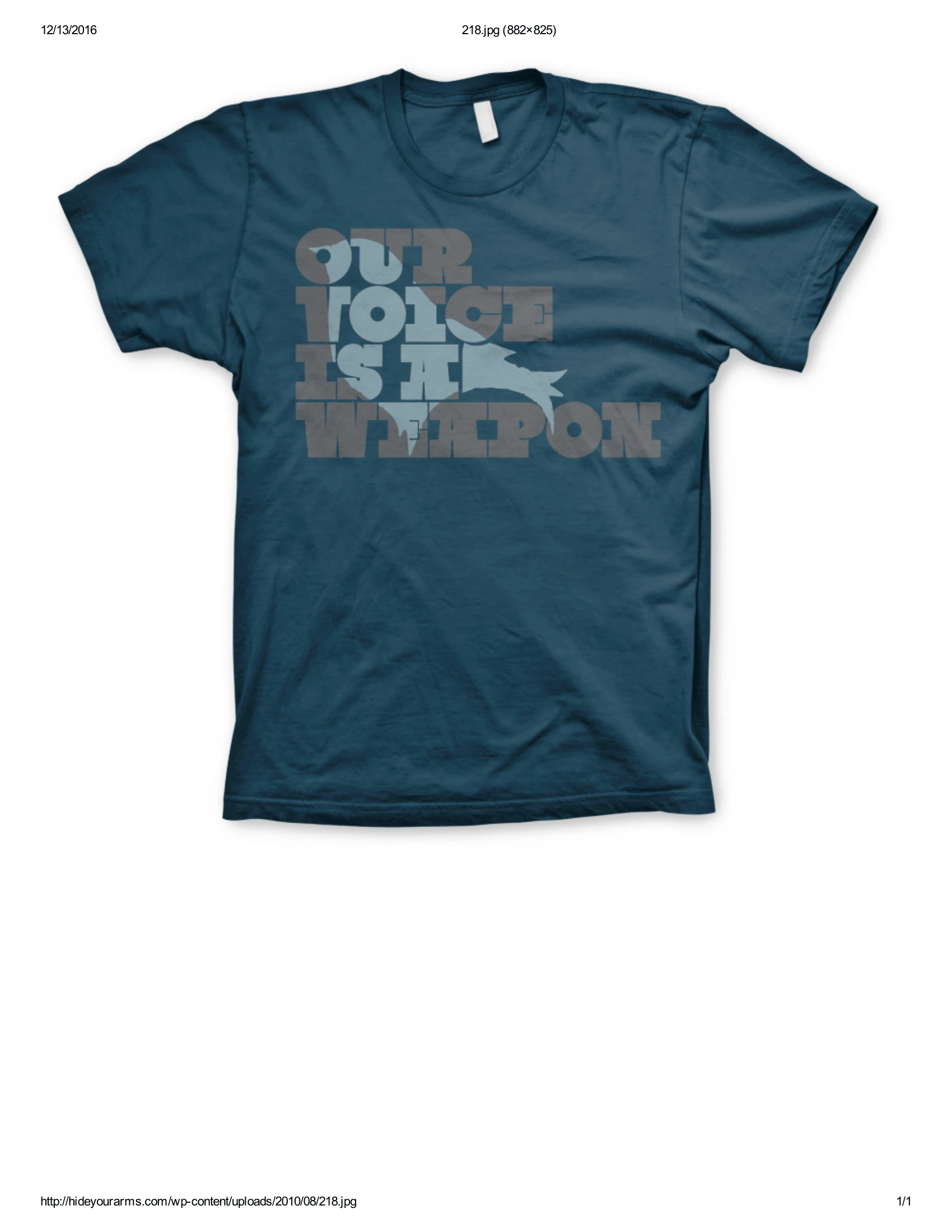
How to blend a vector image into characters or text.

  • December 14, 2016
  • 2 replies
  • 243 views

Hi, I am working on a T-shirt design and I am trying to blend a tree into the words of the design as seen in the picture attached. What kinds of tools in Illustrator do

I need to be using? I think it may have something to do with a clipping mask but the problem is I also want part of the tree to stick out of the words so a clipping mask might confuse that idea. Any thoughts? Thank you.
This topic has been closed for replies.

2 replies

Jacob Bugge
Community Expert
Community Expert
December 14, 2016

jarenw,

As I (mis)understand it, you should be able to select everything and Pathfinder>Divide, then you may Ungroup (Ctrl/Cmd+Shift+G as many times as needed), and then you may delete whichever parts are unwanted, maybe select parts belonging together and Pathfinder>Unite, and (re)colour each (resulting) part as desired.

Mylenium
Legend
December 14, 2016

Cut t up using Pathfinder operations and duplicates.

Mylenium