Participant
February 14, 2022
Answered

How to bulk export files in a library to individual PNG

  • February 14, 2022
  • 1 reply
  • 3173 views

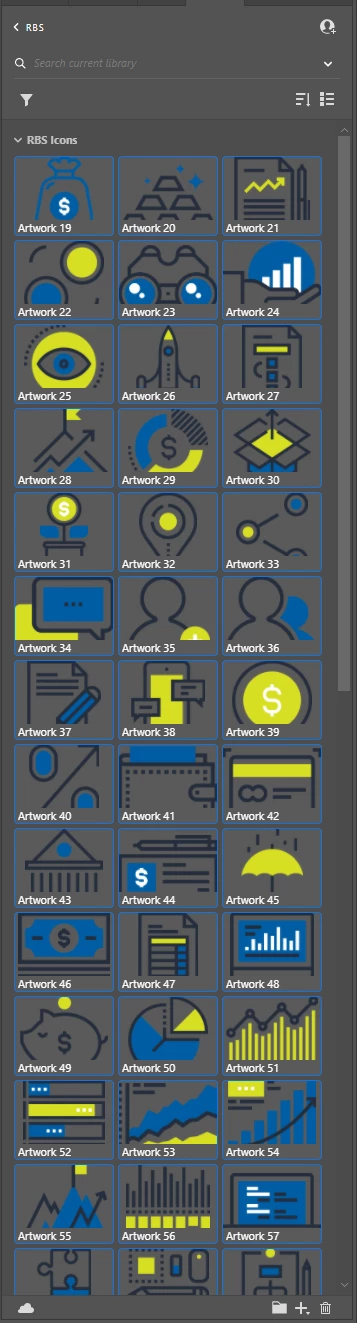
I have a lot of files/icons saved in a library that I'd like to bulk export as individual PNG files. How can I go about doing this?



Correct answer Laura Coyle.

Add them to an Illustrator document, then select them all and drag them into the Asset Export panel. Choose a folder you want to export to, make all necessary settings in the panel (for PNG, size, etc) then export, and the icons will be individually exported into the folder.

1 reply

Laura Coyle.
Community Expert
Laura Coyle.Community ExpertCorrect answer
Community Expert
February 15, 2022

Add them to an Illustrator document, then select them all and drag them into the Asset Export panel. Choose a folder you want to export to, make all necessary settings in the panel (for PNG, size, etc) then export, and the icons will be individually exported into the folder.

Participant
February 21, 2023

Has anyone figured out an easier way to do this? We should be able to right-click and export an individual item as a PNG or as any other file type that Illustrator can export. 

This feature would be amazing to have and save SOOO much time. 

Participant
February 18, 2024

The feature should be standard for any effective workflow, especially in places where internet is unreliable, where having a local copy of assets might be the only way to work on them; it should be easier than having to select them ******one by one****** and exporting them into a folder ******that needs to be redefined _every_ time ******