
Inspiring
January 13, 2025
Answered

How to change Black to Spot Orange keeping the gradient?

  • January 13, 2025
  • 1 reply
  • 1177 views

I am trying to change all the Blacks to Spot Orange on the attached file keeping the screen and gradient the same.

Here is the link to the Ai file:

I would appreciate any help


Correct answer shalo54


That is strange, 

I changed my preset to Single Color on the left side and it worked.

Thank you again

1 reply

Ton Frederiks
Community Expert
Community Expert
January 14, 2025

You can try this:

Select your orange spot in the Swatches panel.

Click the folder icon to create a new swatch group.

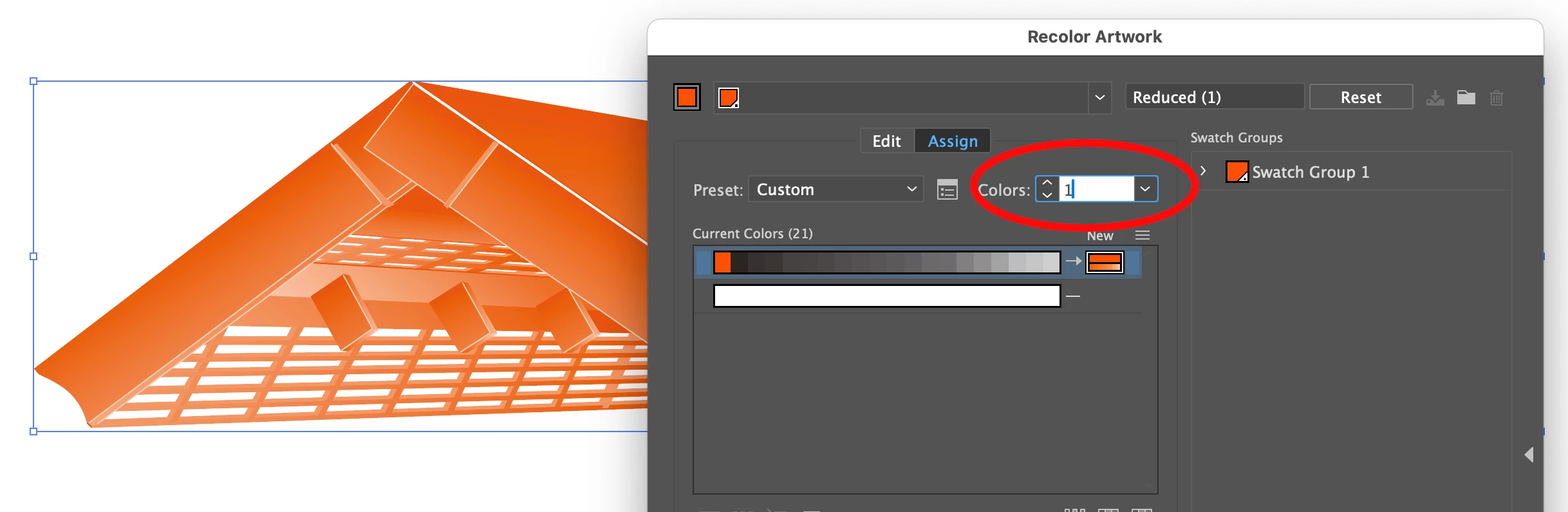
Select All and choose Edit > Edit Colors > Recolor Artwork

Select Colors: 1

Replace by the orange spot.


shalo54Author
Inspiring
January 14, 2025

It almost worked , I learned something new today.

it still left off 3 other black colors for some reason.


Thank you

Ton Frederiks
Community Expert
Community Expert
January 14, 2025

Good to hear that helped.

When I do this, , select all and change to 1 spot there are no other colors (blacks) left.