This topic has been closed for replies.
Correct answer Ton Frederiks

Looks to me like a complicated way to do this effect.

It can be easily done while keeping the text editable.


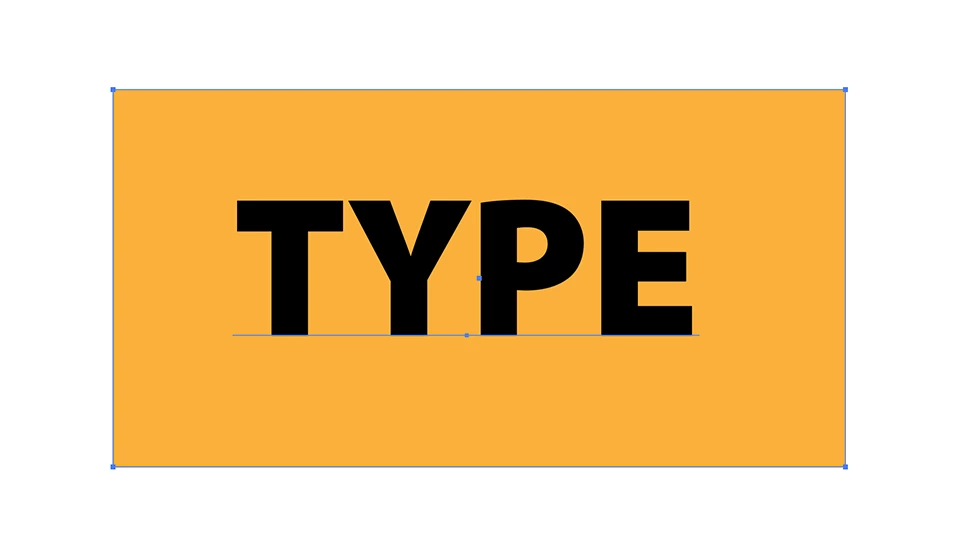
Type your text on top of a colored rectangle.
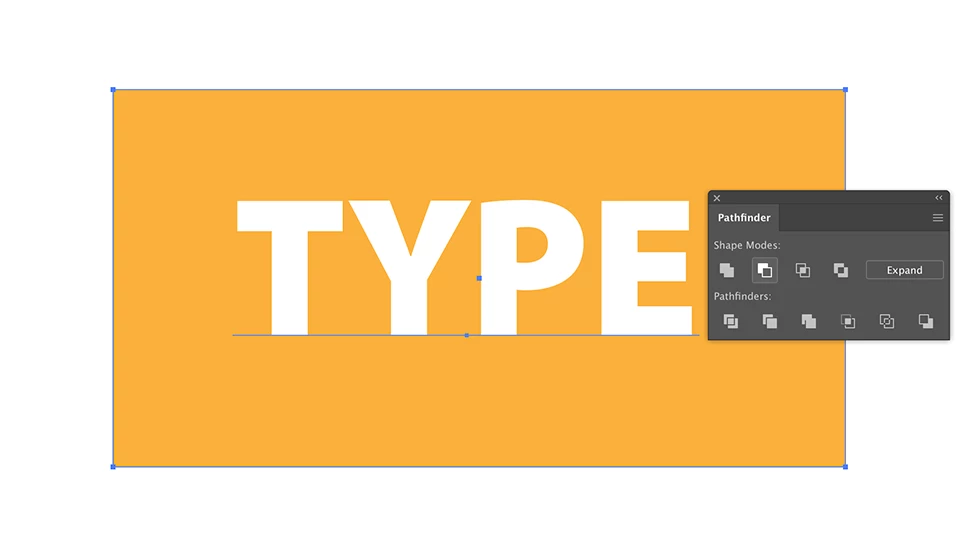
Select both text and rectangle and Alt click the Minus Front icon to create a Compound Shape.
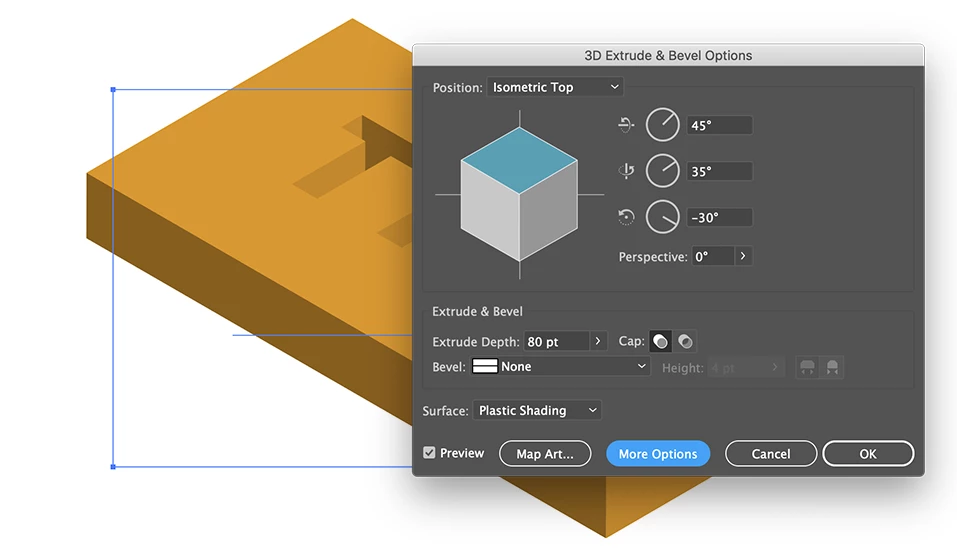
Use the 3D Extrude Effect
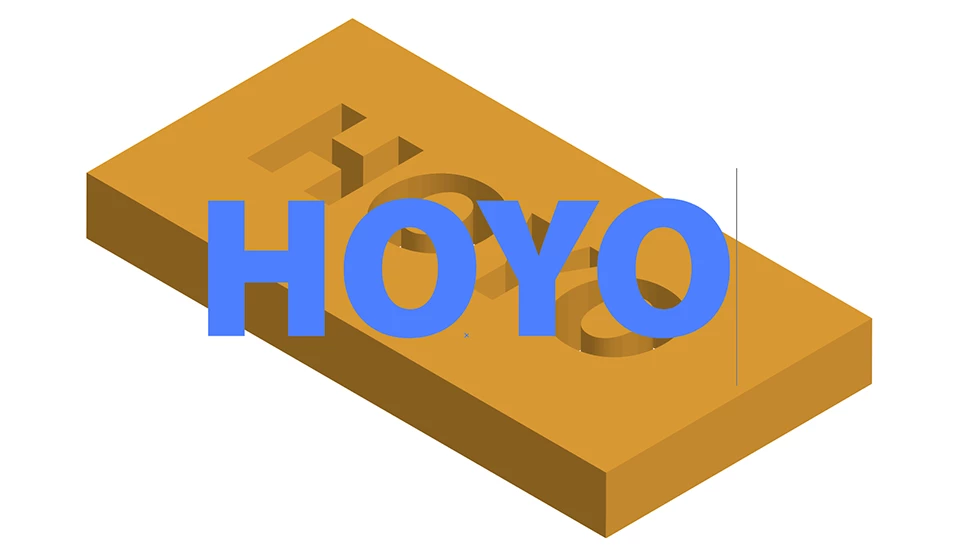
You can still change the text as long as you do not Expand the Appearance.
3 replies

Ton Frederiks
Community Expert
Ton FrederiksCommunity ExpertCorrect answer
Community Expert
April 13, 2020

Looks to me like a complicated way to do this effect.

It can be easily done while keeping the text editable.


Type your text on top of a colored rectangle.

Select both text and rectangle and Alt click the Minus Front icon to create a Compound Shape.

Use the 3D Extrude Effect

You can still change the text as long as you do not Expand the Appearance.

Lukas Engqvist
Community Expert
Community Expert
April 13, 2020

Are you following the tutorial exactly or are you adapting it? Many of the blend modes need a colour to belnd with. If you try to make this effect but do not have a coloured (or white) rectangle behind it will not work. Also seeing your work would help to find out why you are not getting the result you want.

ajabon grinsmith
Community Expert
Community Expert
April 13, 2020

Did you work in RGB mode as in the example above?
Did you test with the same color as the example?
What color did it look on your screen?