
Known Participant
September 15, 2017
Answered

How to colorize an imported .psd file?

  • September 15, 2017
  • 3 replies
  • 6443 views

Sometimes, I have I have imported some pixel artwork which I need to give a specific color, while preserving the transparence. I could of course just recolor the raw .psd file in Photoshop. But this becomes really bothersome when I have to deal with lots of .psd files and is playing around with the overall color theme. So being able to simply add a color in illustrator would be really helpful. But is this possible?
    This topic has been closed for replies.
    Correct answer SJRiegel

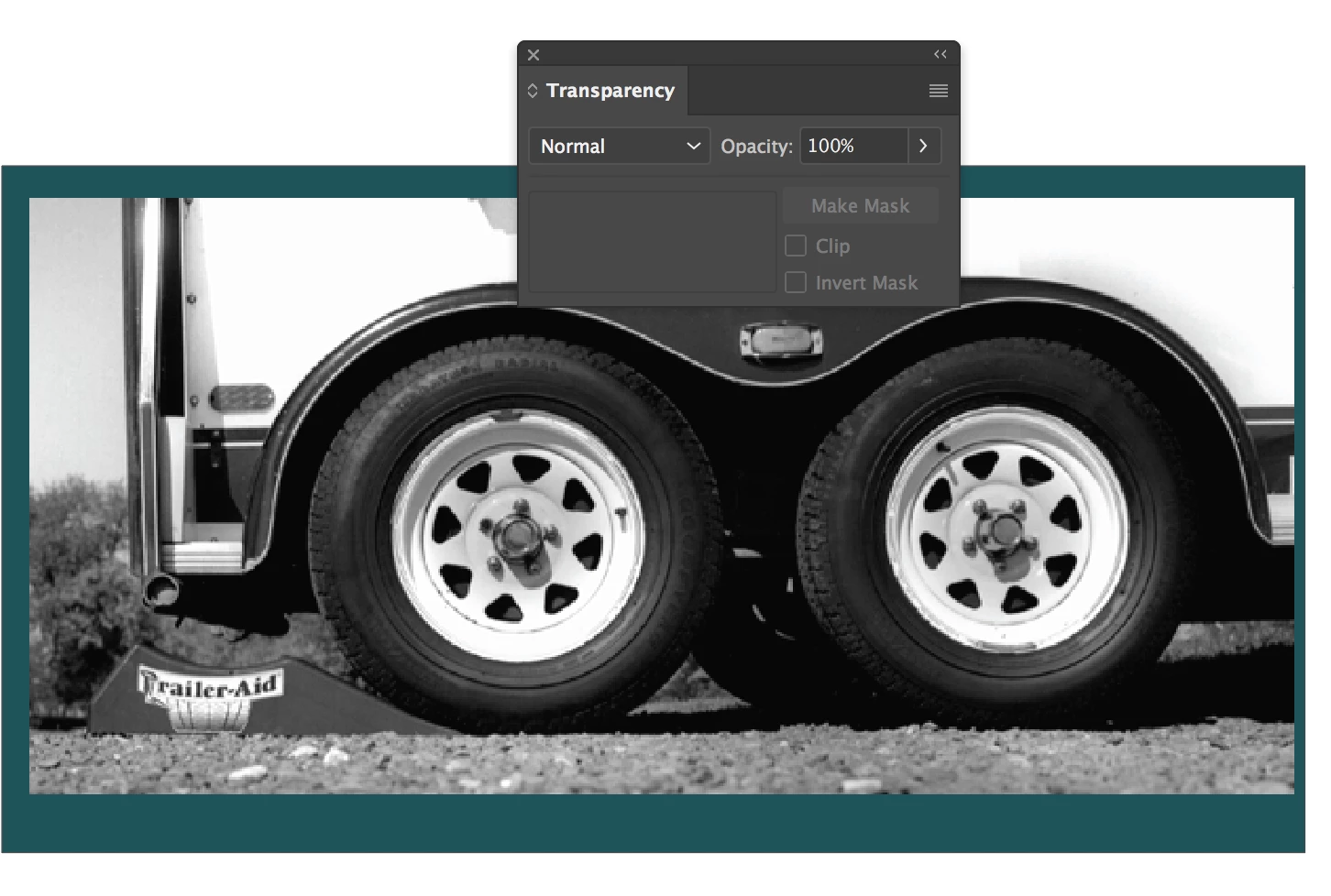
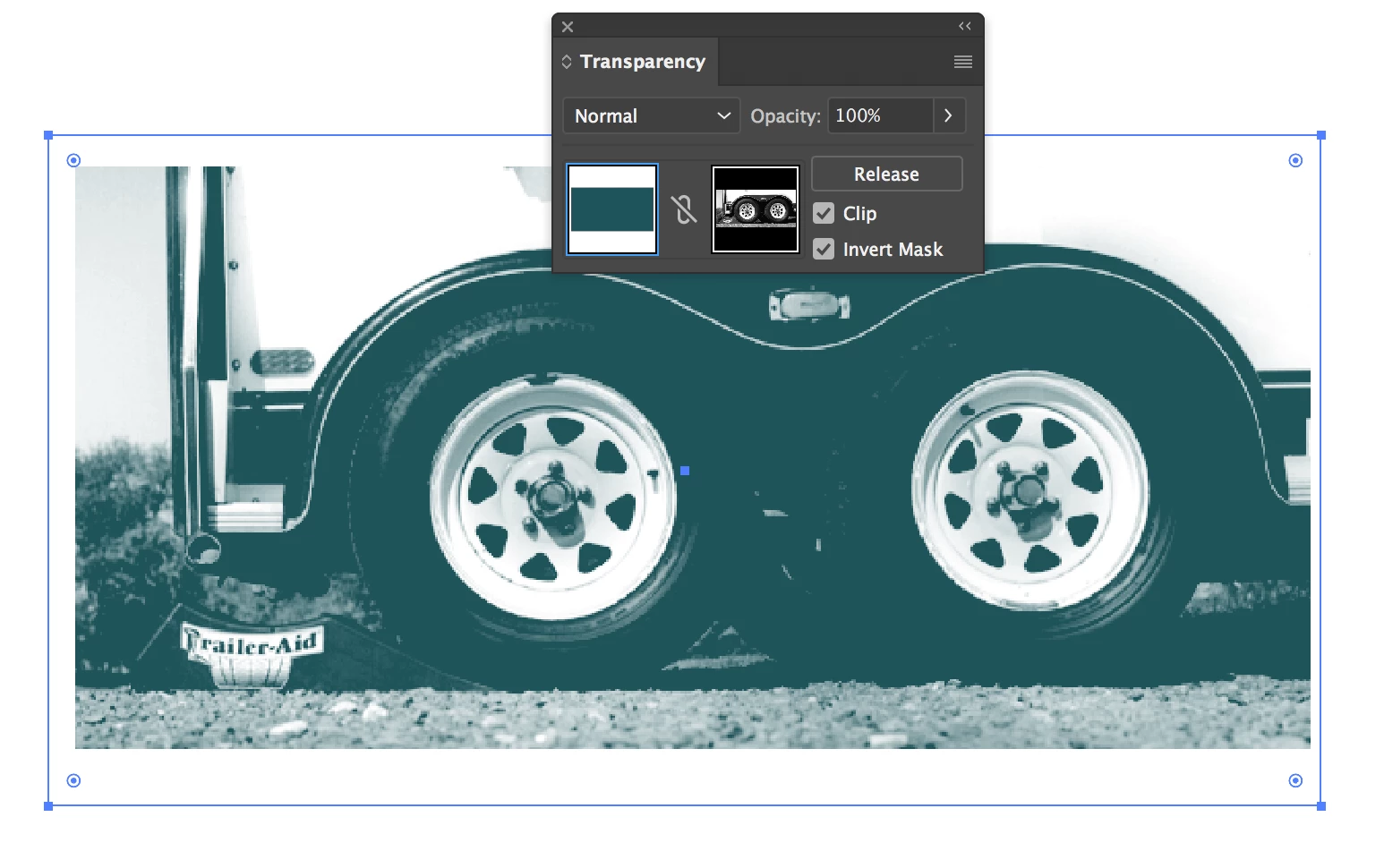
    You could put a block of color under the grayscale image, and use the transparency pallet to apply the image as a transparency mask to the color block.

    3 replies

    SJRiegelCorrect answer
    Legend
    September 15, 2017

    You could put a block of color under the grayscale image, and use the transparency pallet to apply the image as a transparency mask to the color block.

    Known Participant
    September 17, 2017

    Perfect! :-) works both with greyscales (dark = transparency) and with actual transparent pixels in the .PSD. A shame I can't use it with dropshadows, but that's no biggie. This solution works!

    Bill Silbert
    Community Expert
    Community Expert
    September 15, 2017

    If you're talking about applying a single color to colorize a greyscale .psd in Illustrator then you will have to open it in Photoshop and click on the bottom layer and go under the Layer menu to New to "Background from Layer" and then save the file as a .psd. Then when the file is placed in Illustrator you can select it and apply whatever color you want although it will not solve your transparency issue. If you want to keep your .psd transparency and even keep your .psd in full color you could  put a solid color over the .psd on a new layer in Illustrator and use a blending mode like Multiply from the Transparency Panel.

    JETalmage
    Inspiring
    September 15, 2017

    As of verison CS6, Illustrator can colorize (apply color by simply applying a fill color) 1-bit rasters and flattened 8-bit grayscale.

    So if you're having trouble with it on grayscale rasters, it's because you want to do it "while preserving the transparency." To do that, you'll have to resort to other means like adding other objects to serve as transparency masks.

    JET