Participant
February 15, 2019
Answered

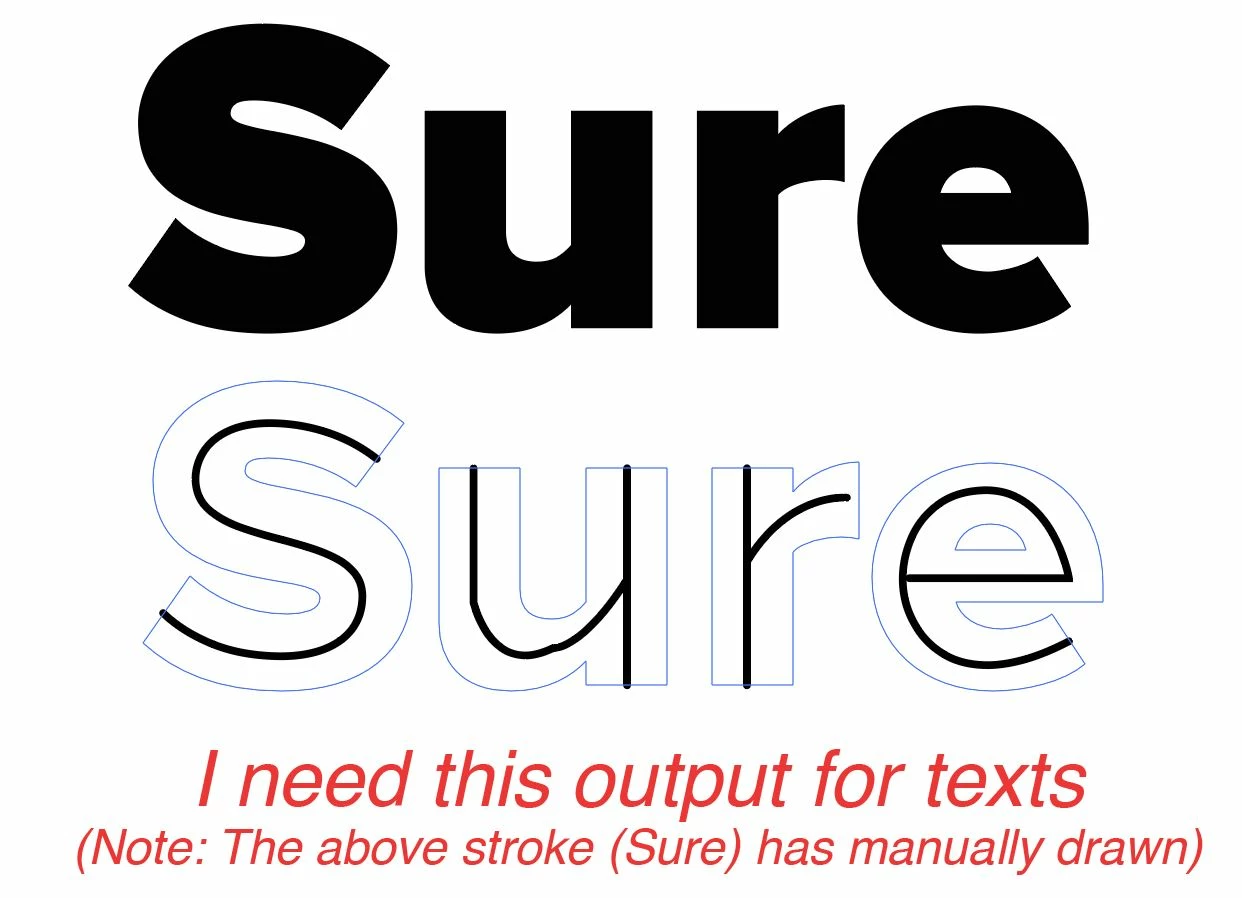
How to convert text to outline as single stroke?
  • February 15, 2019
  • 2 replies
  • 3617 views

    This topic has been closed for replies.
    Correct answer Jacob Bugge

    Kenny,

    Basically, you can (working on a copy of outlined Type) cut the letters to get outer and inner paths, then use 1 step blends between them.

    Or you can try this exquisite script kindly made available by Theunis:

    http://www.jongware.com/binaries/monolinetext.v1.0.zi

    It is described in this thread:

    https://forums.adobe.com/thread/719618

    2 replies

    Monika Gause
    Community Expert
    Community Expert
    February 15, 2019

    Most probably you will get the best and easiest result when just drawing it.

    The "blend" method requires a lot of preparation anyway.

    The script method doesn't allow your own fonts.

    Jacob Bugge
    Community Expert
    Jacob BuggeCommunity ExpertCorrect answer
    Community Expert
    February 15, 2019

    Kenny,

    Basically, you can (working on a copy of outlined Type) cut the letters to get outer and inner paths, then use 1 step blends between them.

    Or you can try this exquisite script kindly made available by Theunis:

    http://www.jongware.com/binaries/monolinetext.v1.0.zi

    It is described in this thread:

    https://forums.adobe.com/thread/719618
