
RobDoyle
Participant
November 28, 2017
Question

How to Create a Custom Typography Logo?

  • November 28, 2017
  • 4 replies
  • 994 views

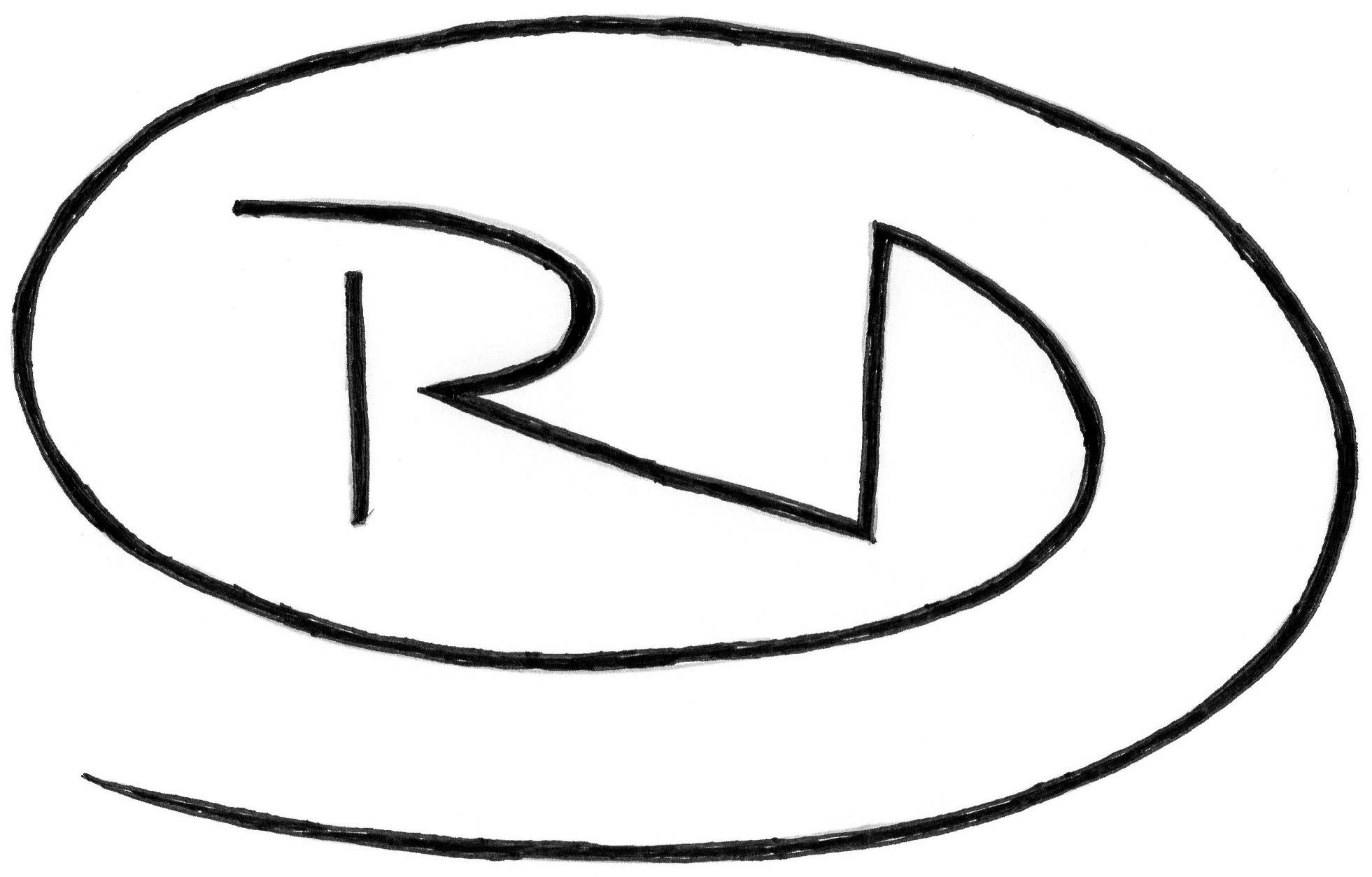
I am new to the world of illustrator and I'm eager to learn logo design. The image below is a simple sketch I have done for a logo with my initials. Could anyone please describe the process of converting this into illustrator?. I want to enhance it to look professional but unsure of the technique.

Thanks

Rob
This topic has been closed for replies.

4 replies

Scott Citron
Legend
November 29, 2017

If you have access to Lynda.com, Von Glitschka has some excellent videos on working with the pen tool.

Von Glitschka — Online Courses, Classes, Training, Tutorials on Lynda

Mike_Gondek10189183
Community Expert
Community Expert
November 28, 2017

IF you want a more organic rough look exactly as drawn, you can image trace. Make sure to check ignore white.

You can then object >> expand to get to the vector points

For a smoother look you can tweak the settings.

Scott Citron
Legend
November 28, 2017

Oddly, creating a simple logo like this is not easy for Illustrator beginners. My suggestion? Hire a pro for a few bucks to do it correctly. Good luck!

RobDoyle
RobDoyleAuthor
Participant
November 28, 2017

Yes I know there are places like Fiverr but I'm looking to learn illustrator, and this logo is just a template to learn

Myra Ferguson
Community Expert
Community Expert
November 28, 2017

If you're new to Illustrator, the Pen tool might be tricky at first. You can also use the pencil tool (N), which lets you redraw segments. You can smooth out curves with the smooth tool. As a path, it can be widened with the Width tool (Shift + W).

You can also try Image Trace. Try the Black and White setting. Then expand it. You can use Object > Path > Simplify and adjust the Curve Precision to smooth it out. This Image Trace setting makes it an object with a black fill, so if you want to adjust the width, you'll need to use the Direct Selection Tool (A) to adjust the path that outlines the shape.

Legend
November 28, 2017

I'd use the pen tool for this. Click for sharp corners, click and drag for rounded areas. Then use a stroke profile and rounded corners (or a brush style) to make it look more freehandish. Remember that fewer points with make a smoother line.

RobDoyle
RobDoyleAuthor
Participant
November 28, 2017

Seeing the anchor points is really helpful thanks. I have already experienced how wild the pen tool is when not used to it