
How to create a fire spark?
I'm trying to achieve something like the top half of the photo, but several of my end results look awful all around and overly blurry even when I reduce the blur. They also don't look anywhere near as sharp or bright as other examples I've seen online. I'm just trying to create a single spark for now, then I'll duplicate it, etc, later.
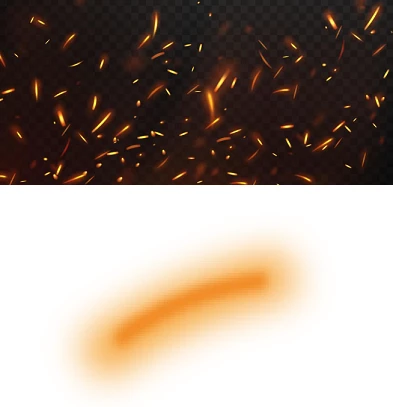
My last few attempts have been to create a rectangle/thick line with a bright orange fill and 3-4 px stroke, and then go to effects > Gaussian Blur with default 10px radius. Then I create another similar rectangle with a darker orange and do the same blur, but make it less blurry. Then I use Warp > Arc and give it a very small bend so it appears more rounded. But with several attempts, different settings, colours, stroke, etc, they all come out pretty bad and I can't find any examples/tips online on how to approach this.


 AdChoices