Answered
How to create a shape like this?
I draw this with Procreate, how can I create a shape like this in Illustrator?
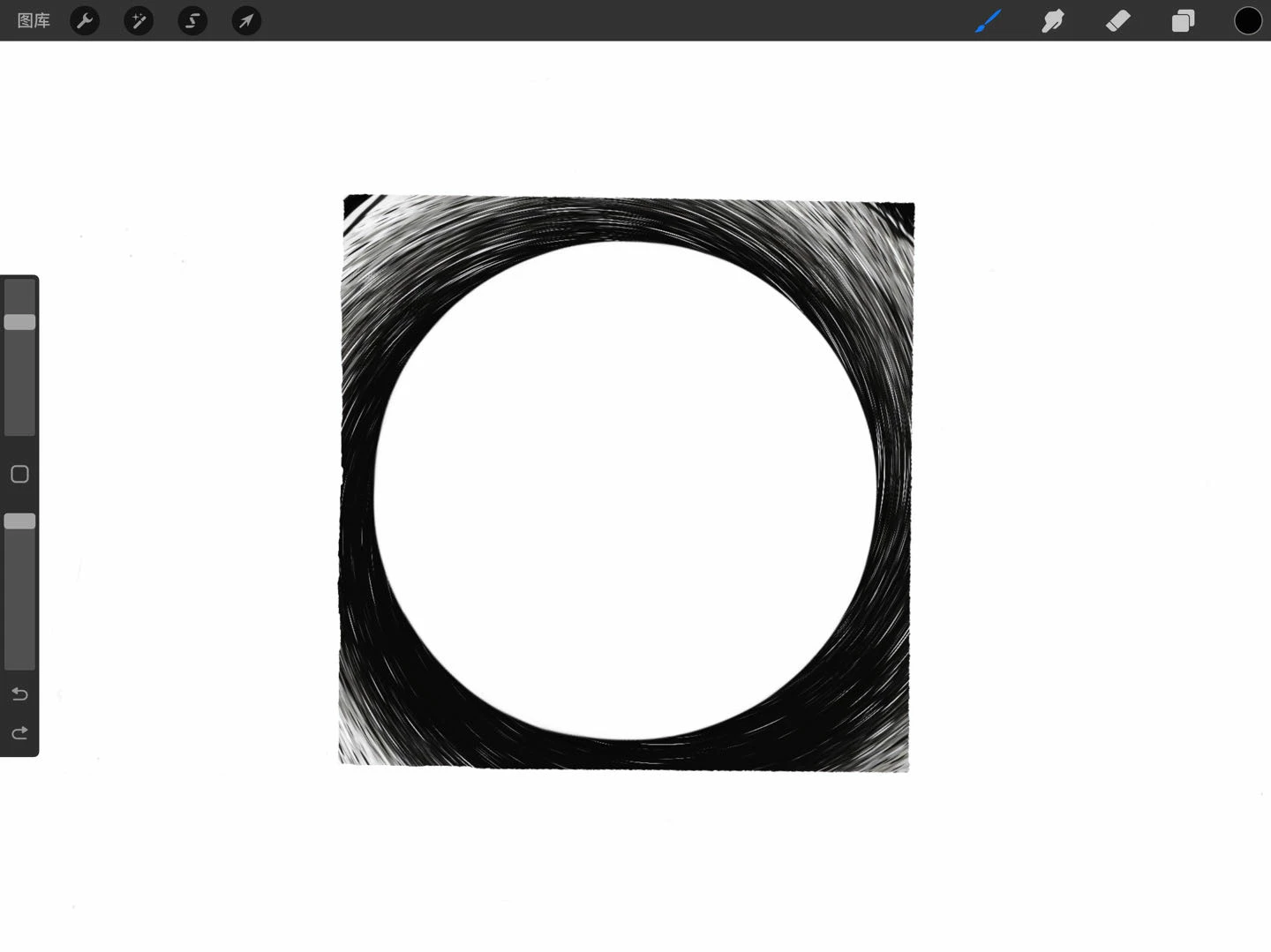

I draw this with Procreate, how can I create a shape like this in Illustrator?
Attention: There will be an awful lot of anchor points. The white thing in the center hides something, right?
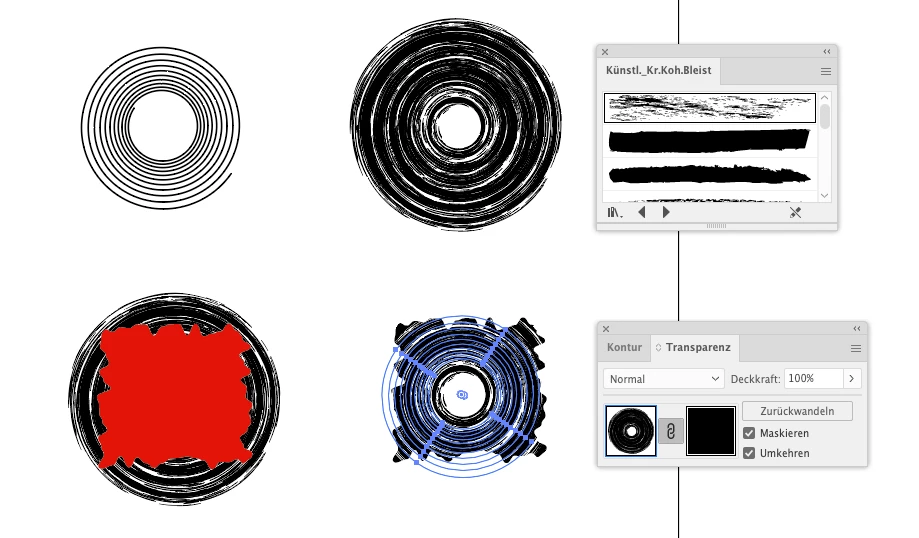
So you could create a spiral and apply one of the charcoal brushes to it. Then draw a rectangle and apply the Roughen effect. Make that rectangle black and use it as an opacity mask on the round thing
Already have an account? Login
Enter your E-mail address. We'll send you an e-mail with instructions to reset your password.
 AdChoices