


Participant
July 10, 2026
Question

How to Create a Smooth Blur Fusion Effect Between Overlapping Shapes in Illustrator

  • July 10, 2026
  • 2 replies
  • 31 views

Hi everyone!

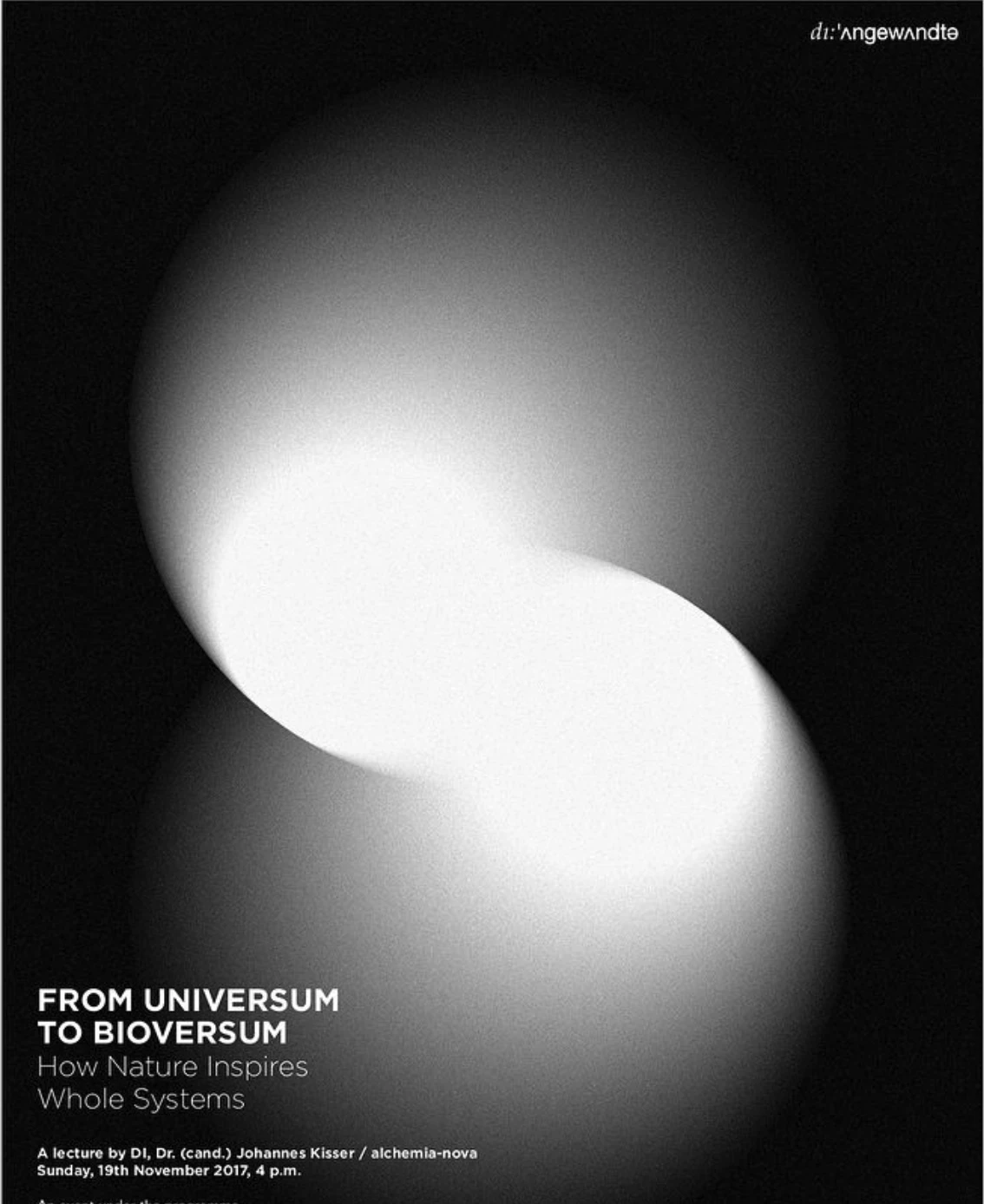
I'm trying to recreate the attached poster in Adobe Illustrator.

My main issue isn't creating the two blurred ellipses, but reproducing the smooth "fusion" area where they overlap. I tried using Blend, Gaussian Blur and Opacity Masks, but I can't achieve the same organic transition.

Does anyone recognize the technique used here?

Was this created entirely in Illustrator, or was it more likely made in Photoshop, using metaballs, or even in a 3D application?

Any suggestions or tutorials would be greatly appreciated, thank you
Alessandro


    2 replies

    Participant
    July 10, 2026

    ...

    Monika Gause
    Community Expert
    Community Expert
    July 10, 2026

    I think I would experiment with Radial blur (in Illustrator or probably in Photoshop.

    These are blends with Radial blur. And one of them is two blends with the Lighten transparency blend on top. 


    Participant
    July 10, 2026

    That's perfect, Monika! Thank you! Unfortunately, I don't speak German, so it's difficult for me to follow the steps you took. If it's not too much trouble, could you send me the Illustrator document with those gradients that you created? It would help me understand how you did it. Thanks again! (I hope this is possible. (email removed by moderator), or you can use WeTransfer.)
