Known Participant
February 28, 2021
Answered

How to create an object that is an outline of a group of unclosed objects?

  • February 28, 2021
  • 1 reply
  • 1035 views

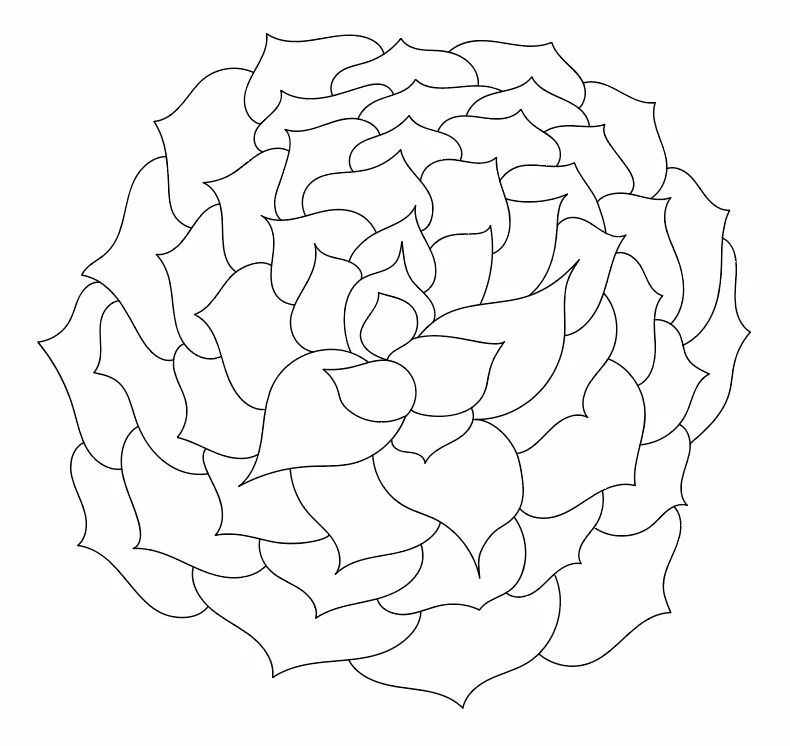
Is there a way to outline a group of unclosed objects to create an object that is a combination of all the others but without any of the interior lines? I realize that I can select just the lines along the perimeter, cut all the extending lines one by one and join them, but is there a more expedient way?

Group of unclosed objects:

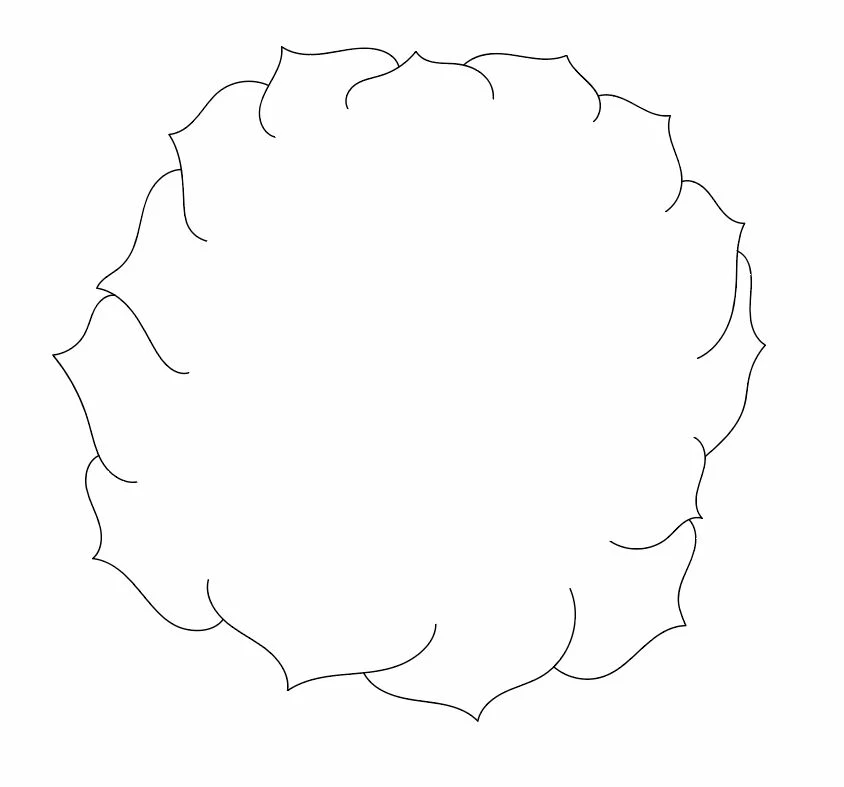
Just the objects along the permiter:

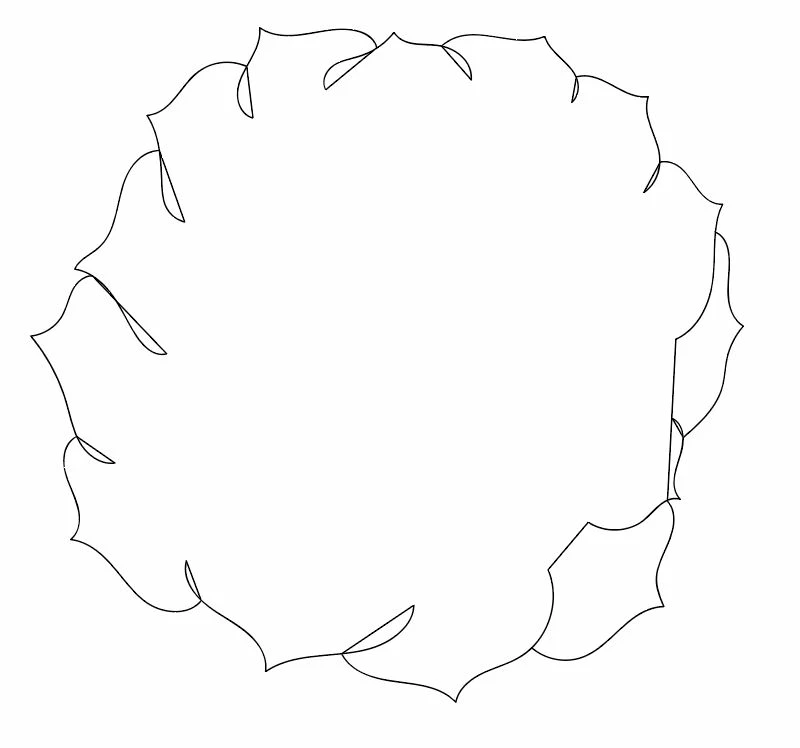
The unclosed objects will not join properly:

The goal is to get an outline of this shape:



This topic has been closed for replies.
Correct answer tromboniator

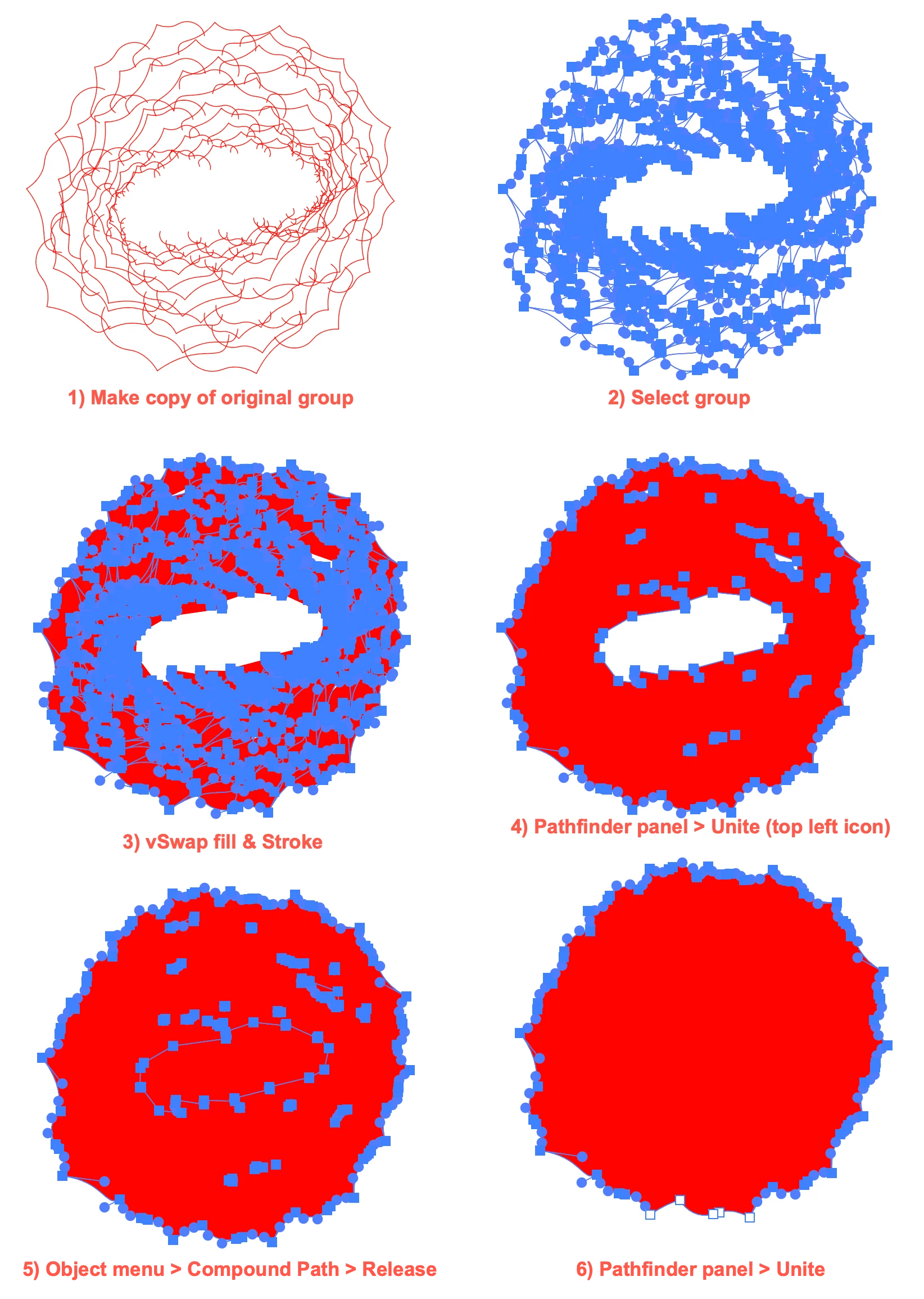
I'm assuming that A: you want to keep a copy of the original group and B: the original group's open paths are all strokes with no fill. This is not a problem; it just means that the final path will have a stroke of the original paths' fill.

Peter


1 reply

tromboniator
Community Expert
tromboniatorCommunity ExpertCorrect answer
Community Expert
February 28, 2021

I'm assuming that A: you want to keep a copy of the original group and B: the original group's open paths are all strokes with no fill. This is not a problem; it just means that the final path will have a stroke of the original paths' fill.

Peter


Known Participant
March 1, 2021

Thank you Peter! You were correct to assume that the original group's open paths are all strokes with no fill. There were still some interior points I had to delete (see below), not sure why, but it was still much more efficient.

tromboniator
Community Expert
Community Expert
March 1, 2021

You're welcome, Lana, I'm glad you found it useful. Did you do the last two steps? If so, try it again, it might fix it. Of course, if you've moved on it's not necessary; I'm just curious.


Peter