Participant
August 10, 2022
Answered

How to Create an Outline of objects with Clipping Mask And Arc Effect?

  • August 10, 2022
  • 2 replies
  • 656 views

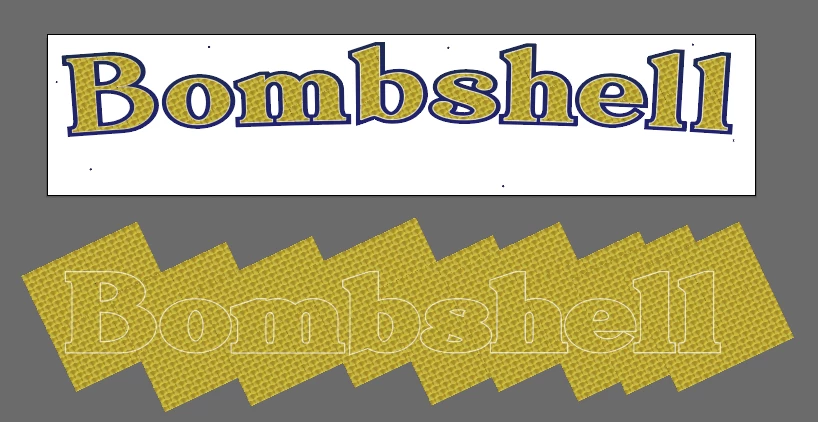
I'm creating anew boat name, customer wanted an Arc on the name.


I Expanded A Font to outlines, Filled with a clipping mask and then applied an Arc Effect.

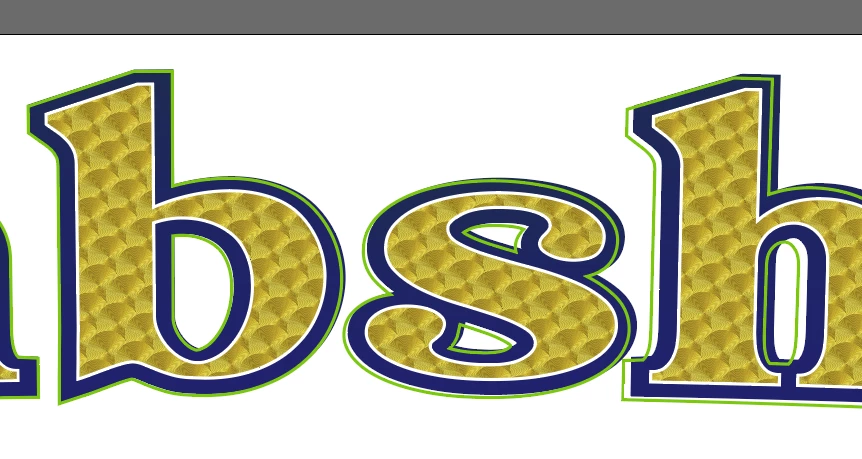
In order to create a "CUT" outline for Printing, where the decal is cutout,  I usually Select All and use the Pathfinder Unite to get an outline of all objects.

But when I do that, it removes the Mask & Arc Effect.  When I reapply the Arc Effect at the same degree it doesn't match up, I'm assuming due to the Mask being removed. 

Help! 🙂 


This topic has been closed for replies.
Correct answer Eric24331301ojzq

I resolved the issue.  I redid the project starting by arcing the Text first, then expanding.  I expanded txt, then arced, which that's why I ran into trouble.

Thanks for the assistance!!!

2 replies

Monika Gause
Community Expert
Community Expert
August 10, 2022

Did you expand the effect?

Expand appearance if it is an effect, or expand envelope, if you applied it via the Object menu.

Eric24331301ojzqAuthorCorrect answer
Participant
August 11, 2022

I resolved the issue.  I redid the project starting by arcing the Text first, then expanding.  I expanded txt, then arced, which that's why I ran into trouble.

Thanks for the assistance!!!

Met1
Legend
August 10, 2022

Duplicate all to another layer, then run your unite on that.

Participant
August 10, 2022

No, that doesn't work. I've attached the AI file...