
Participant
August 28, 2020
Answered

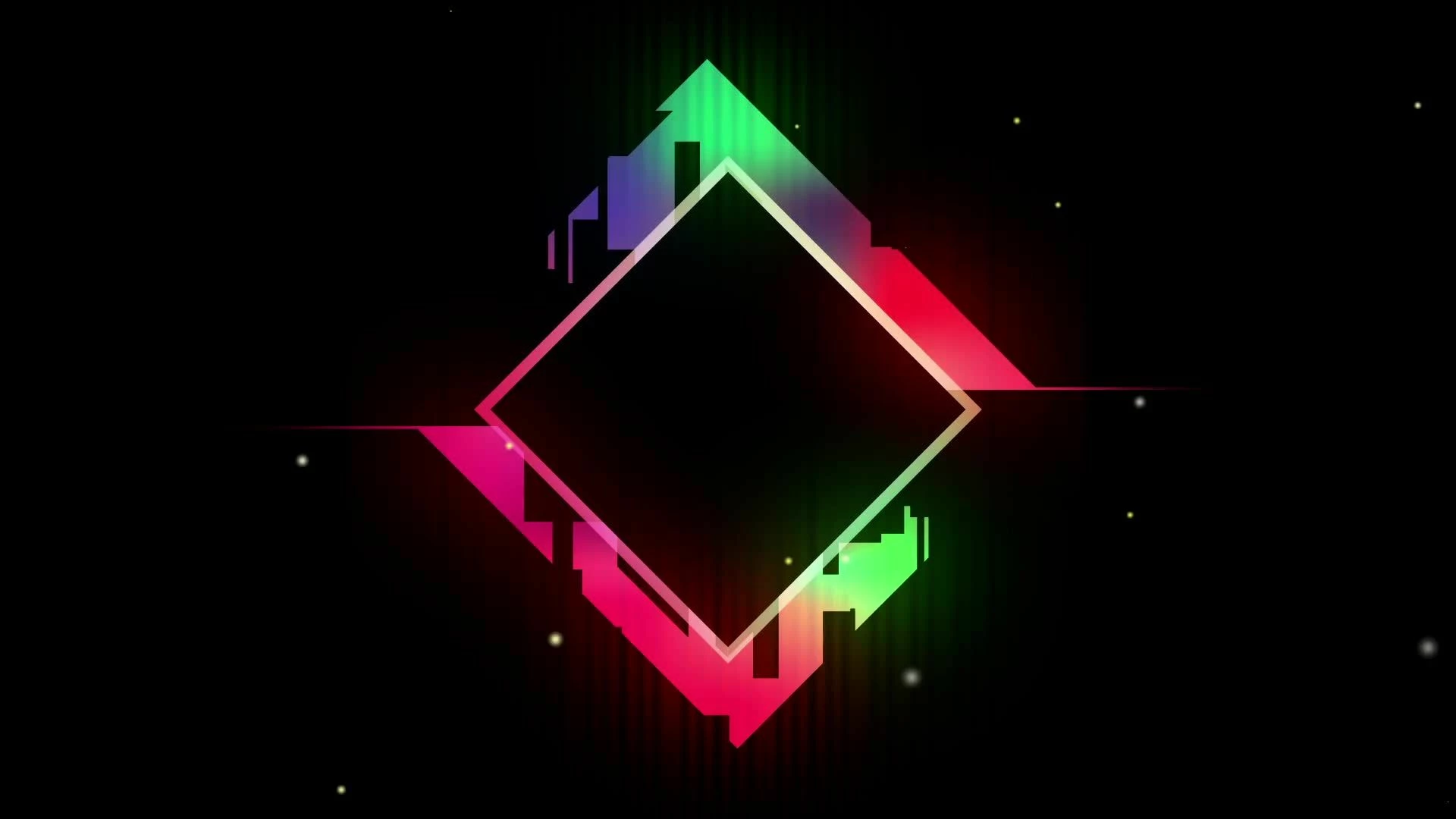
How to create art like this
  • August 28, 2020
  • 3 replies
  • 627 views

Hi,


I'm quite new to using Illustrator, but I want to learn how to create art like the file attached. Would Illustrator be enough to achieve this? Or will both Illustrator and Photoshop need to be used? From what I can see, a gradient is used, diamond shapes, afterglow, and transparency effects. Any tips or links to specific tutorials will be much appreciated.

This topic has been closed for replies.
Correct answer Monika Gause

The shapes are simple. You need to learn how to use simple shapes, how to transform them, how to add and subtract them.

Then there's a gradient. Learn how the freeform gradient works

And then an image overlay with structures. You will need to learn how to create that in Photoshop.

Then place into Illustrator and overlay using opacity masks and maybe blends.

You can only create this in RGB color mode.


You can find all those techniques in the official documentation.

I would start with the introductory tutorials in the Help section. They will already cover some of what you need.

3 replies

BoMeers
Participant
June 28, 2022

Hello! I don't know how I came across this but this is some of my old art work. I created this mostly in illustrator. I still have the working files plus the animation files I made for wallpaper engine. They're pretty old and I wasn't the greatest at animation so they're a bit messy. 

I've uploaded it to my dropbox so feel free to poke around.
https://www.dropbox.com/s/983qwz6jbxf0tze/HLD.zip?dl=0

Monika Gause
Community Expert
Monika GauseCommunity ExpertCorrect answer
Community Expert
August 28, 2020

The shapes are simple. You need to learn how to use simple shapes, how to transform them, how to add and subtract them.

Then there's a gradient. Learn how the freeform gradient works

And then an image overlay with structures. You will need to learn how to create that in Photoshop.

Then place into Illustrator and overlay using opacity masks and maybe blends.

You can only create this in RGB color mode.


You can find all those techniques in the official documentation.

I would start with the introductory tutorials in the Help section. They will already cover some of what you need.

Participant
August 29, 2020

Thanks!

Mylenium
Legend
August 28, 2020

You botched your image attachment, so nobody can see anything. try again and add your image inline using the "Insert Photo" icon.


Mylenium