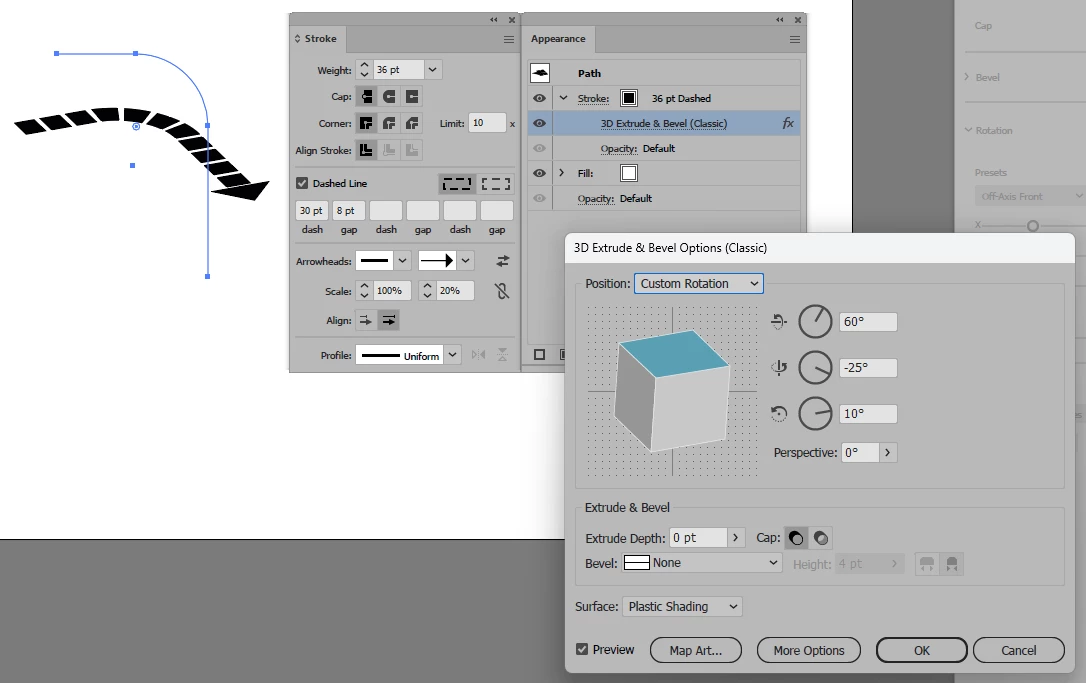
Woah @RvdT , that’s exactly it! thank you so much! (see attached screenshot) this did raise a couple of follow up questions, but no worries if it goes beyond the scope of this post.
- 1A) is there a way to have the line span multiple planes? (like faces of the cube) 1B) if so, is it possible to modify the angles of the planes it spans? - when controlling the gradient how can it be made to follow the line? (beyond a more static stroke gradient, but also this can probably found pretty quickly online, so no worries again if it’s not worth the effort to answer)
i’ll restrict follow-ups to these so this post doesn’t drag on but nonetheless thank you so much for the reply, it absolutely helped and answered exactly the question being asked!
You’re welcome. 1A) yes and no. -not with the 3D Extrude & Bevel options.
But you could put the same arrow in different angles and use clipping masks. To achieve this effect. It’s probably better to use a 3D tool like Blender to do so. 1B) Again custom line drawing and clipping masks. Or i.e.: Blender
For the gradient you get a better result when expanding the arrow.
hi @Bobby Henderson, thank you so much for your reply! i have done an attempt but wasn’t able to make anything close. is it possible to make it work? always curious to know more ways to achieve outcome





 AdChoices