
Legend
September 27, 2024
Answered

How to create basic 3D vector text?

  • September 27, 2024
  • 2 replies
  • 1187 views

Hi there,


I can find endless 3D text tutorials that create rendered text using the new render tools - but nothing on creating 3D vector text.


I notice there's no perspective distort (or similar) under transform and that there are perspective functions under the Object menu but they're always greyed-out.


Is there a way to create old-school 3D text like this - but using vectors?
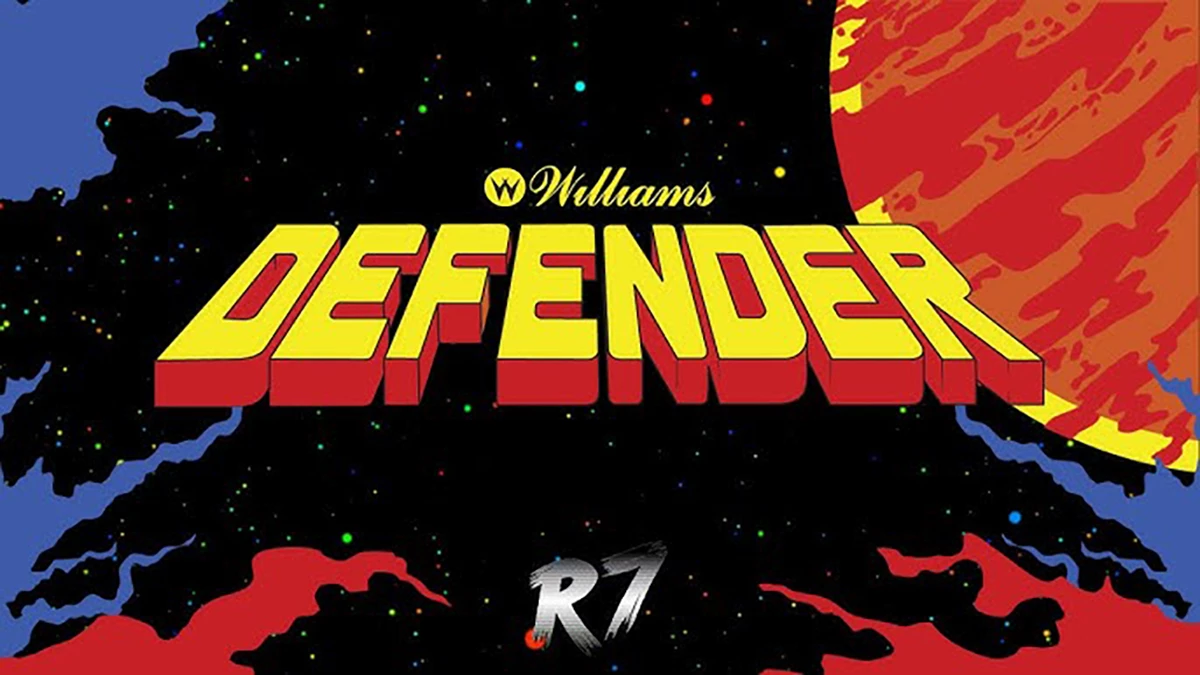


And if you have to create it by hand, what would the prcess be in Illustrator? Sorry, I've never drawn anything in perspective so not sure how you approach this.


Any pointers in the right direction much appreciated.


Cheers, Ben
Correct answer Ton Frederiks

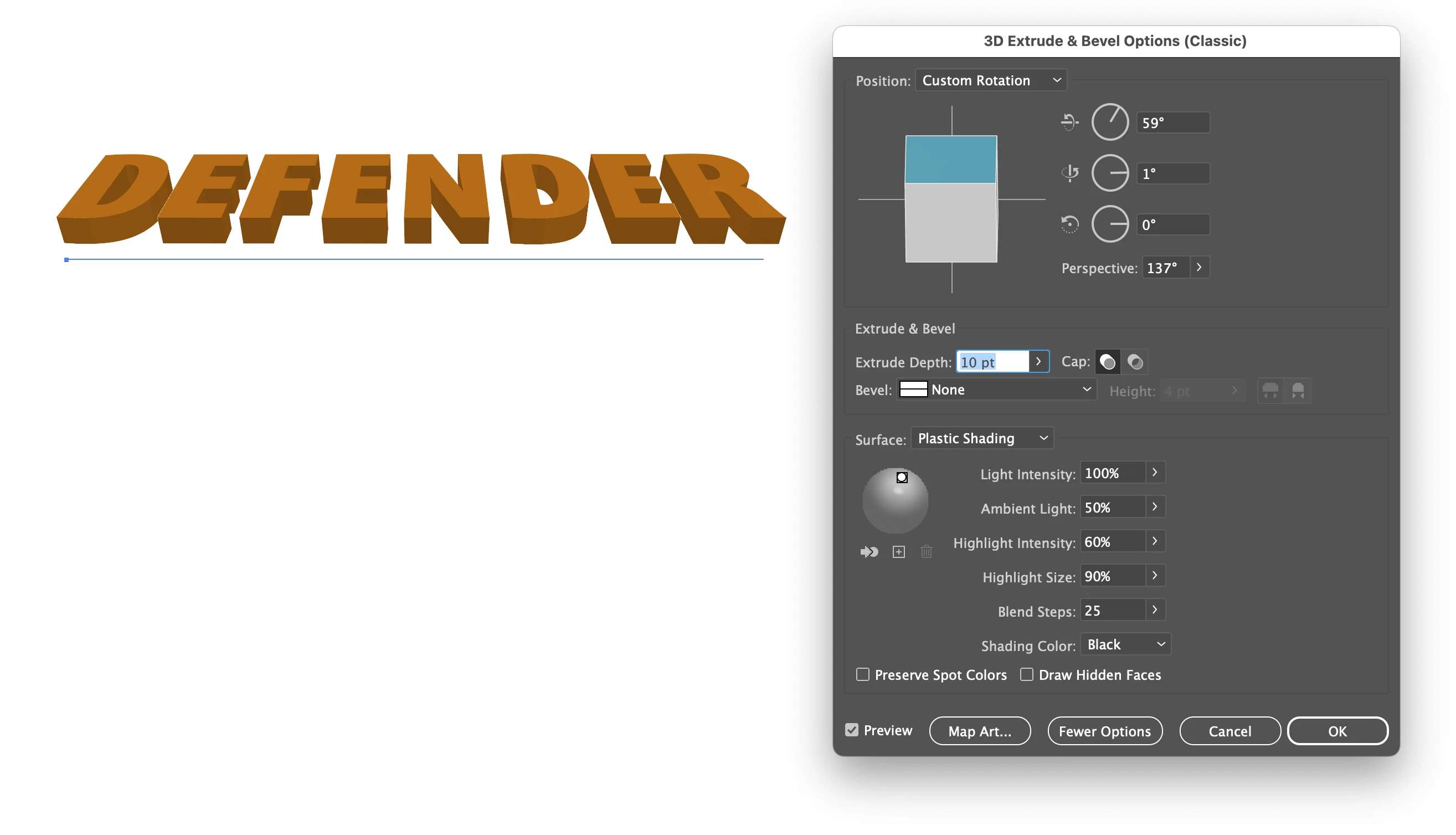
You could try Effect > 3D and Materials > 3D (Classic) > Extrude & Bevel (Classic)

2 replies

csscmsAuthor
Legend
September 27, 2024

Just found the perspective distort tool hidden away under the free transform tool. Worked a treat to get the perspective, then I was able to draw the extruded ends.


If anyone has tips or tricks, let me know. Cheers

Ton Frederiks
Community Expert
Ton FrederiksCommunity ExpertCorrect answer
Community Expert
September 27, 2024

You could try Effect > 3D and Materials > 3D (Classic) > Extrude & Bevel (Classic)

csscmsAuthor
Legend
September 27, 2024

Awesome! Didn't see your post, this is much better. And the perspeective distort works well to transform the isometric look after using 3D classic.


Cheers

Ton Frederiks
Community Expert
Community Expert
September 27, 2024

Good to hear that helped.