Answered
how to create color like this?is it water color effect or texture. please help!
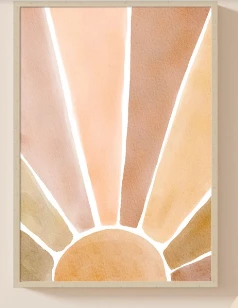

Does it need to be full vector output? In that case you will have a hard time.
In any case: I would start with a loosely draw shape. Apply a gradient mesh or use the freeform gradient to get the base colorization.
If rasterbased effects are allowed: there are plenty. Try out what's in the filter gallery. Grain effects and such. You can overlay them freely. To combine multiple effects, use the appearance panel. You can apply the effects to additional fills, by creating those fills, apply the effect to them and then set a blend mode to that fill. This works nicely with grey fills.
Already have an account? Login
No account yet? Create an account
Enter your E-mail address. We'll send you an e-mail with instructions to reset your password.


 AdChoices