Participant
September 19, 2025
Answered

How to create illustration of "flow of binary code" in Illustrator?

  • September 19, 2025
  • 1 reply
  • 144 views

Hello! I need to make an illustration based of an output made by AI, that came out of brainstorming in my company. It includes a spiral that is made out of binary code. It is also kinda shining and flowing around a superhero. I need help as to.. How to create this kind of element in Adobe illustrator. This element (some sort of stream of code or data will be present even in other pics of the series... I know how to draw some simple illustrations, and work with basics like gradients etc or putting objects on a path.. But with this I´m lost 😞 Big thanks for any advice!!


Note: We are making it in Illustrator since we need it in a very big scale later. 

Correct answer Tina_Irvine

Hi @Veronika32569775oz4l,


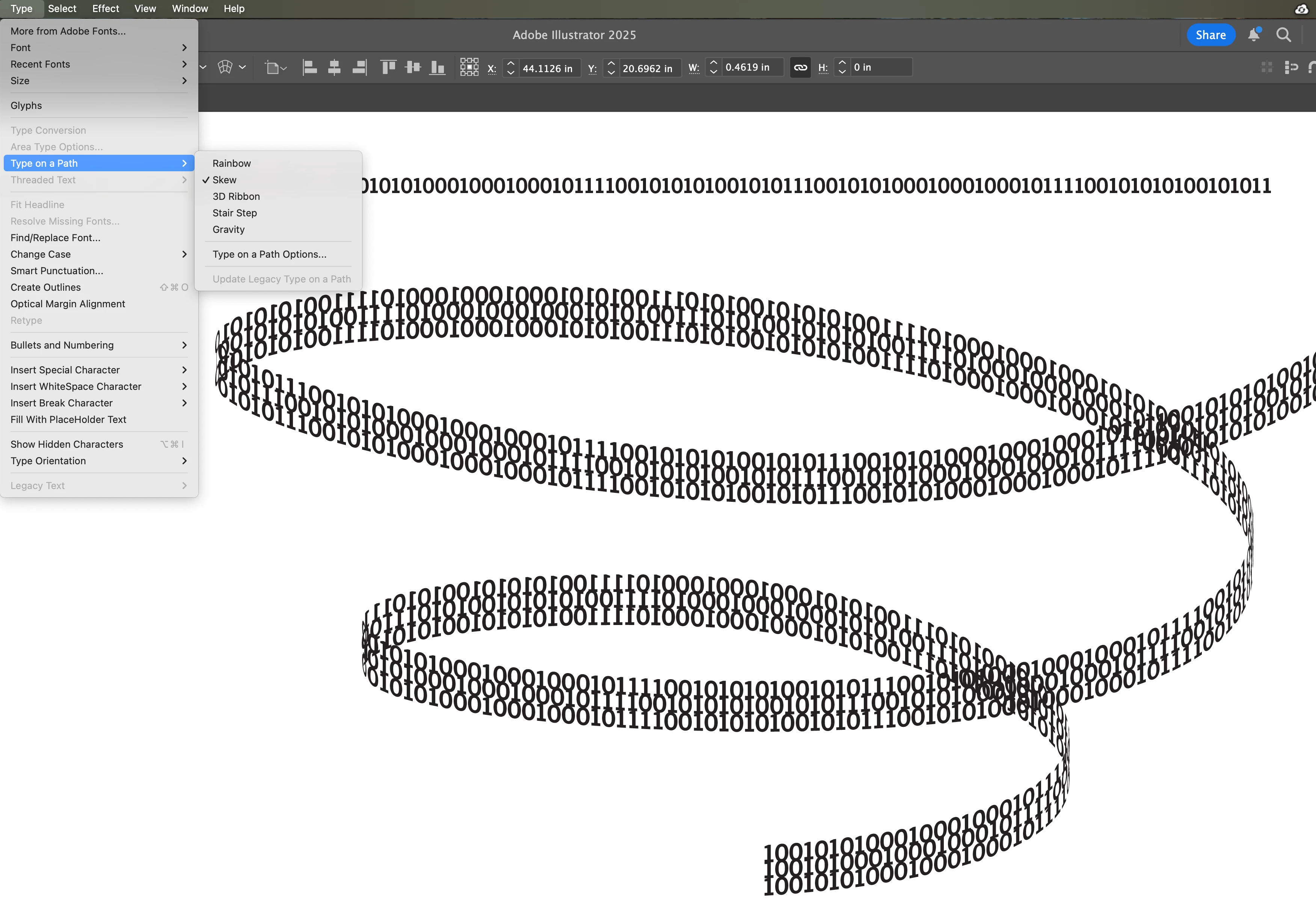
If the following is what you're after (before adding effects), here's how to go about it:


  • Type a long line of 1s and 0s
  • Draw a spiral with the pen tool
  • Copy your line of binary text
  • Choose your text tool (or choose "type on a path" but when you hover over the line, it'll automatically change to type on a path. Click and paste. It should paste your binary onto your spiral
  • With your spiral text selected, go to Type > Type on a Path. Choose "skew"
  • If you want three stacks, just duplicate your spiral and shift it below
  • You can add effects from your appearance panel while it's live text. Or you can always make it into outlines if you find that easier.


1 reply

Tina_Irvine
Community Expert
Tina_IrvineCommunity ExpertCorrect answer
Community Expert
September 19, 2025

Hi @Veronika32569775oz4l,


If the following is what you're after (before adding effects), here's how to go about it:


  • Type a long line of 1s and 0s
  • Draw a spiral with the pen tool
  • Copy your line of binary text
  • Choose your text tool (or choose "type on a path" but when you hover over the line, it'll automatically change to type on a path. Click and paste. It should paste your binary onto your spiral
  • With your spiral text selected, go to Type > Type on a Path. Choose "skew"
  • If you want three stacks, just duplicate your spiral and shift it below
  • You can add effects from your appearance panel while it's live text. Or you can always make it into outlines if you find that easier.