
Participant
April 3, 2017
Question

how to create new artboard following last artboard

  • April 3, 2017
  • 2 replies
  • 683 views

something just to speed up the process. So illustrator has a great option - 'new artboard' in the artboard control panel. but every time you click it, it always starts in the same place - right corner. is there a way to add new dartboards following your last artboard.
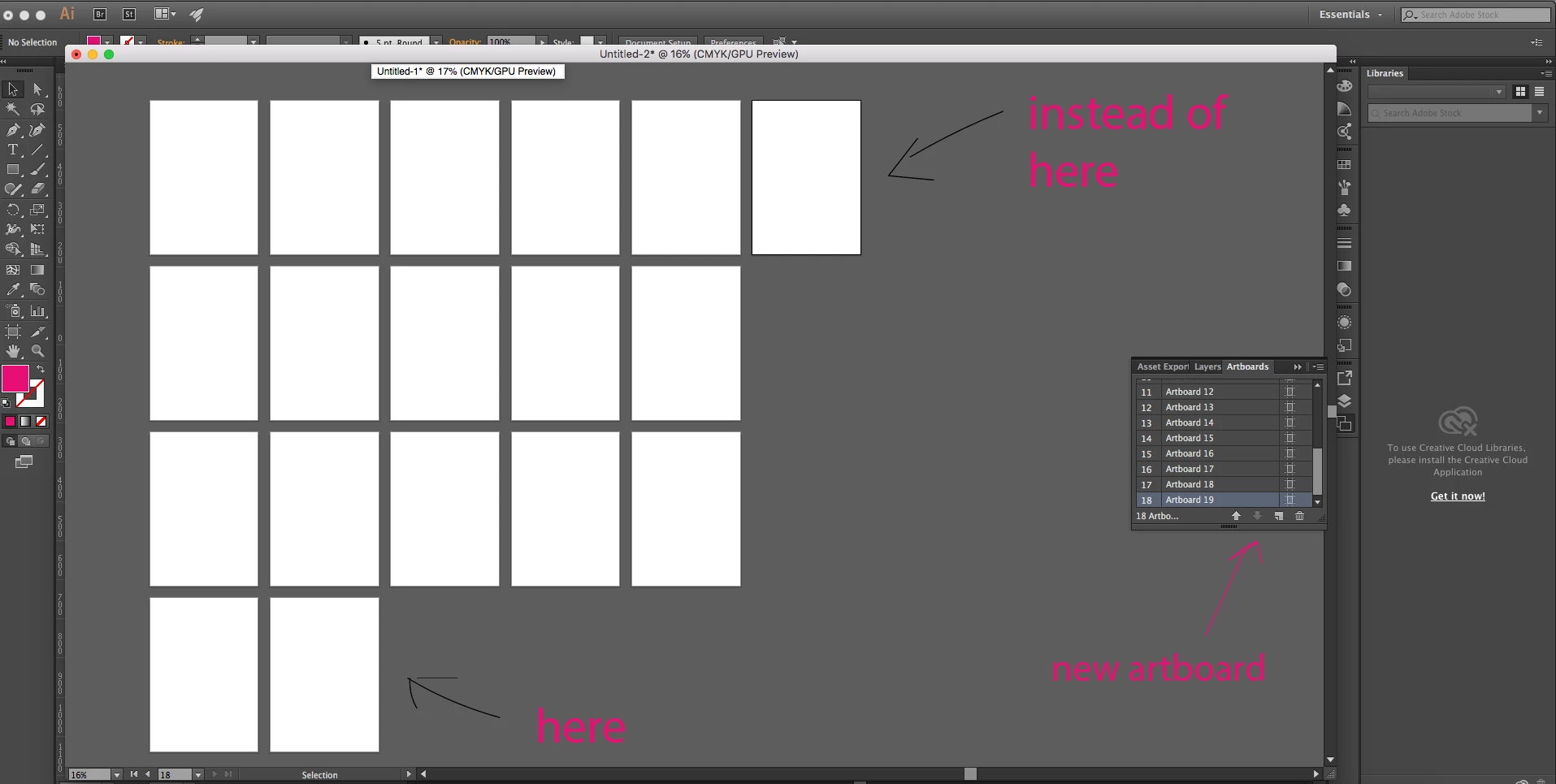
thanks

This topic has been closed for replies.

2 replies

Om Nath Jha
Legend
April 3, 2017

Hi Thierry,

That is the default way or direction to create a new artboard and can't be changed. Once you create artboards, it can be rearranged/changed with the "Rearrange Artboard" option which I believe you already have tried.

I am not sure if that can be achieved through scripting, but I believe our experts here would certainly suggest.

Regards,

Om

Participant
April 3, 2017

hi ohmnath

yes i thought as much, good to get that cleared. thanks a lot. hopefully they can develop that option, because you hardly know how many artboards you're gonna need sometimes, its nice to click, next page, next page and so forth but still retain some order. 

Thierry

Mike_Gondek10189183
Community Expert
Community Expert
April 3, 2017

Yes would be great if the default would add a new artboards  after the selected one, as @thierryone suggests.

Would also prefer when drag copying an artboard that the naming convention  of "Artboard #" continues rather than using the word copy. That number at the end people associate with the page number as in Indesign, and I believe most all users would prefer that organization to keep us working tidy.

Mike_Gondek10189183
Community Expert
Community Expert
April 3, 2017

Choose artboard tool & Option drag your last artboard to the right. That is the best you can do.