
Question
How to created a 'pixelated gradient'?
Hi,
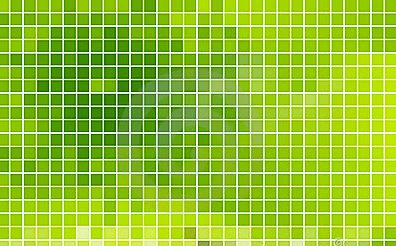
I'm lookinf for help on how to create a pixelated gradeint (if that's the correct term!) in Ullustrator CS5. I will be using a country map outline as the 'boundary' or container for my graphic.
Below is a image I found on a stock website, which is basically what I want to do, but with only 2 colours. (though I'm assuming because it's a gradient I can changed them anyway). I've had a go with Live paint, which worked to some degree but it was incredibly time consuming and I have 20 or so graphics to do! Plus I want to minimise the lines as much as possible, which is not what is shows below.
Thanks for your help.
 AdChoices