
Participant
June 10, 2023
Answered

How to cut an ellipse

  • June 10, 2023
  • 3 replies
  • 893 views

Hello, 

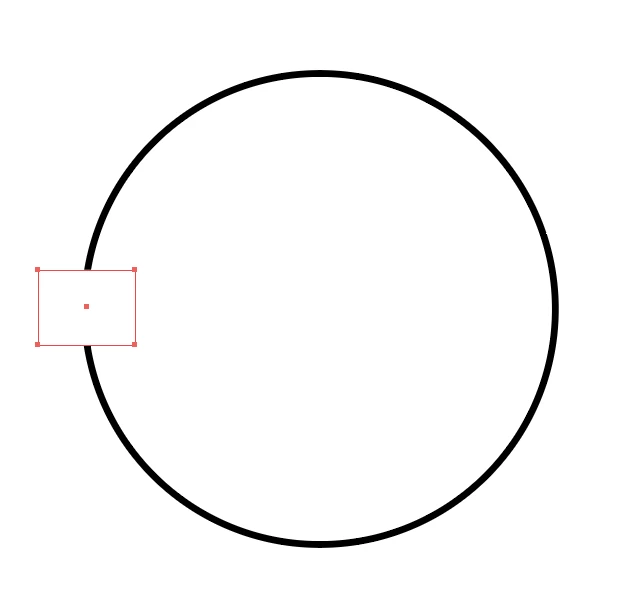
I would like to cut my ellipse like in this photo, but I can't use the pahfinder because of the stroke and I tried to add anchor points an then to use the scissors tool but as my ellipse is not a draw, it doesin't work. 

Can somebody help me please ?
 

This topic has been closed for replies.
Correct answer Jacob Bugge

Milo,


If there is no need to have a simple path, you can keep it as stroke/nofill and use the rectangle as an Opacity Mask with Invert Mask ticked (in the Transparency panel), remember to select both circle and rectangle. This is reversible and fully editable.


Or what Ton said.


3 replies

Jacob Bugge
Community Expert
Jacob BuggeCommunity ExpertCorrect answer
Community Expert
June 12, 2023

Milo,


If there is no need to have a simple path, you can keep it as stroke/nofill and use the rectangle as an Opacity Mask with Invert Mask ticked (in the Transparency panel), remember to select both circle and rectangle. This is reversible and fully editable.


Or what Ton said.


Participant
June 18, 2023

Thank you too !

Jacob Bugge
Community Expert
Community Expert
June 18, 2023

You are welcome, Milo.


Ton Frederiks
Community Expert
Community Expert
June 12, 2023

That is how line endings work, like this or rounded.

To get what you want, you need to select Object > Path > Outline Stroke before using the Divide Objects Below.

Participant
June 18, 2023

Thank you !

Ton Frederiks
Community Expert
Community Expert
June 18, 2023

Good to hear that helped.

Ton Frederiks
Community Expert
Community Expert
June 10, 2023

With the rectangle selected Object > Path > Divide Objects Below.

Remove the rest by selecting with the direct selection tool and delete.

Participant
June 12, 2023

Thanks !!!

I still have one problem however, how do I get my ellipse to intersect at 0°, like the at the guide in the photo ?