
Participant
July 23, 2018
Question

How to cut multiple objects in different layers (along a guideline) and paste them elsewhere?

  • July 23, 2018
  • 2 replies
  • 512 views

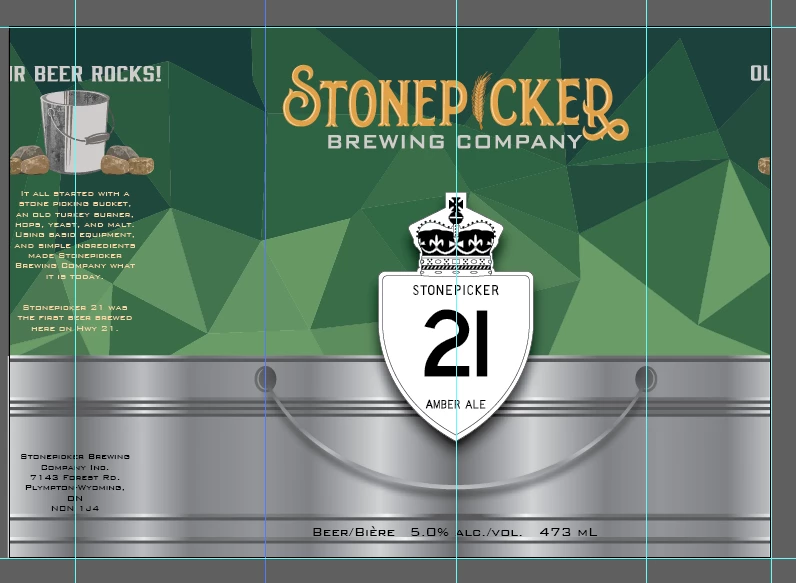
I want to move everything that's on the right of the selected guideline over to the left margin, and then paste the two sections back together. It's made up of 8 layers, and I'm having trouble cutting along that guideline. I basically want to create two rectangles, and move the right one over to the left, and then paste the left side of the left rectangle to the right side of the right rectangle.  Help please.
This topic has been closed for replies.

2 replies

Jacob Bugge
Community Expert
Community Expert
July 23, 2018

S,

A non destructive way could be to select all the artwork across layers, then Ctrl/Cmd+C, then create a new Layer on top and Ctrl/Cmd+F and Ctrl/Cmd+G to Group, then Ctrl/Cmd+C+F to have two identical Groups of the whole artwork, then create a rectangle covering the left part (to the left of the selected guide) and also select one of the Groups and Ctrl/Cmd+7 to form a Clipping Mask, repeat with a new rectangle covering the right part, then change places so right becomes left and left becomes right.

That would give you the desired appearance without the change of artwork resulting from cropping/flattening (such as outlining of paths), and the original artwork would remain on its Layers.

Monika Gause
Community Expert
Community Expert
July 23, 2018

You probably cannot just slice this.

I would use clipping masks instead.