
Hunter Salyer
Participant
May 4, 2020
Answered

How to delete different parts of shape?

  • May 4, 2020
  • 2 replies
  • 967 views

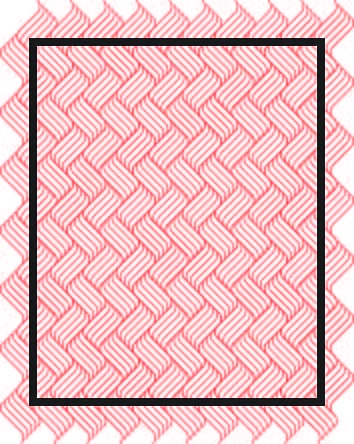
I am kinda new to illistrator, and I have encountered this problem before, I am trying to detlete diffrent parts of these shapes on the other side of the black border but cant seem to find convient way. I bet there is many diffrent ways to do it, and any help counts. Thanks 
This topic has been closed for replies.
Correct answer pixxxelschubser

Hi @hunters2327163,

select both -> right click -> clipping mask
hides everything outside the black frame (but will not remove it)

The frame loses its stroke contour - just select the frame and then reapply the stroke width and stroke color.

2 replies

pixxxelschubser
Community Expert
pixxxelschubserCommunity ExpertCorrect answer
Community Expert
May 5, 2020

Hi @hunters2327163,

select both -> right click -> clipping mask
hides everything outside the black frame (but will not remove it)

The frame loses its stroke contour - just select the frame and then reapply the stroke width and stroke color.

Charu Rajput
Community Expert
Community Expert
May 5, 2020

Hi,

You can try Eraser Tool and may take help from the following reference 


https://community.adobe.com/t5/illustrator/deleting-part-of-path/td-p/10895442?page=1


I am not 100% sure whether it will help you or not but you can try a shot.


Thanks


Best regards