
Answered
How to Delete Intersecting Lines
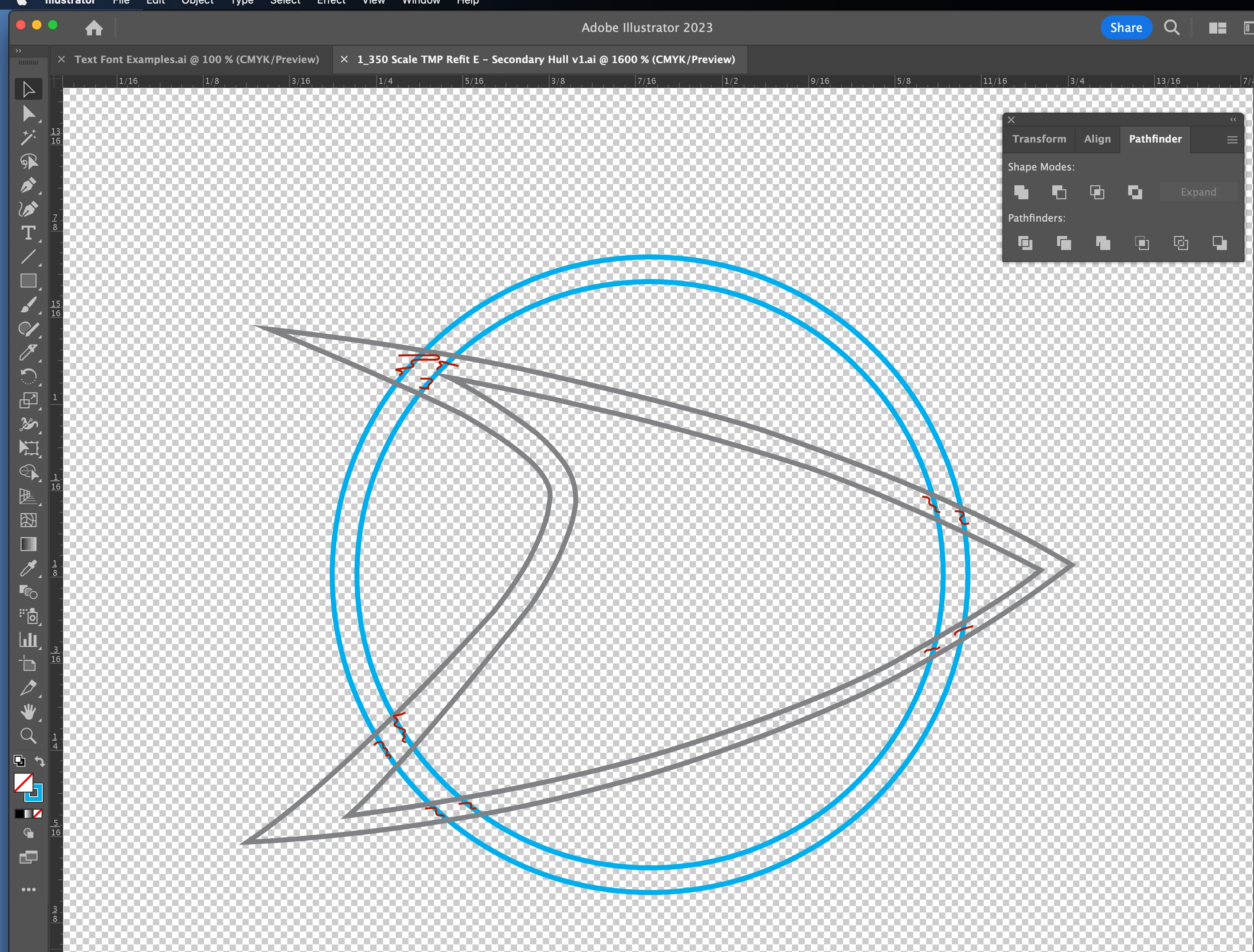
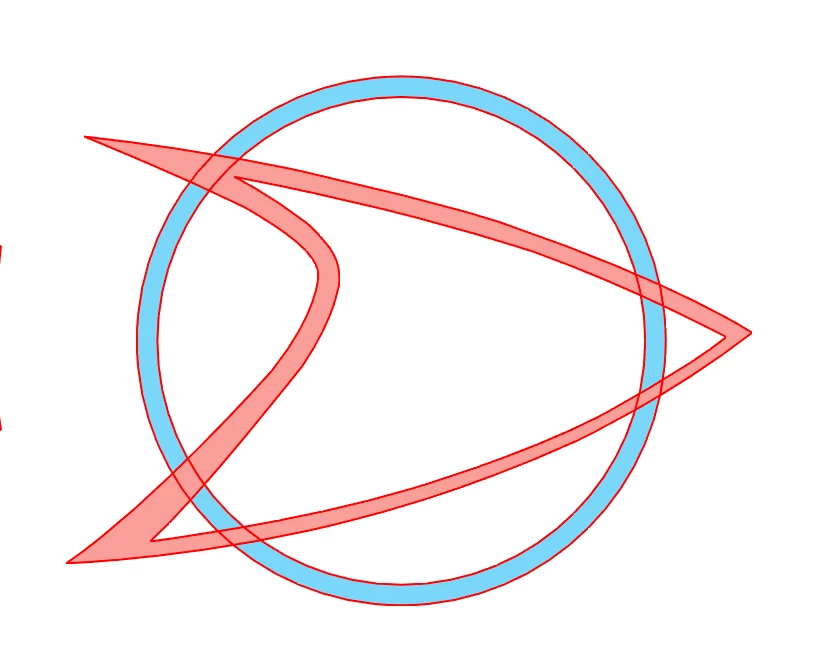
I'm using Illustrator to create vector artwork that I can then export to SVG for use by my vinyl cutter (Silhouette Cameo 4). I've hand-traced this artwork and I'm left with a circle and boomerang shape which intersect - I need to delete the blue circle lines that are 'under' the boomerang or the cutter will cut the vinyl along those lines (which I don't want).
I've tried using the Scissors tool but it never seems to work for me when I only want to cut a part of a line/shape. How do I remove the blue lines that I've marked with red squiggles?


 AdChoices