
Answered
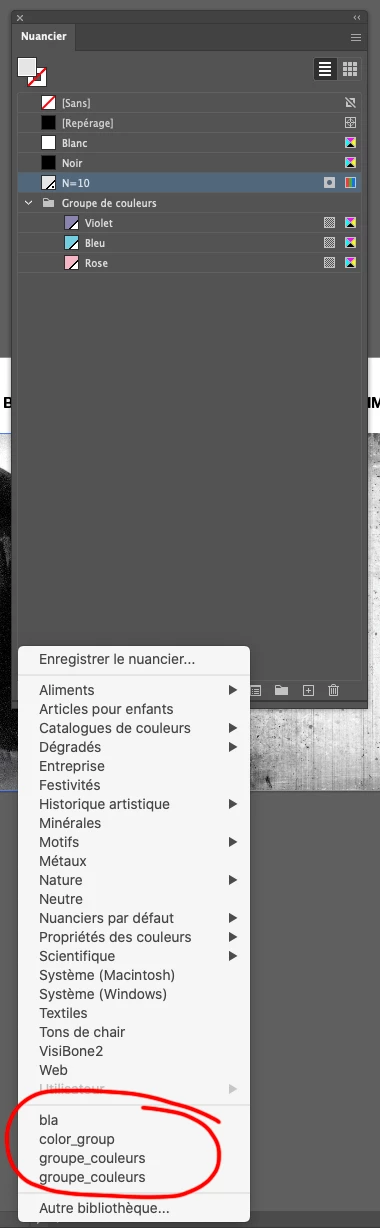
How to delete Swatch libraries that I created from list?
Hi!
Is there a way to delete the libraries I created at the bottom of the list?
Thank you!

Hi!
Is there a way to delete the libraries I created at the bottom of the list?
Thank you!
I see, I tried saving to the desktop and I got the same results as you did.
try saving them in the designated folders, for user defined libraries the standard folder is
C:\Users\canto\AppData\Roaming\Adobe\Adobe Illustrator 25 Settings\en_US\x64\Swatches
for application library, save in the folder previously posted. However you won't be able to save directly from Illustrator since it's a system folder. You could save to the desktop and move the file yourself using finder/explorer. By saving to those 2 folders you can add/delete files without having to restart illustrator
Already have an account? Login
Enter your E-mail address. We'll send you an e-mail with instructions to reset your password.
 AdChoices