aymans11189153
Participant
June 11, 2019
Answered

how to design such a shape ?

  • June 11, 2019
  • 4 replies
  • 679 views

hi

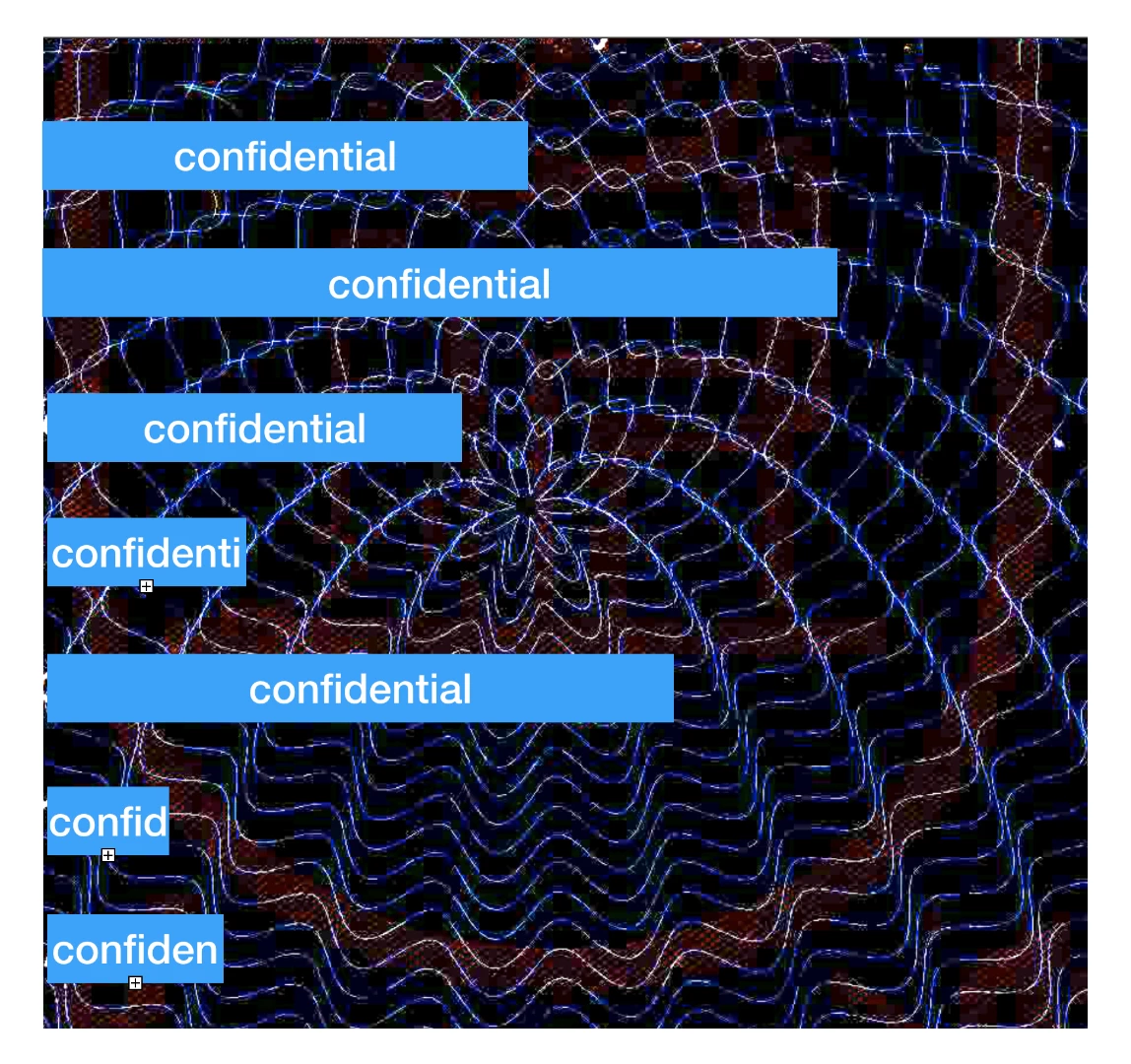
i am new and i am trying to learn how to design this shape.

Any help ?
This topic has been closed for replies.
Correct answer Monika Gause

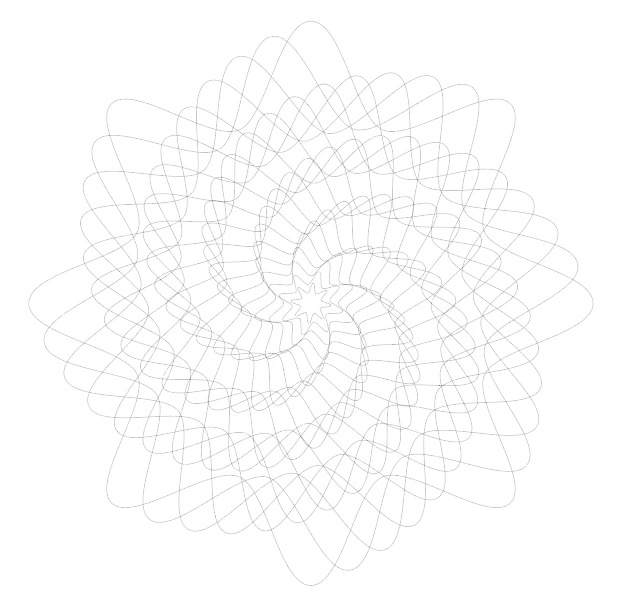
It's some kind of blend.

Try:

2 circles (a small one and a large one)

Apply the zig zag effect to both

Apply the transform effect to both (one circle without any changes, the other one with rotation setting)

then blend the circles
4 replies

KShinabery212
Community Expert
Community Expert
June 12, 2019

Theoretically... you just take an image... make it a template.  Then on layers above it recreate the lines.

Granted that will take awhile.  But that is what I would do.

Let's connect on LinkedIn. https://www.linkedin.com/in/kshinabery/
Anna Lander
Inspiring
June 12, 2019

You can also create 2 other shapes:

1. Small hexagon, and apply the Bloat effect to create a "flower" at the center of composition.

2. Big polystar with needed number of points and a small difference between radiuses. then round corners by Round Corners vidget.

3. Position the shapes like you want.

4. Blend the shapes as Monika suggests.

The result will be a bit different, you can adjust it changing radiuses, effect settings and positioning the shapes.

aymans11189153
Participant
June 12, 2019

but how can i do the top part then ? where the peaks are out of phase

Monika Gause
Community Expert
Community Expert
June 12, 2019

aymans11189153  schrieb

but how can i do the top part then ? where the peaks are out of phase

Please experiment on your own with the approaches that have been suggested. I would additionally suggest that you try and trace a couple of those shapes in the template in order to try and find out the logic of this.

Monika Gause
Community Expert
Monika GauseCommunity ExpertCorrect answer
Community Expert
June 12, 2019

It's some kind of blend.

Try:

2 circles (a small one and a large one)

Apply the zig zag effect to both

Apply the transform effect to both (one circle without any changes, the other one with rotation setting)

then blend the circles

Inspiring
June 12, 2019

There are a few methods you can use to create the geometric lined background artwork.  Start with a wavy single line, use the Object > Warp setup to achieve an arc.  Then dupe the line as many times as necessary ( shift-command / control - M [ copy ].  You can also use the Reflect tool and the rotate tool.  The other elements are simple rectangles and text.  The background could be created using Illustrator or you could use a raster image texture.
