Answered
How to disable the default green margins?
Hello, I'm new to Illustrator and the closest I came was with Adobe Fireworks, I wanted to know how to disable these green lines(margins), highlighted in the image below.
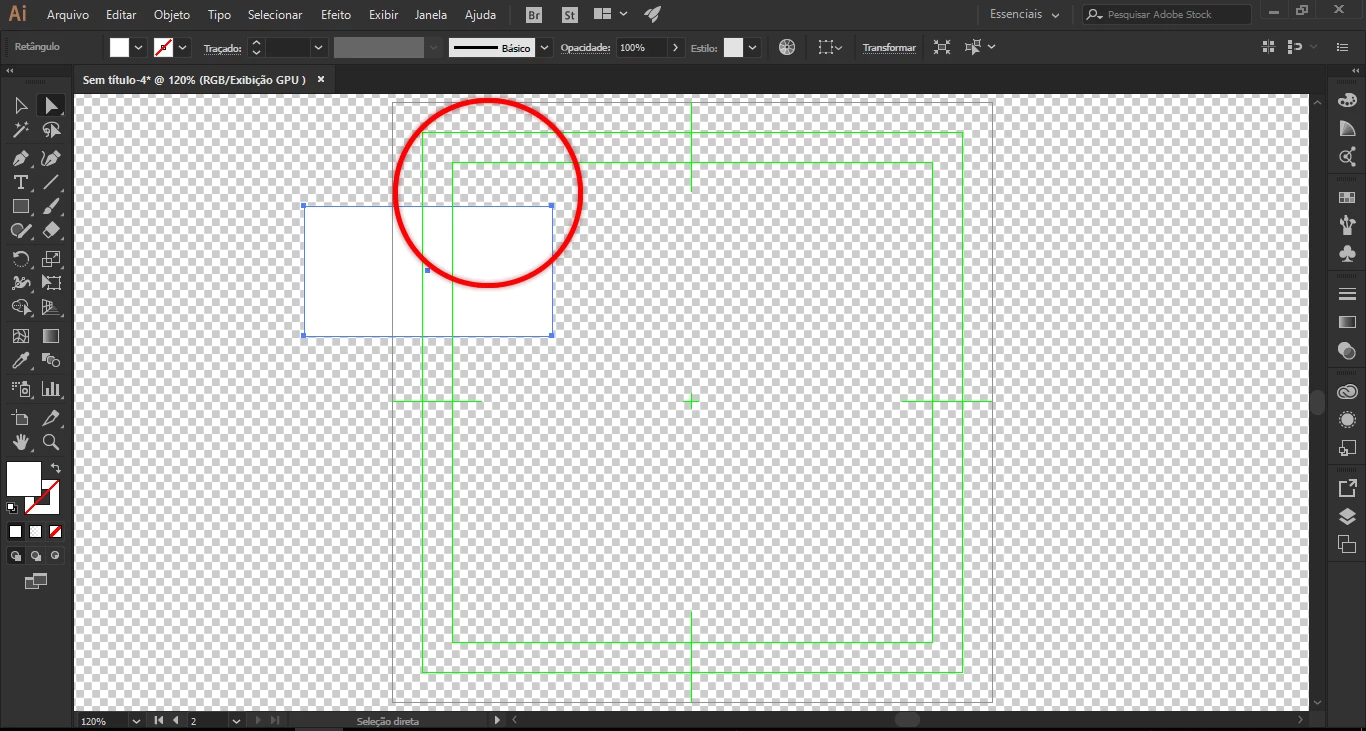
Hello, I'm new to Illustrator and the closest I came was with Adobe Fireworks, I wanted to know how to disable these green lines(margins), highlighted in the image below.
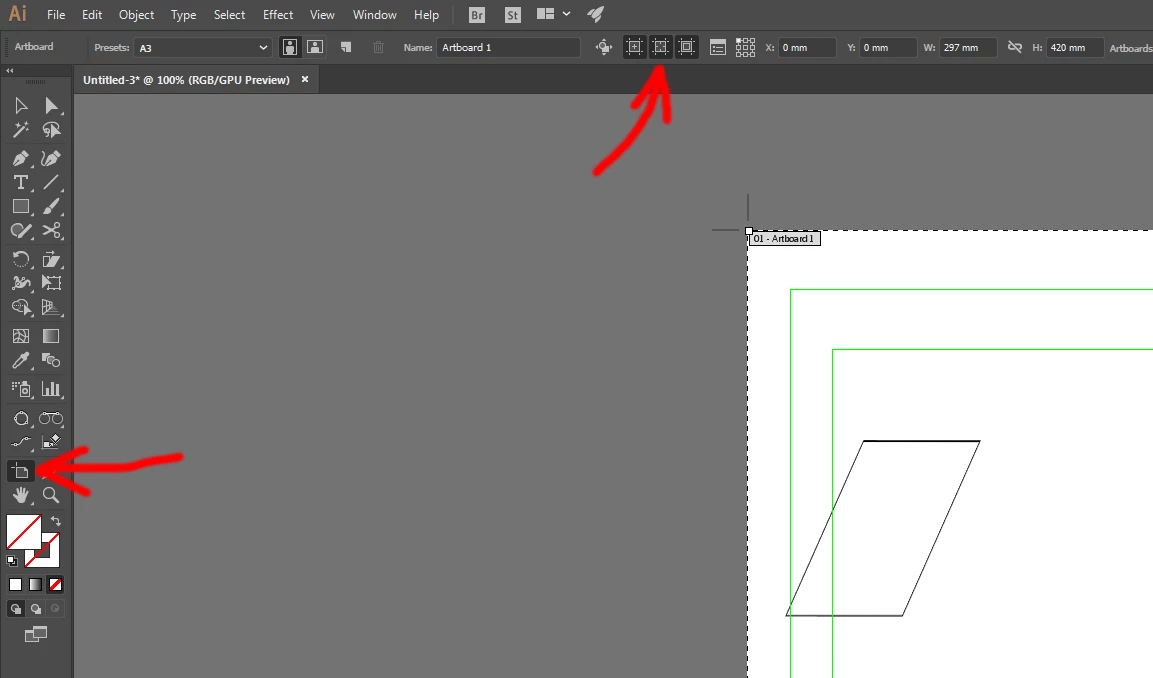
those are video safe areas/crosshairs. turn them off in the control bar options for the artboard tool:
Already have an account? Login
Enter your E-mail address. We'll send you an e-mail with instructions to reset your password.
 AdChoices