Participant
August 10, 2022
Answered

How to duplicate and transform frame with consist spacing

  • August 10, 2022
  • 1 reply
  • 346 views

Hello, can you tell me please how to duplicate frame with keeping consistent spacing?
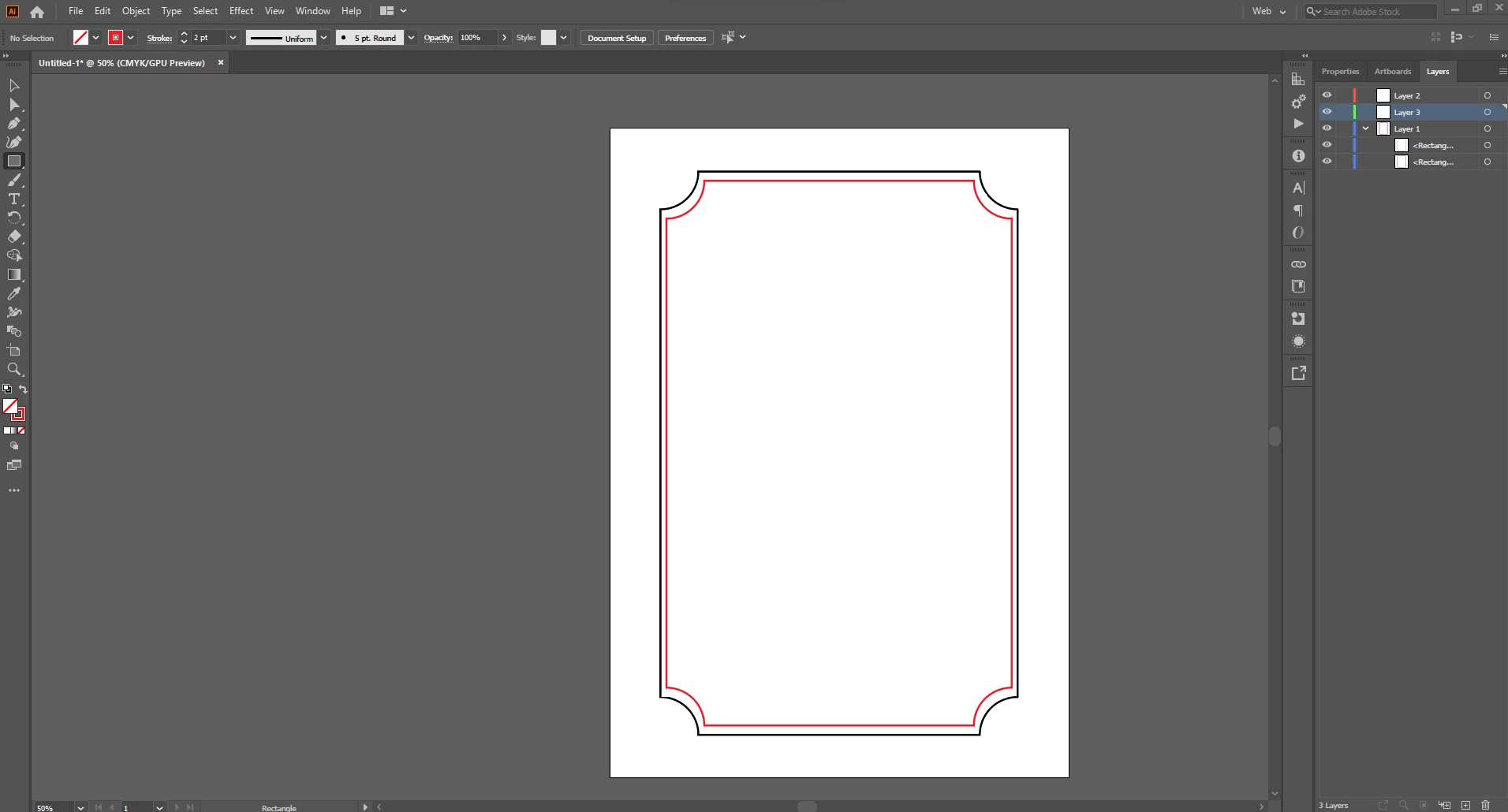
Black frame is my main frame which I drew first with rectangle tool (no fill, only stroke) and then I simply pull inside corners. Now I want second inner frame (red), but when I duplicated my first frame and then transformed it with pressed SHIFT + ALT it caused inconsist spacing between frames. Can you tell me how to achieve that in correct way? Thank you.
 

This topic has been closed for replies.
Correct answer Doug A Roberts

Object > Path > Offset Path. Enter a negative value.

1 reply

Doug A Roberts
Community Expert
Doug A RobertsCommunity ExpertCorrect answer
Community Expert
August 10, 2022

Object > Path > Offset Path. Enter a negative value.

Laura Coyle.
Community Expert
Community Expert
August 10, 2022

I was trying to figure this out with a positive value, and the corners never match! Thank you, I learned a new tip from you, Doug!