
Question
How to extend path length to bring overset text while using "Type on a Path" tool in Illustrator?
Hi all,
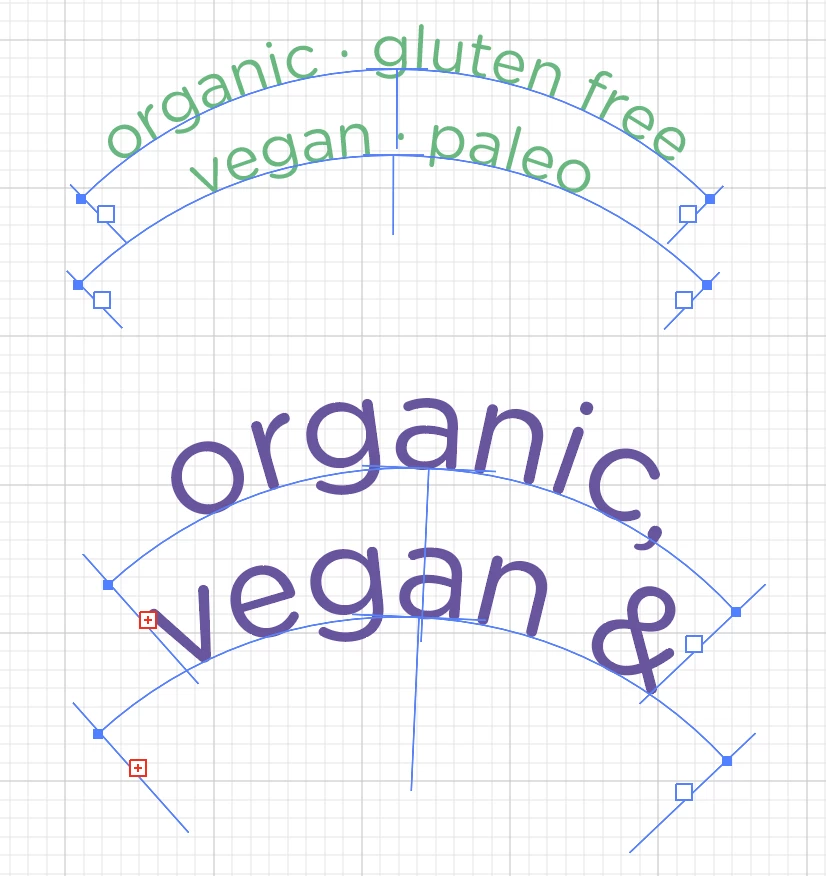
Please see screenshot attached. I'm trying to write two lines of text on two parallel curves. So far, so good. Except, see the last set (in purple), when I increase the font size, the text disappears from the path. How do I extend the path so it fits the enlarged font size? Those pesky red boxes with the + appear, but nothing happens when I try to expand the text box! Couldn't find anything online, searched for a while! Thank you!!
{Renamed by MOD}
 AdChoices