trinityr63611110
Participant
November 13, 2021
Question

How to fill an object that does not have joined lines

  • November 13, 2021
  • 2 replies
  • 414 views

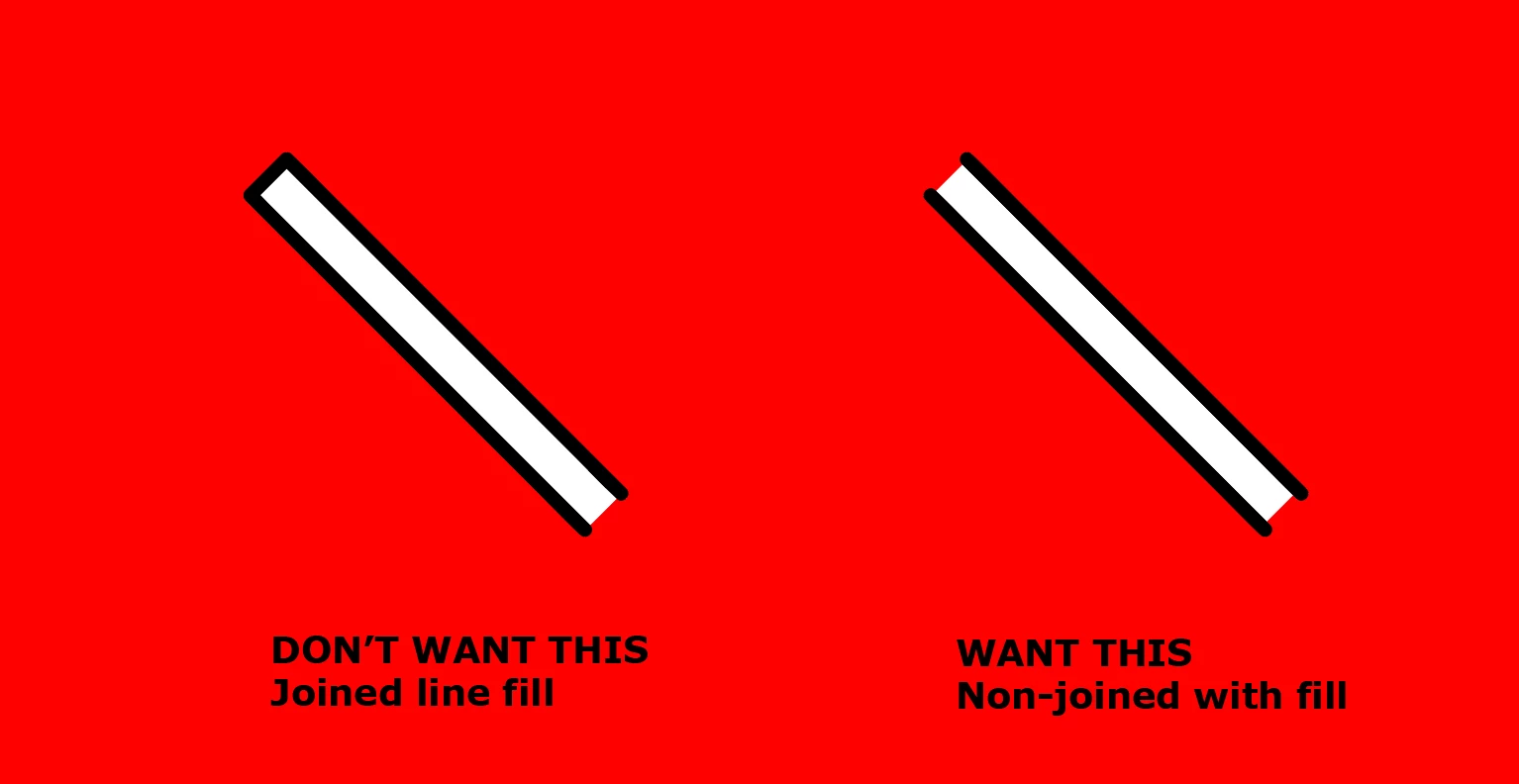
I'm trying to make a shape from two lines that has the edges outlined with a white fill inside, without making it a compound path. 

You can edit edges with a square, but you can't do it with two separate lines? 

A workaround is making two lines and then putting a white rectangled behind it, but is there a simpler way?


This topic has been closed for replies.

2 replies

Jacob Bugge
Community Expert
Community Expert
November 13, 2021

Trinity,


Maybe far from what you wish, but you can create one line with a black stroke and a weight corresponding to the outer black bounds, then Add New Stroke in the Appearance panel and give it a weight corresponding to the outer white bounds = the inner blanck bounds.


Hi Peter. No show. No show?


tromboniator
Community Expert
Community Expert
November 13, 2021

Hi, Jacob. I was trying to maintain the round caps on the black.


This showed up yesterday:


Jacob Bugge
Community Expert
Community Expert
November 13, 2021

Ah, I see, Peter. I believe your interpretation is the right one.


It is here longs to embrace that image.


tromboniator
Community Expert
Community Expert
November 13, 2021

I think it depends on what you mean by simpler. Here's a way to do it with one path with three strokes and transform effects applied.

It takes a minute to set it up, but you can save it as a Graphic Style which you can apply to any path.


Peter