
Participant
September 24, 2024
Question

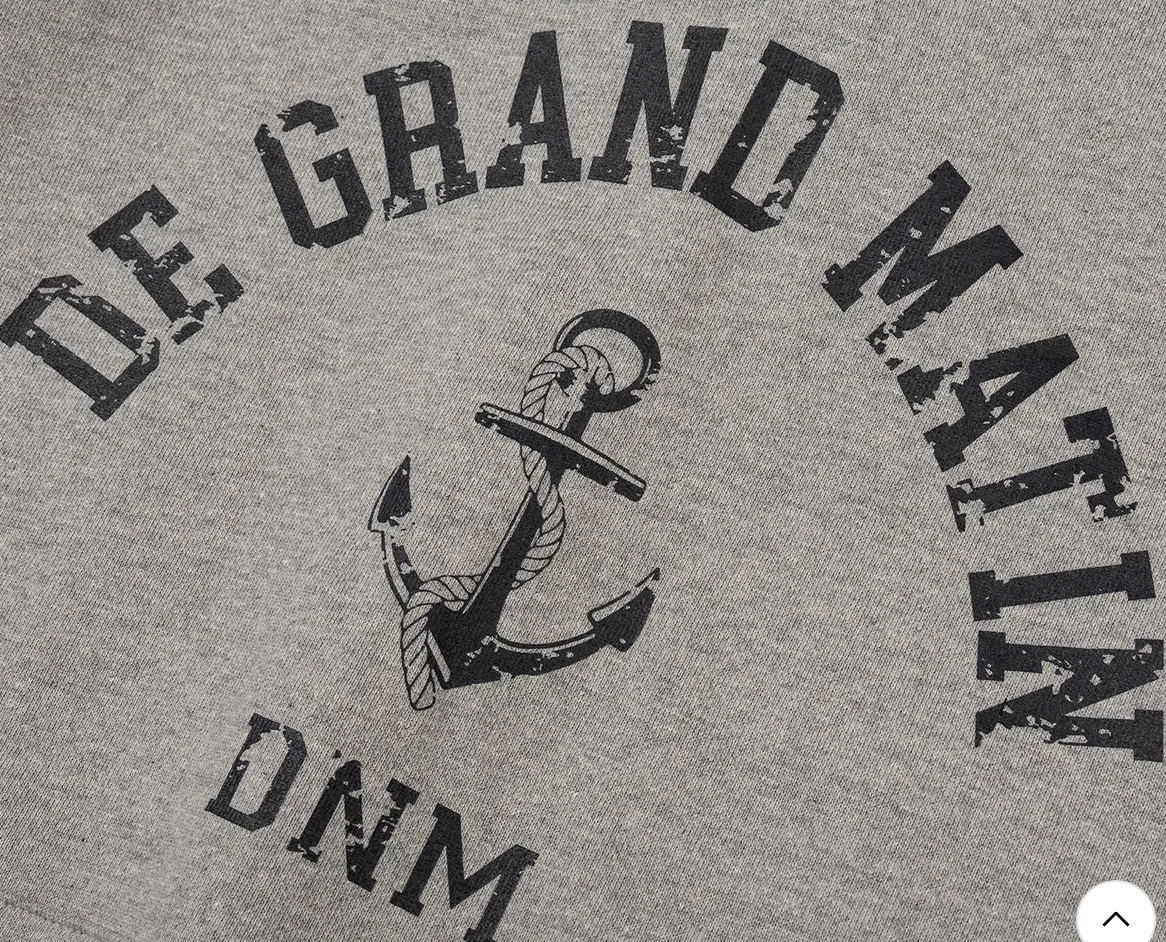
How to fill path 'roughly' like the photo?
  • September 24, 2024
  • 1 reply
  • 96 views

like letters and picture in this picture, I want to fill the path roughly. Maybe someone thinks it is like chalk art. 

I found a brush that it feels like chalk, but I want to fill 'king' in chess: it is difficult to describe it only with brush. 
Please help me 

This topic has been closed for replies.

1 reply

Monika Gause
Community Expert
Community Expert
September 24, 2024

You would need an image of a dirty texture. rock, or sand or rust or something like that. Edit it to make it high contrast. Then use image trace on it in Illustrator. Black and white.

Put it on top of you text and select both, then make an opacity mask with the transparency panel.

Experimment with the two settings "clip" and "invert"