
How to find 'Gap tolerance' which is in CorelDraw in Illustrator?
Hello.
I am using the Solid Edge 2D Nesting program to nesting shapes for the laser cutting machine. But when I use that nested file in illustrator I came to realize which all of my connected paths became separated from each other.
And that is a bad thing: because the laser machine use joined paths not separated. And as I know (and I wish I am wrong) Illustrator can not join path without the problem of joining unrelated paths together too! (Image bellow:)
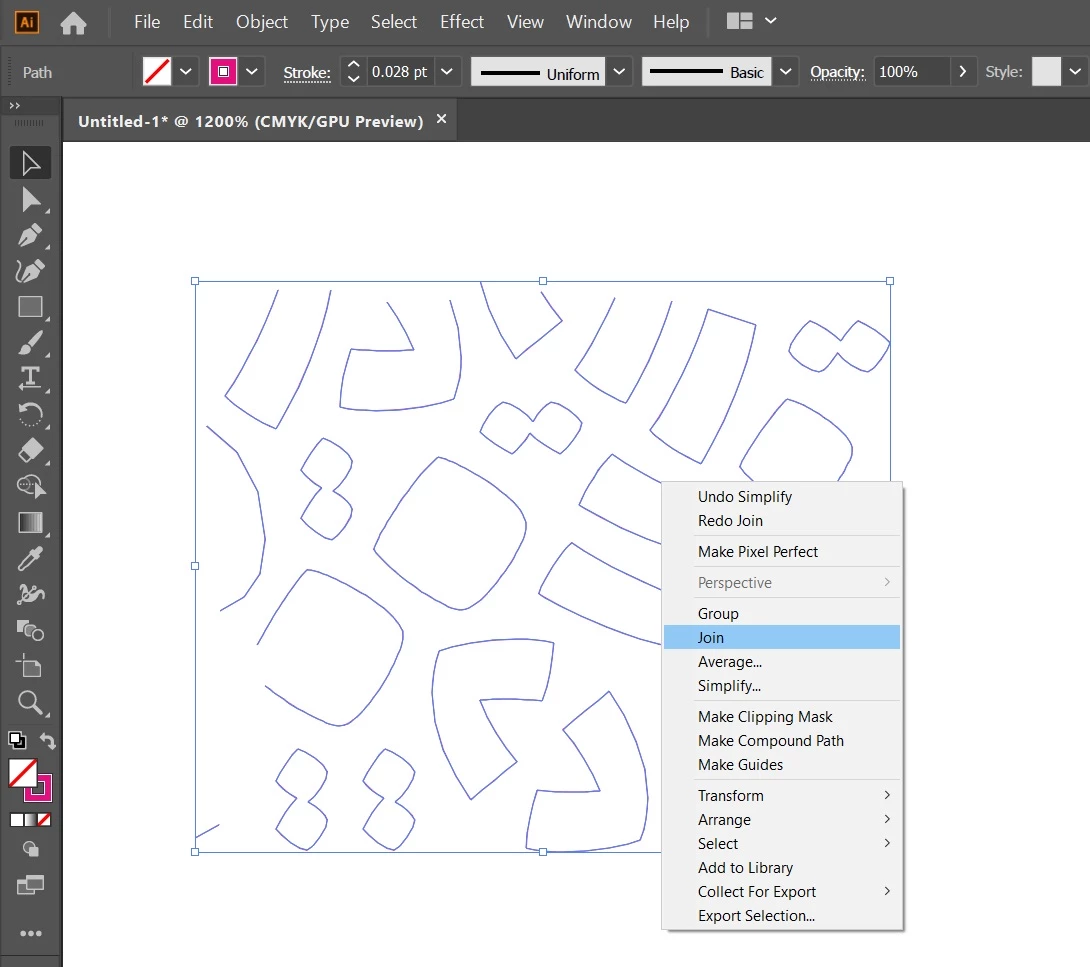
After using the join tool:
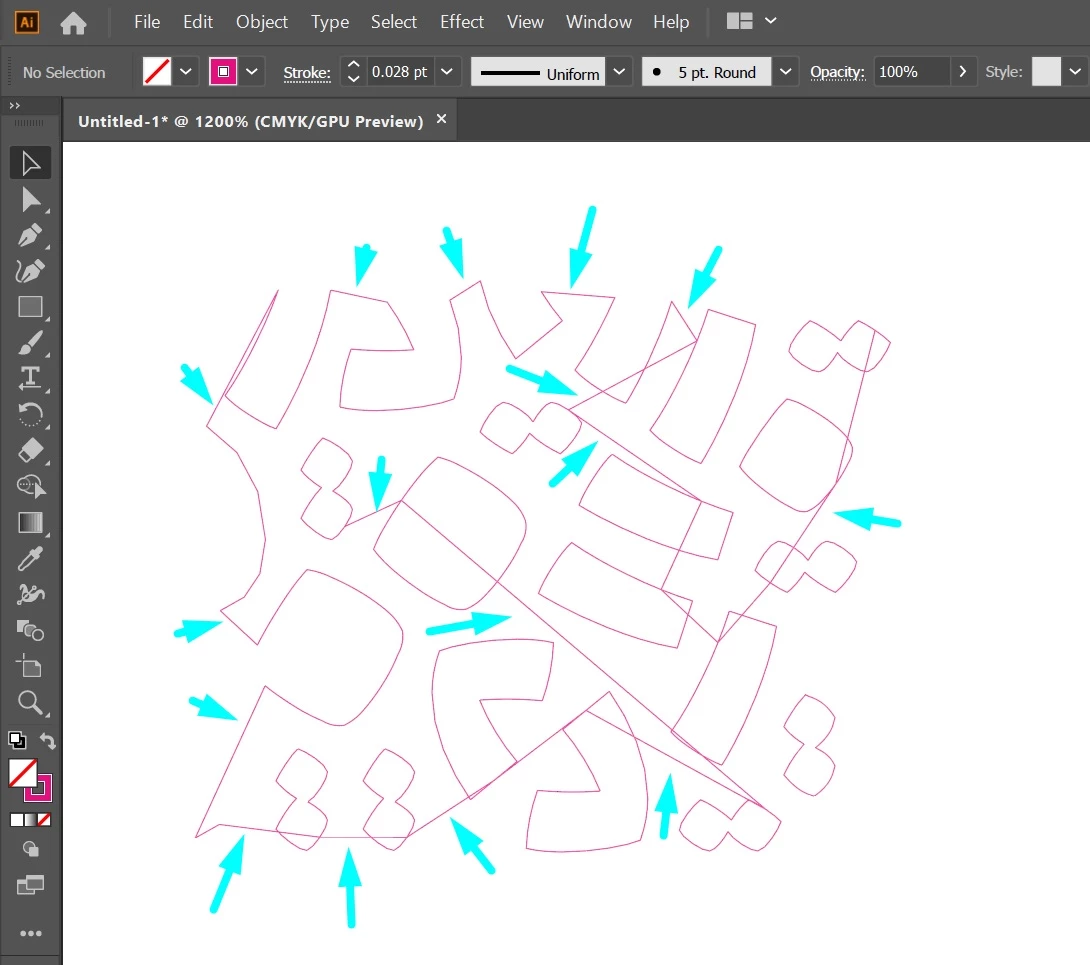
You can see unrelated shapes will become connected t each other too! and I do not want that.
As I know CorelDraw has a solution to that and that is the "Gap Tolerance" feature (Like the image below) :
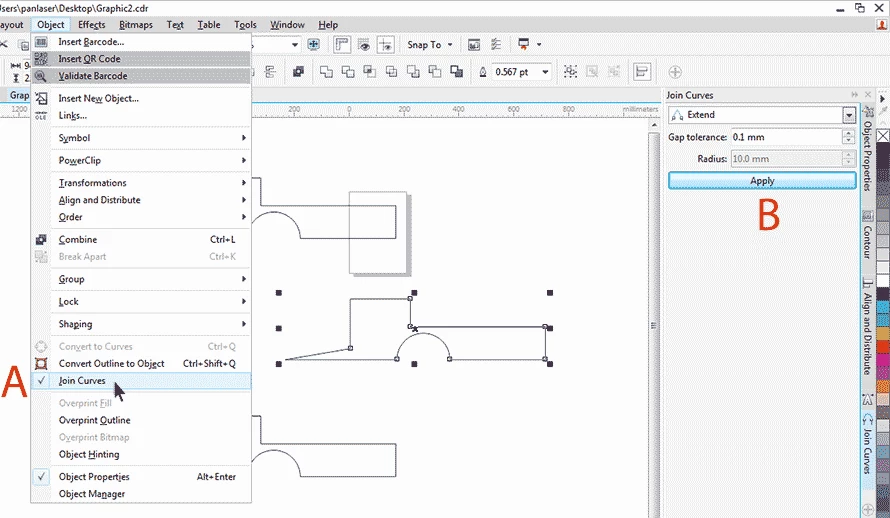
This feature empowering us to do not connect shapes with larger gaps between them. And separated shapes do not connect together (As I wanted to).
Is it really a way to fix that Issue in Illustrator?
I attached the file. Thanks.
 AdChoices