
Melodic_dynamism5D31
Participant
July 23, 2019
Question

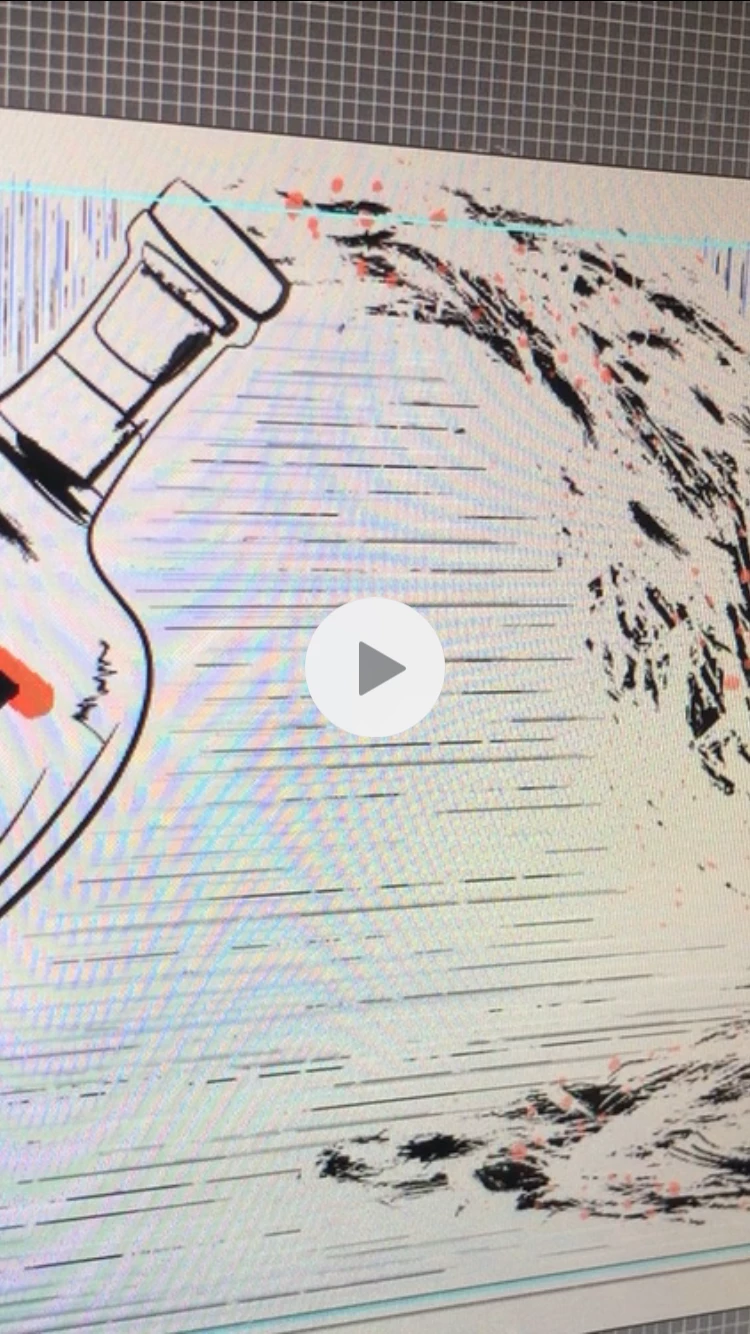
How to get a rainbow screen glare effect? (picture in description)

  • July 23, 2019
  • 2 replies
  • 838 views

Ok pretty random, but when taking a video of one of my projects the laptop screen created a bit of a rainbow glare on it. I think it would be really cool to recreate this effect in AI. Any suggestions on how to get this result? Should I just create the shape/shapes and add a rainbow gradient, then play around with blends and opacity? Would love to hear your thoughts.
This topic has been closed for replies.

2 replies

Eugenio.NYC
Participating Frequently
July 23, 2019

Also you can create 2 lines and use the Blend tool (click in one line and then click on the second line to create a blend between the lines)

then double click over the blend tool and you can change how many steps you want between the lines. Play with colors

Regards

E

Monika Gause
Community Expert
Community Expert
July 23, 2019

This is called a Moiree.

You might try with these approaches: Op Art using line sets in Adobe Illustrator « ddrees art