Inspiring
September 23, 2024
Question

How to get a stroke transparent

  • September 23, 2024
  • 4 replies
  • 518 views

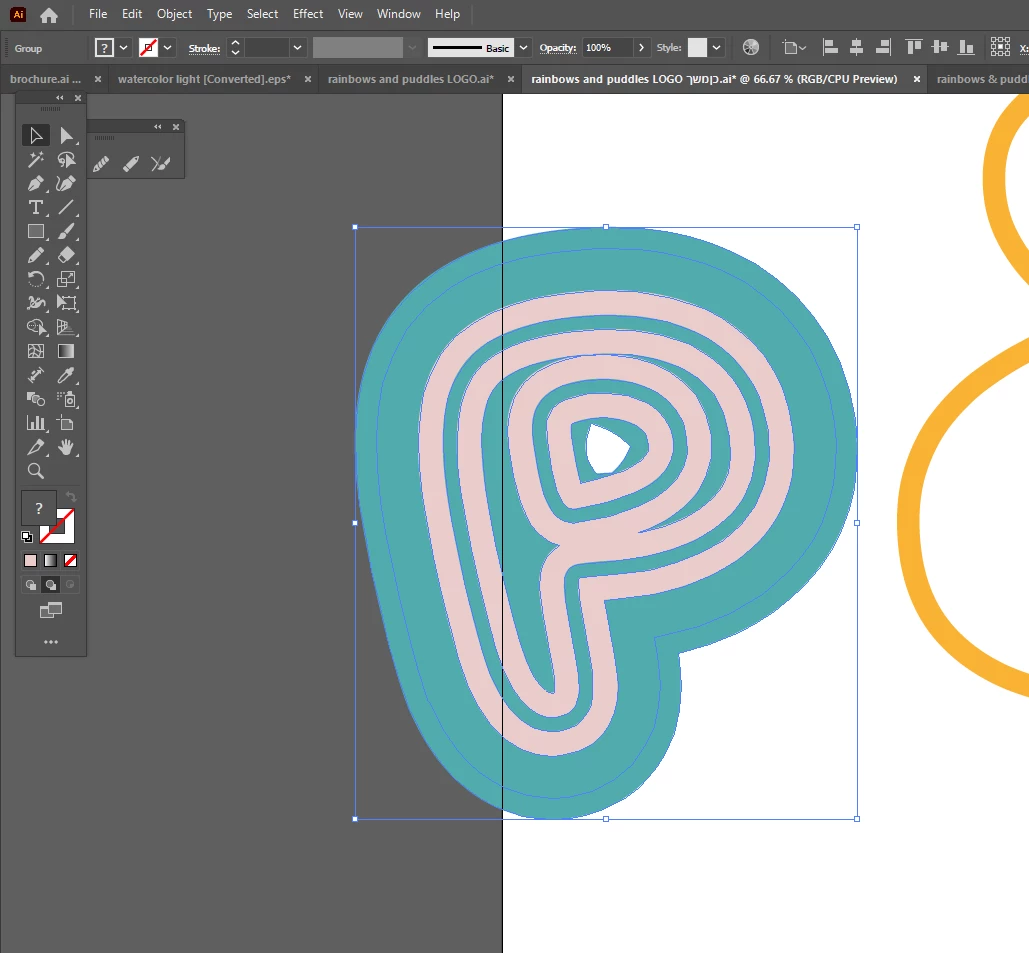
How can I get the light pink to be transparant so that I can place it on any color and have it that color?

 

This topic has been closed for replies.

4 replies

Monika Gause
Community Expert
Community Expert
September 25, 2024

Looks like all strokes are expanded?

Then just select all and click on "Merge" in the Pathfinder panel (that button is in the bottom row !!!)

Afterwards ungroup and delete the pink things.

There will also be at least one invisible path.

Delete that as well.

RvdT
Inspiring
September 25, 2024

Select you object.

Object > Expand Appearance

Object > Expand > Fill and Stroke

Object > Ungroup

Window > Pathfinder  > Subtract


Ton Frederiks
Community Expert
Community Expert
September 23, 2024

Try with the Shape Builder (Shift +M) selected to drag over the pink areas while holding down the Alt (Option) key.

Inspiring
September 25, 2024

Tried that

The entire thing disapears when I do that.

Ton Frederiks
Community Expert
Community Expert
September 25, 2024

Can you share that object? Attach as .pdf

Community Expert
September 23, 2024

If the group of pink stroked objects is a separate group of objects with no fill you can apply a transparency effect to it using the Transparency palette.