

Known Participant
October 26, 2025
Answered

How to get Effect > Stylize > Round Corners values in extendscript?

  • October 26, 2025
  • 1 reply
  • 126 views

Hi,


I need to get Effect > Stylize > Round Corners - Radius value in extendscript. please help.
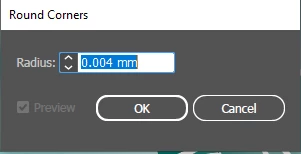
 

Thanks.

Correct answer m1b

@Hi @psar12345 unfortunately I don't think we can get that value via the scripting API.


At least not without some complex hack. For example, if the page item is a PathItem then we could potentially duplicate it, replace the path with a simple corner made of 3 points, expand appearance, and finally measure the radius of the corner according to the anchors of the two points it creates (if any) at the corner. Would that work in your particular case?

- Mark

1 reply

m1b
Community Expert
m1bCommunity ExpertCorrect answer
Community Expert
October 26, 2025

@Hi @psar12345 unfortunately I don't think we can get that value via the scripting API.


At least not without some complex hack. For example, if the page item is a PathItem then we could potentially duplicate it, replace the path with a simple corner made of 3 points, expand appearance, and finally measure the radius of the corner according to the anchors of the two points it creates (if any) at the corner. Would that work in your particular case?

- Mark

psar12345Author
Known Participant
October 29, 2025

Hi @m1b ,


Based on your suggestion, I was able to find the solution to calculate the radius value using ExtendScript.

Thank you for your support.

m1b
Community Expert
Community Expert
October 29, 2025

Well done! 🙂
