
Participating Frequently
October 17, 2019
Question

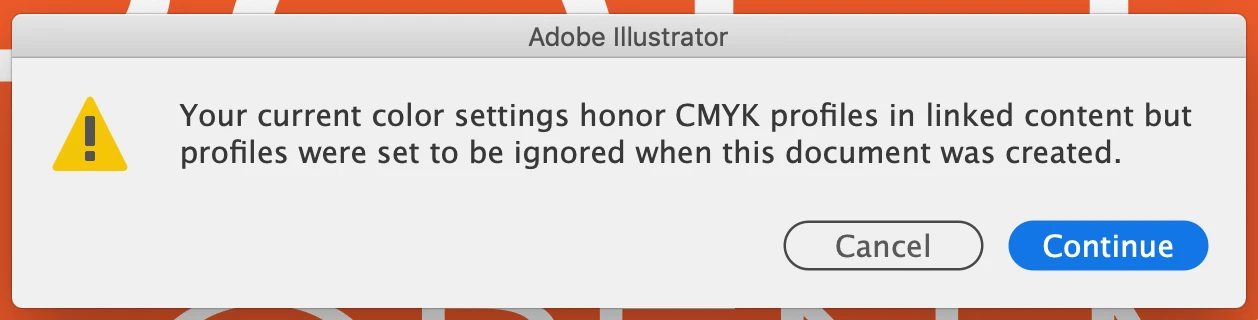
How to get rid of "Your current color settings" alert that comes with every document I open.
  • October 17, 2019
  • 1 reply
  • 2134 views

Every file I open now I'm assaulted with with this demand for a needless click. Is there a way to disable the unwanted Adobe features that hinder more than they help?

    1 reply

    Monika Gause
    Community Expert
    Community Expert
    October 18, 2019

    That is not a needless click. It's a warning from color management that should be taken seriously and it shows you that you haven't set up color management properly.

    Conversion of CMYK files might lead to black becoming muddy. It's especially bad when you link vector files (or import vector content).

    This barely scratches the surface: https://helpx.adobe.com/photoshop-elements/using/setting-color-management.html

    You might want to also check out: https://www.colourmanagement.net/advice/


    There are trainings on LinkedIn available as well (not for free)

    HopDavidAuthor
    Participating Frequently
    October 19, 2019

    When I get the message I have two options -- open the document or don't open it. I open it as I always do. But with an unneccessary click. If there's a problem Adobe should offer an option that remedies the problem. For example if I open a file that has a font I lack, I'm offered an option to replace the font. Am I offered a way to remedy the wrong color settings? No. Either open the document or don't. That's it.


    I've been using Illustrator ever since Adobe destroyed Macromedia. I have a huge body of illustrator documents -- all of them made using Adobe's default settings. They are all improperly set up? Well, I'm not surprised. But we've been using these faulty documents just fine for years.


    We also use a service Iclipart. Every single Illustrator file I download from Iclipart is also faulty. No surprise. They're illustrator documents after all.


    Monika Gause
    Community Expert
    Community Expert
    October 19, 2019

    Nope. Honoring the color profiles is not the default color management setting.

    The default settings in color management are either the "Universal" or "Print/Prepress 3" (depending on the version). Both are set up to ignore CMYK profiles.

    The secure CMYK workflow has been introduced in version CS2 and it has been set as the default ever since.